Appearance
Make a second Lifecycle or Broadcast from one that is already saved, then change the copy without touching the original.
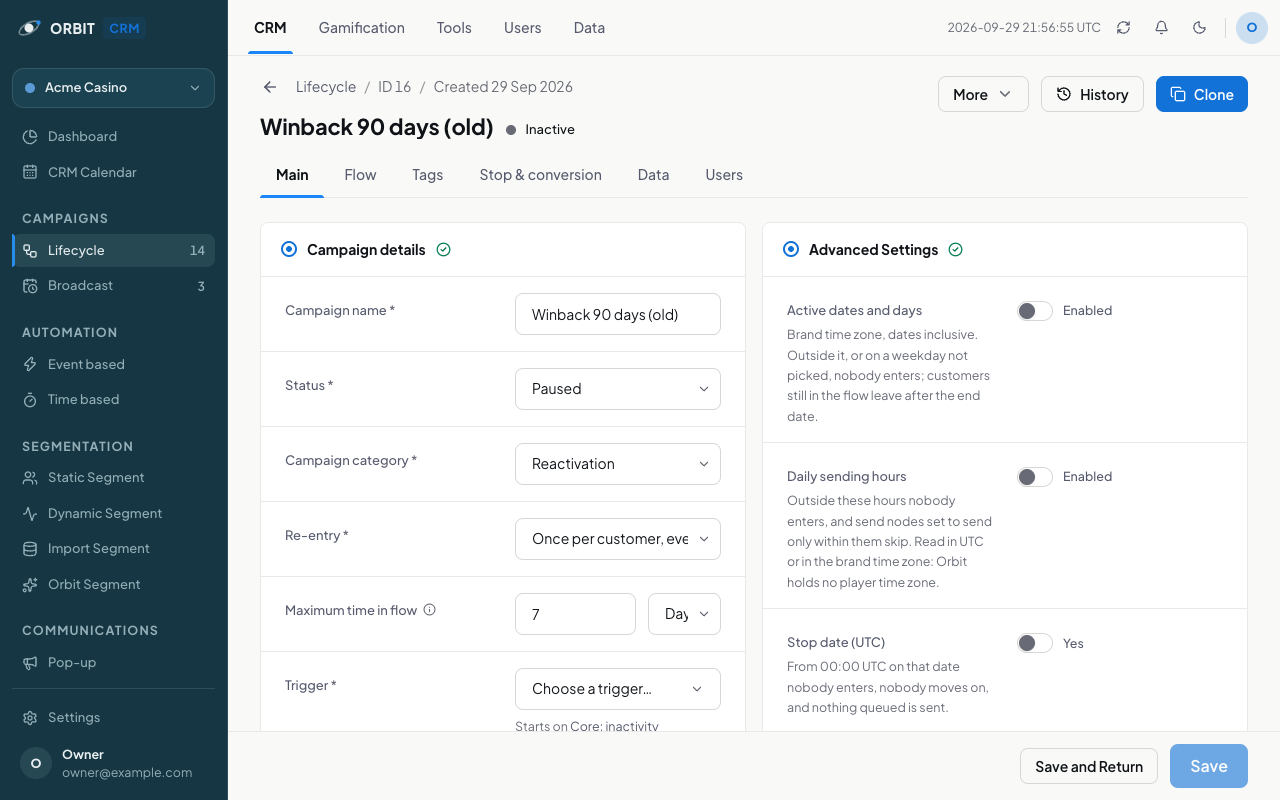
Before you start: Clone is on a saved record. A new one that has never been saved shows New lifecycle campaign or New broadcast campaign, and the header has no Clone.
- Open CRM, then Campaigns, then Lifecycle or Broadcast. Open the row.
- In the header, next to History, press Clone. While it works the button reads Cloning….
- Orbit opens the new record on Main. Campaign name is the original name, a space, and (copy). Status is Draft.
- The flow, the trigger, Re-entry, Campaign category and the duration come across. The segment comes across when it belongs to this brand. Groups on the original stay on the original. Campaign tags, on Main, are a separate panel. See Set tags on one campaign. Stop & conversion rules stay on the original.
- Read Main, then Flow, and change what should differ. Status stays Draft until you set it to Active. A Draft does not send.
The original is unchanged. Its Status is whatever it was before you pressed Clone.
Tip
History on the copy can show Cloned campaign, with the source name under it. That is the record of this copy. It is not the original’s Run history on Data.
Warning
Clone copies the campaign record. It does not copy the tags, and it does not copy the rows on Stop & conversion. Add those on the copy if the new campaign should have them. The screen does not print a separate line when Clone is refused.