Appearance
General changes Marketing eligibility, Scheduled models, the Levels engine and the Badges engine for the active brand. The header says whether the background scheduler is running on this deployment.
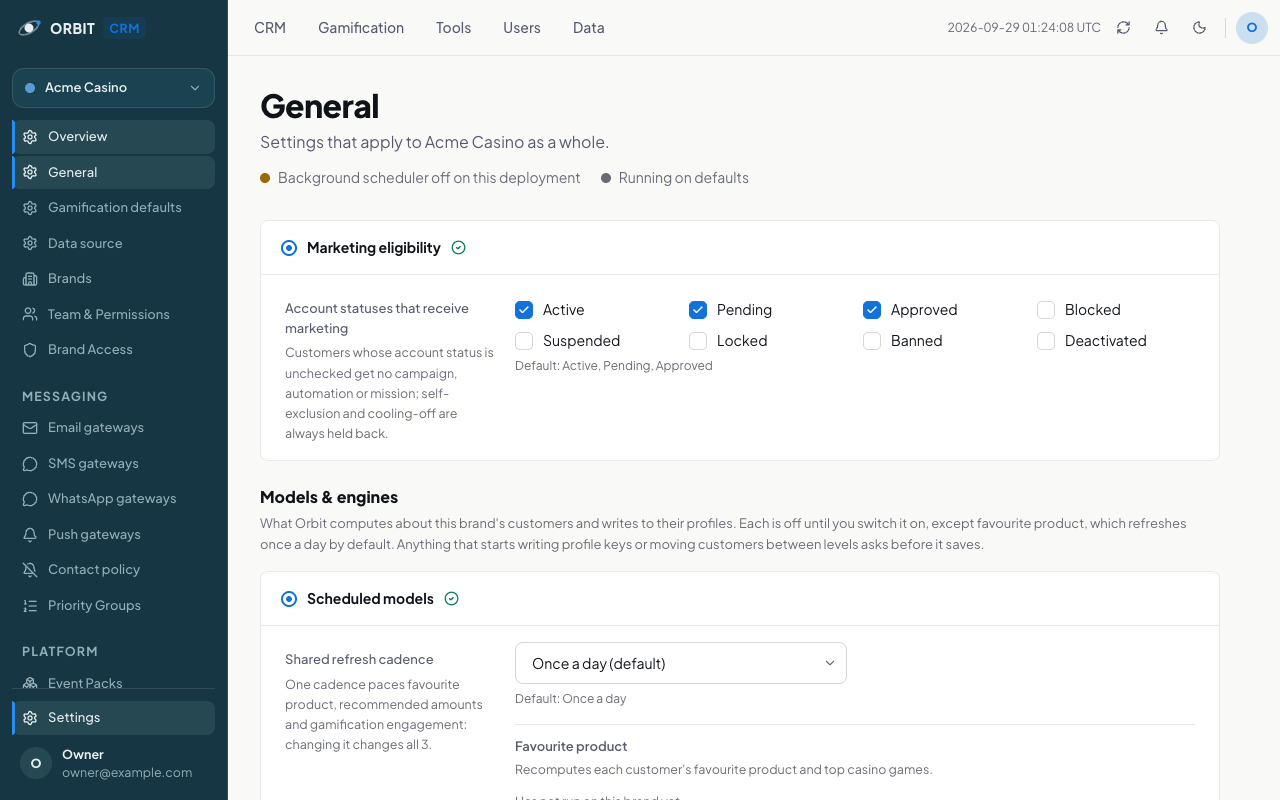
- Open Settings, then General. The title is General. The subtitle says the settings apply to the brand as a whole.
- Read the header. Green means Background scheduler running. Yellow means Background scheduler off on this deployment. A model whose cadence is not Off adds: The background scheduler is off on this deployment, so this model does not refresh here. Running the scheduler by hand does not run it either.
- Under Marketing eligibility, the label is Account statuses that receive marketing. The boxes are Active, Pending, Approved, Blocked, Suspended, Locked, Banned and Deactivated. The starting line is Default: Active, Pending, Approved. Checking a status asks first. Unchecking saves at once. If none are checked, the page says nobody receives marketing, and No status is checked, so nobody on this brand is messaged or rewarded. Self-exclusion and cooling-off still hold a customer back, whatever this list says.
- Under Models & engines, open Scheduled models. The models are Favourite product, Recommended amounts, RFM, Value score and Gamification engagement. Cadence choices are Off, Every 6 hours, Every 12 hours, Once a day and Once a week. Favourite product refreshes once a day by default. RFM and Value score start on Off. Turning a cadence on from Off asks before it saves. Enterprise includes these models. On Starter, Growth and Pro they are the Predictive models add-on. Without access, the states stay visible and the controls are locked. A brand that already had a model enabled keeps access. See Use Predictive models.
- Under Engines, set Levels engine and Badges engine. Mode is Off (default) or Live. Live asks Turn on the levels engine? or Turn on the badges engine? and the confirm button is Turn on. The Levels hint says that, live, Orbit places each customer on a level from the figure each level qualifies on — XP by default — whenever it moves, and emits Tier changed on a change. The info mark says that, off, levels are configuration only, and that, live, a Locked mission's unlock level also decides who may start it. The Badges hint says that, live, Orbit awards each badge stage as soon as a customer’s events reach its threshold, emits Badge earned and credits the stage’s points.
Each control saves on its own. Saving… shows under the control you changed. Only Owners and Managers can change these settings. Anyone else sees that sentence and the controls stay disabled.
Warning
Background scheduler off on this deployment is about this installation, not about one brand. A cadence you set is stored, and the model does not refresh until the scheduler is running.