Appearance
A Lifecycle campaign sends to new people from events only while Status is Active, a trigger is set, and the steps include a message. Run now on Data tells you who entered, who was not contactable, and who failed.
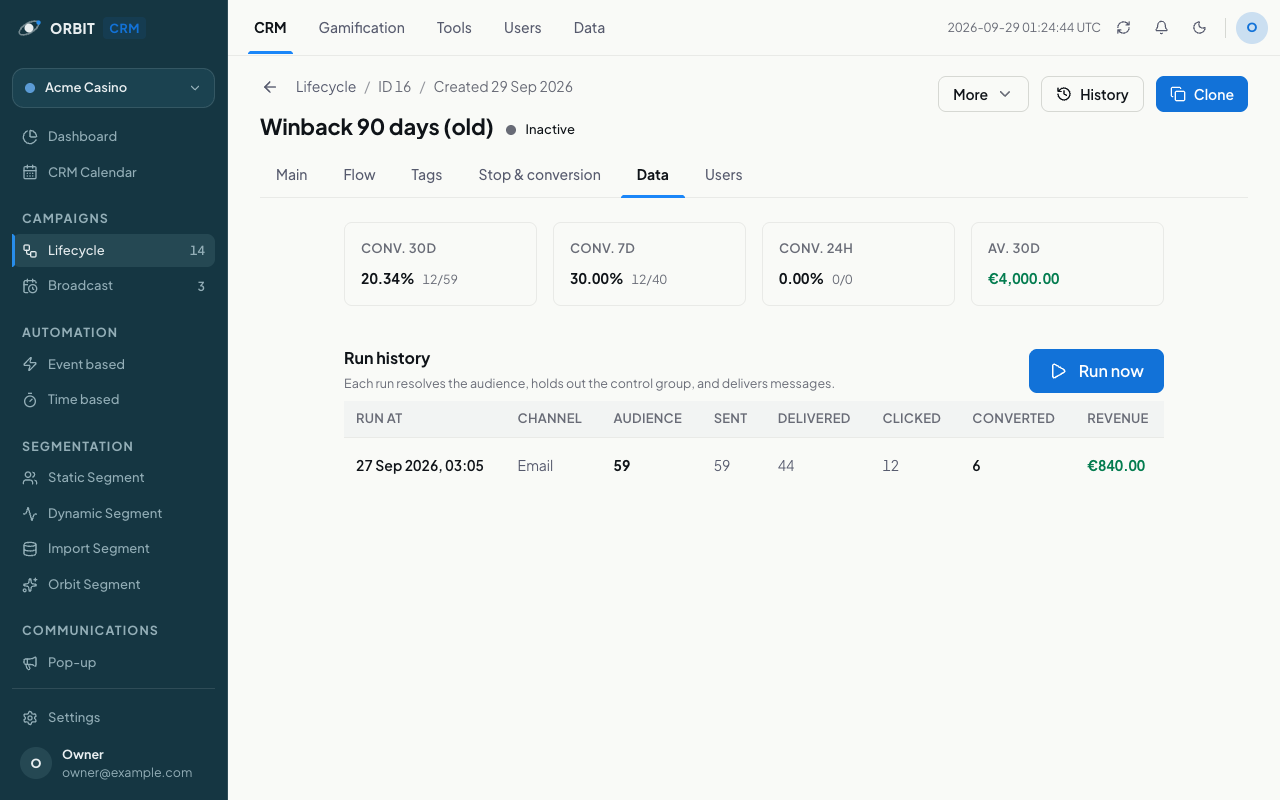
- Open CRM, then Campaigns, then Lifecycle, and open the campaign. The page title area uses Lifecycle Campaigns on the list.
- Open Main and read Status. Active is the only status that lets a new customer enter from an event. Draft and Paused do not take those entries. People already inside a Paused campaign keep going. Disabled and Archived block Run now. The button’s hint is This campaign is disabled, so nobody new enters it. Archived uses the same sentence with archived.
- Trigger shows Required in red when it is empty and the brand has events. The placeholder is Choose a trigger…. With no trigger, an active campaign does not start anyone from an event. Segment is not required. All customers (no segment) means the whole brand. More holds Activate campaign when Status is not Active, and Pause campaign when it is.
- Open Flow. If the canvas is empty, it says Empty flow: drag an activity from the left onto the canvas, then drag from a node’s port to connect. A send needs a step under Messages with a message chosen. An empty picker names the channel and says to create one under Communications. A long list in that picker opens a search box, Search…. No match is the empty result. Press Save flow. If Status is Active or Paused, the canvas shows Locked until you unlock it. Disabled and Archived show Read-only.
- Open Data, not Users. Press Run now. The line under it reports who entered, who was not contactable, who was kept out by re-entry, and who failed on a send. Nobody entered: means a window refused everyone, such as Active dates and days or Daily sending hours. Run history lists Run at, Channel, Audience, Sent, Delivered, Clicked, Converted and Revenue.
Users lists who entered when anyone has. An empty Users tab says No customer has entered this lifecycle yet. The line under Run now is still the check for a single test run.
Warning
Run now on a Draft or a Paused campaign still runs that once. It does not turn the campaign into something that keeps taking new events. Status has to be Active for that.