Appearance
A badge is saved for the active brand as soon as you click Save. Customers receive a stage only when the Badges engine is live.
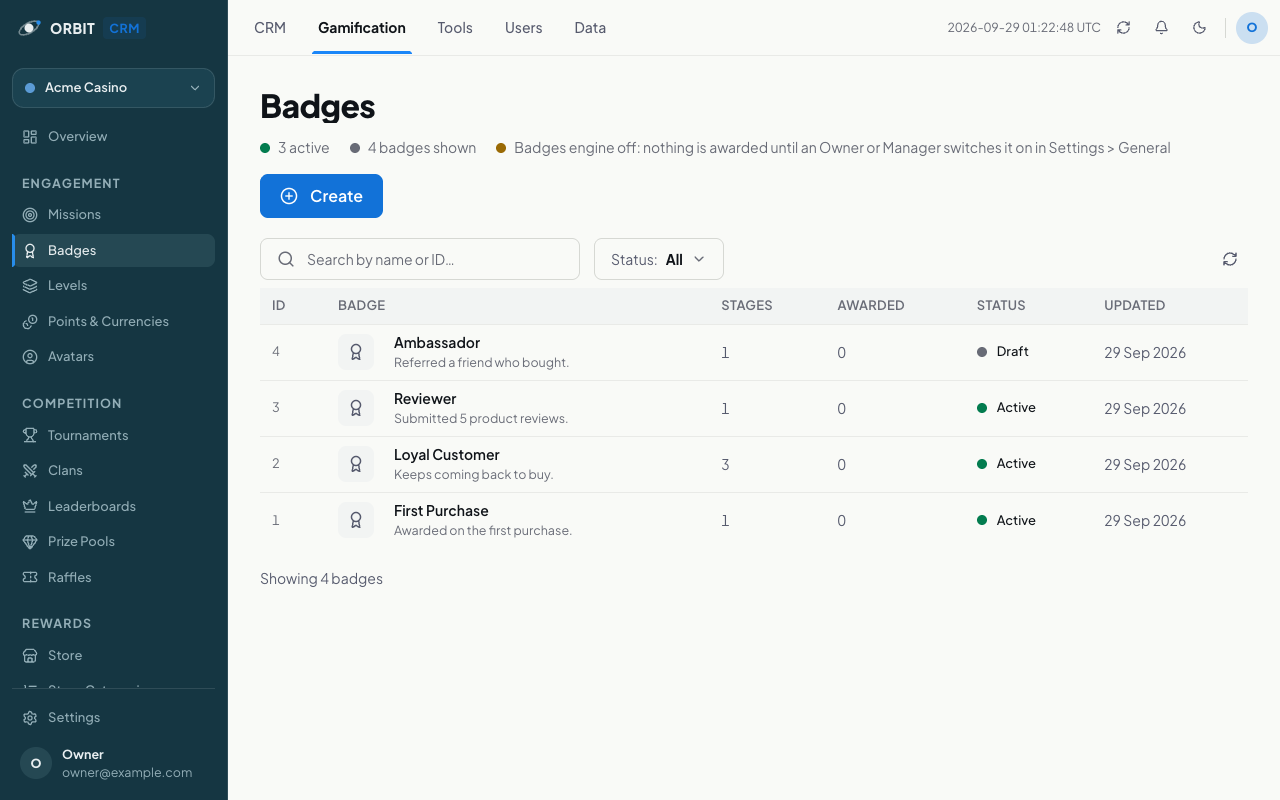
- Open Gamification, then Engagement, then Badges.
- If the engine is off, a yellow line reads “Badges engine off: nothing is awarded until an Owner or Manager switches it on in Settings > General”. The Awarded column stays at zero while that line is up. An Owner or a Manager turns it on under Settings, then General, on Badges engine, by setting Mode to Live.
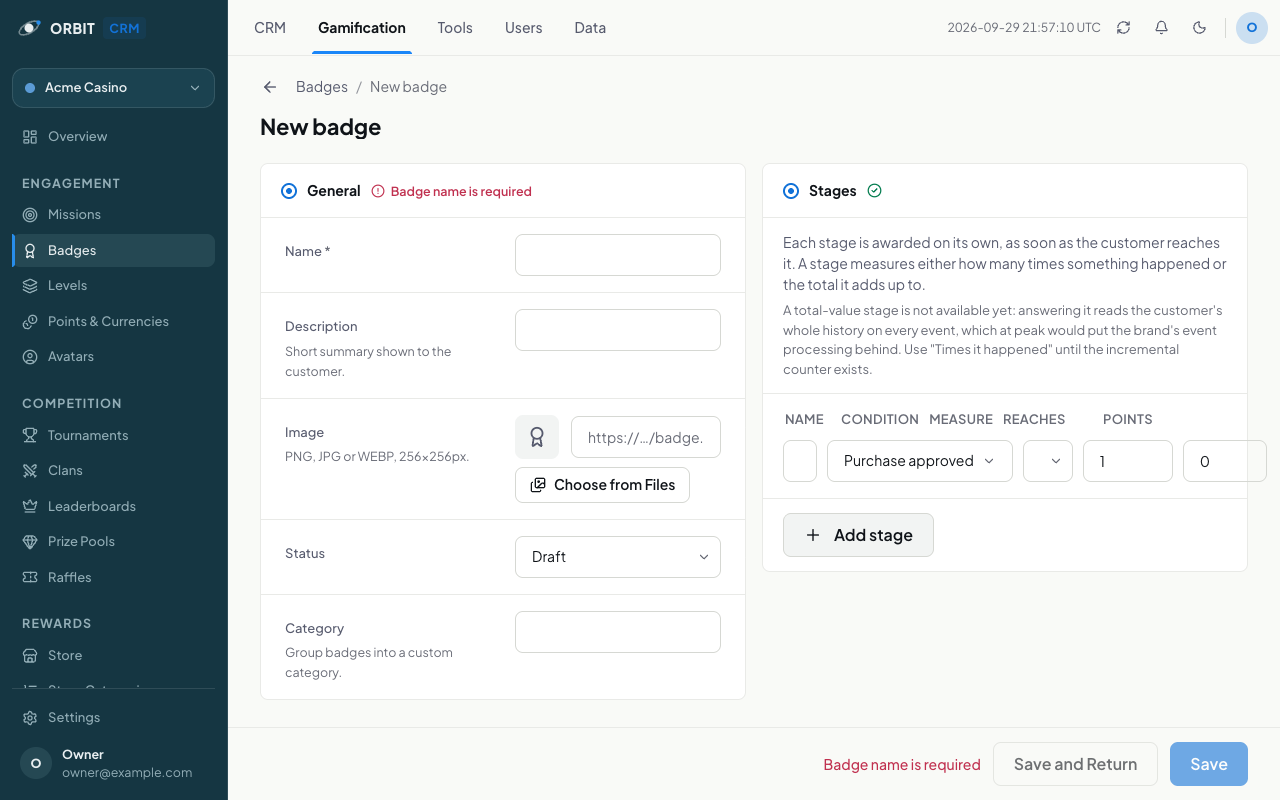
- Click Create. On an empty brand the page also offers Create your first badge and Create badge. The new page is titled New badge.
- On General, Name is required. Empty, Save is blocked with “Badge name is required”. Description is the short summary shown to the customer. Image takes a PNG, JPG or WEBP address, 256x256px. Status is Active, Draft or Inactive. Category groups badges into a custom category.
- On Stages, click Add stage. The line starts with “Each stage is awarded on its own, as soon as the customer reaches it.” Fill Name, Condition, Measure, Reaches and Points. Condition lists the task-action names without a “Core: ” prefix, such as Purchase approved.
- Measure offers Times it happened. Total value reached (not available yet) is shown and cannot be chosen. The page explains that a total-value stage is not available yet, and tells you to use Times it happened.
- Save stays on the badge and shows Saved. Save and Return goes back to the list. A stage whose Reaches is past the ceiling the page prints is refused on save.
The list columns are ID, Badge, Stages, Awarded, Status and Updated. A stage the engine cannot read is marked not measurable beside the stage count.
Warning
Status Active stores the badge as active. With the Badges engine on Off, nothing is awarded. Live is the Mode that starts awarding stages when a customer’s events reach the threshold.
Secret achievement hides the name, the details and the prize from players until the badge is earned. The hint reads “Hide the name, details and prize from players until earned.”
A stage that counts page views cannot be saved. The page shows “page_navigated conditions require a window of at most 7 days; lifetime and longer windows are unavailable. Badges count lifetime activity and cannot count page views.”