Appearance
Forgot password? takes the email you sign in with and asks Orbit to send a link that sets a new password. The page gives the same answer whether or not that address has an account.
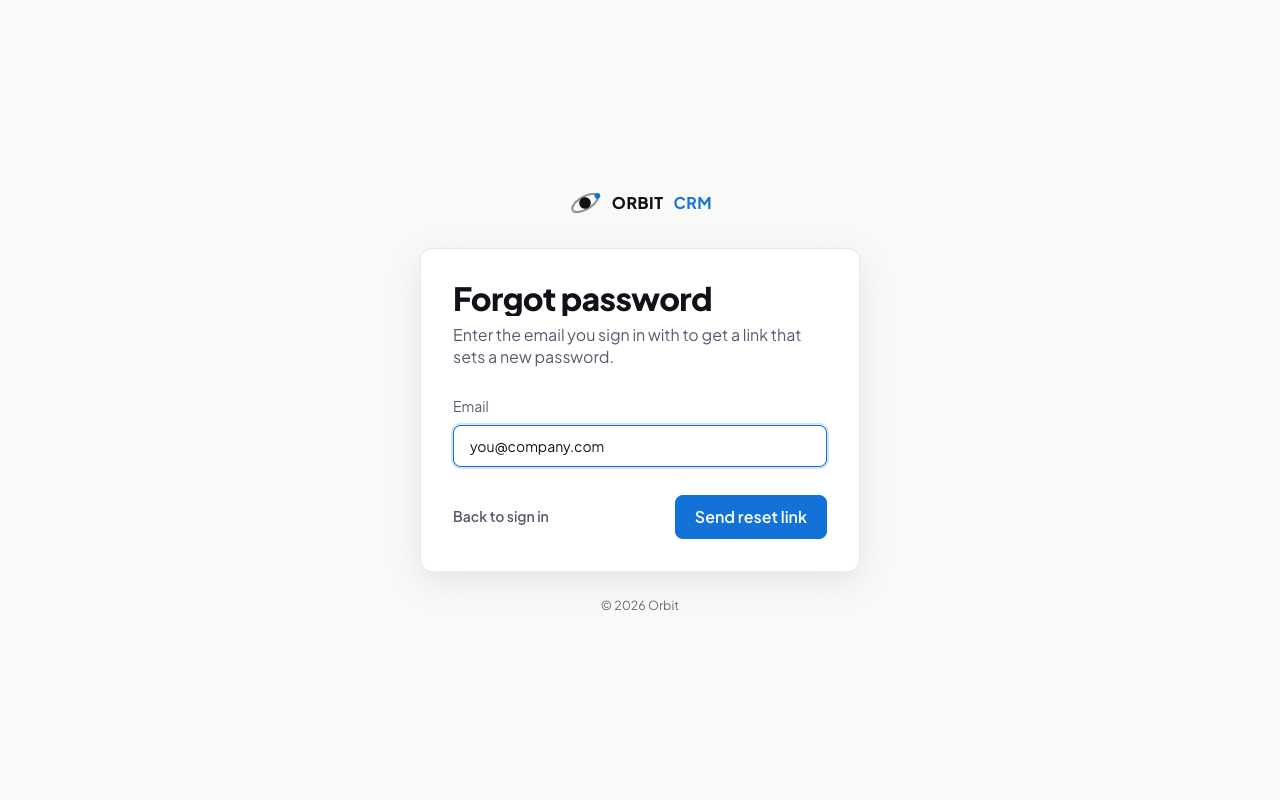
- On Sign in, press Forgot password? beside Password. The email you already typed is carried across.
- The title is Forgot password. The subtitle says to enter the email you sign in with to get a link that sets a new password.
- Check Email. The placeholder reads you@company.com.
- Press Send reset link. While it sends, the button reads Sending…. Send reset link stays off until Email has something in it.
When the request is accepted, the title changes to Request received. The message under it is always the same:
If an account exists for that email and email delivery is set up, a reset link is on its way. It works once, for 30 minutes. If nothing arrives, ask an Owner or Manager of your organization for a reset link.
Orbit does not say whether the address has an account. An unknown address, an inactive account, and a working account all receive that one sentence. If nothing arrives, ask an Owner or Manager of your organization for a reset link. That link is created from Team & Permissions.
Back to sign in returns you to the sign-in page. It is on the form, and again under Request received.
Warning
Too many reset requests. Wait a while and try again. means you have asked too often. Enter a valid email address. means Email is not an address. Could not send the request. Try again. means the request did not go through.