Appearance
The button on a mission card can open an Orbit link in the player's widget. The card shows the button only when both Button text and Button link are filled with a link Orbit can use.
Before you start
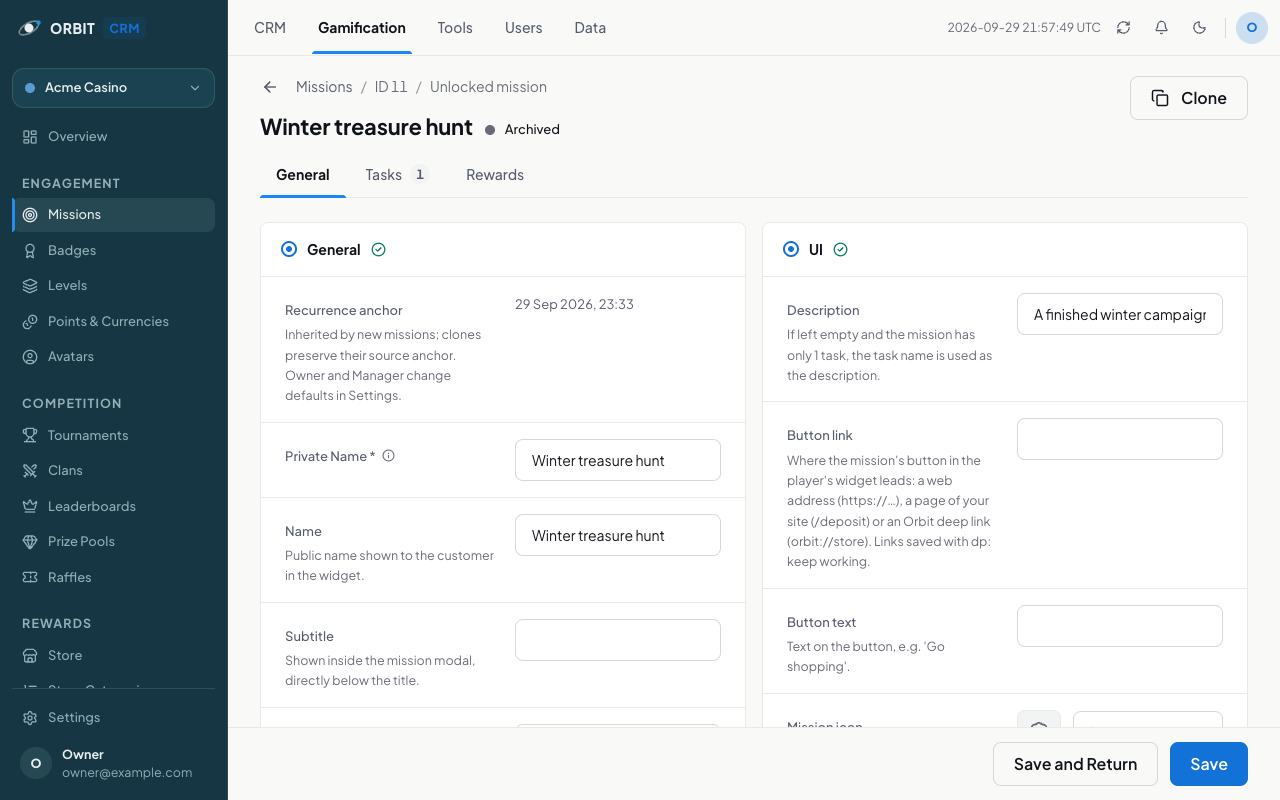
Open Gamification, then Engagement, then Missions, and open the mission. The fields are on the General tab, in the card UI.
- Set Button link. The hint says: a web address (https://…), a page of your site (/deposit), or an Orbit deep link (orbit://store). Links saved with dp: keep working.
- For an Orbit link, use one of:
orbit://inboxorbit://storeorbit://profileorbit://missions/and the mission id
- Set Button text. The hint says the text on the button, for example 'Go shopping'.
- Click Save. The page says Saved. Save and Return saves and goes back to the list.
An https address must be https, with no sign-in written into the address. A site page must start with /, such as /deposit, and must not start with //. An Orbit link opens that part of the widget. An address or a site page opens as a link.
A saved dp: link that Orbit still understands is kept. dp:inbox opens the inbox. dp:gamification opens the profile. Another dp: target is handed to the site as the site's own link, which is what the hint means by links saved with dp: keep working.
The button is left off the card when the text is empty, or when the link is empty or unusable. The text is shortened to 80 characters. The rest of the mission card still shows.
The Deep Link activity in a lifecycle flow is stricter: it sends only the four Orbit links, and it never sends a web address. This mission button can send a web address and an Orbit link.
Warning
A link Orbit cannot read is dropped. The player sees no button, not a button that goes nowhere.
Tip
Use orbit://store when the mission should open the store, and a site page such as /deposit when it should leave the widget for a page of the site.