Appearance
Create stores a store category. The header says the page is not live yet, and the player modal still lists items without categories.
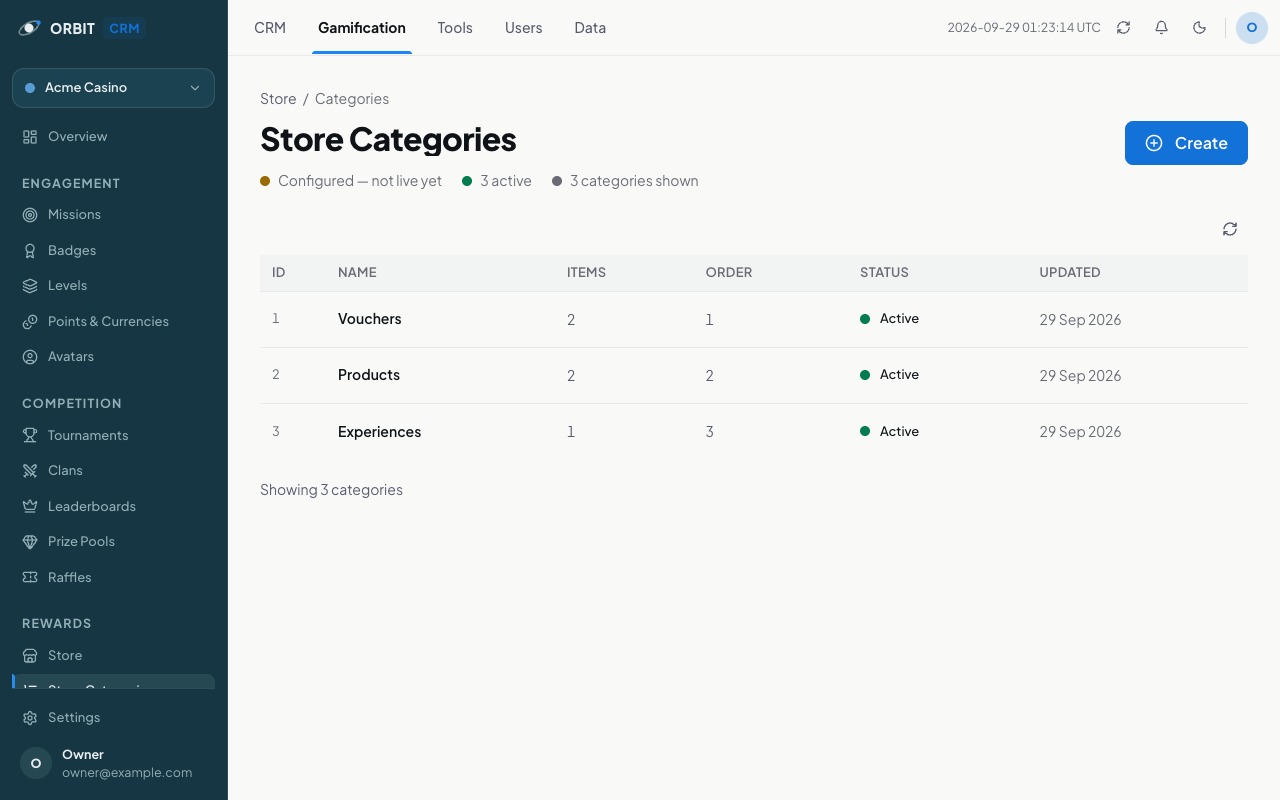
- Open Gamification, then Rewards, then Store Categories. You can also open Categories from the Store list. The breadcrumb on this page is Store / Categories.
- The header shows Configured — not live yet, how many are active, and how many categories are shown. Refresh reloads the list.
- Click Create.
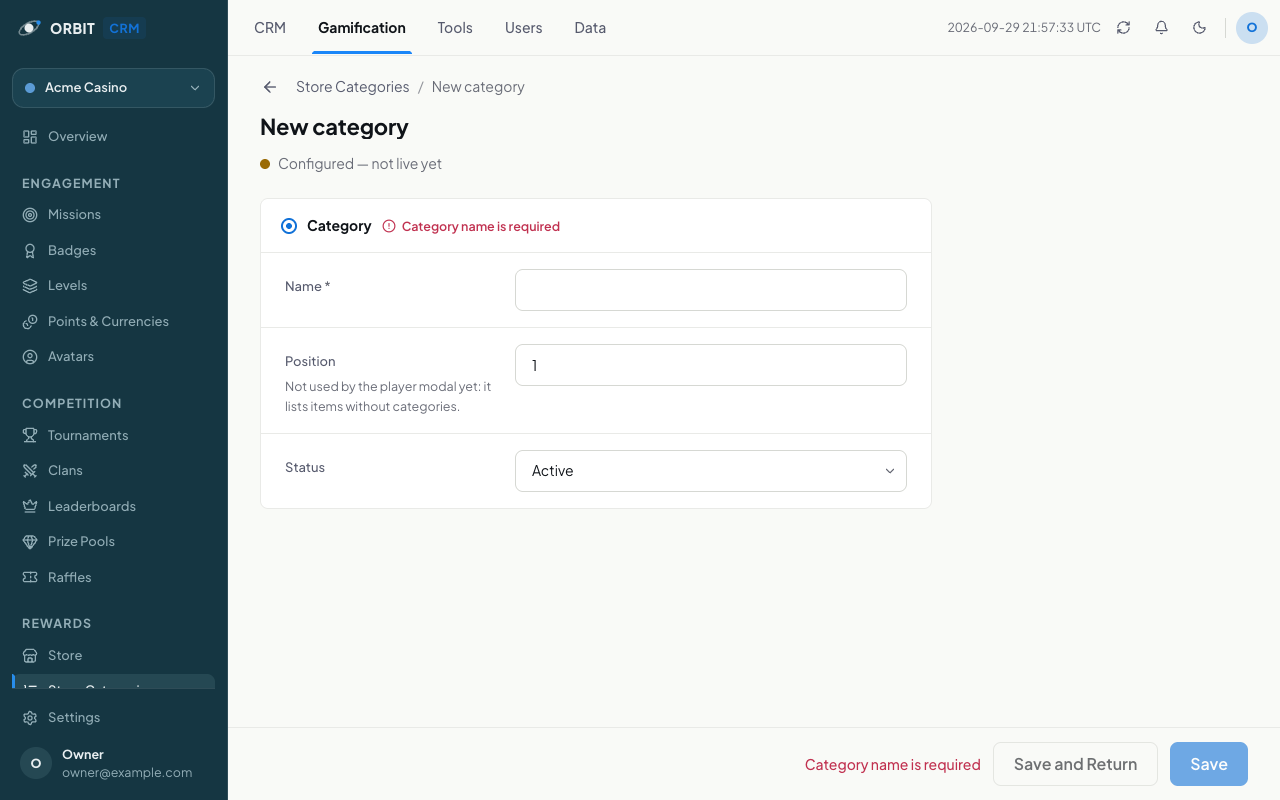
- Name is required. Empty, Save shows “Category name is required”.
- Position is a number. The hint says it is not used by the player modal yet: the modal lists items without categories.
- Status is Active or Inactive.
- Save shows Saved. Save and Return goes back to Store Categories.
On a store item, Category then lists No category plus every category name you saved. The item’s own hint repeats that the player modal lists items without categories, so choosing one stores the link and does not change what the modal shows.
Warning
Active updates the active count on this list. It does not make the category appear in the player modal. The order hint is the line that says the modal ignores categories.