Appearance
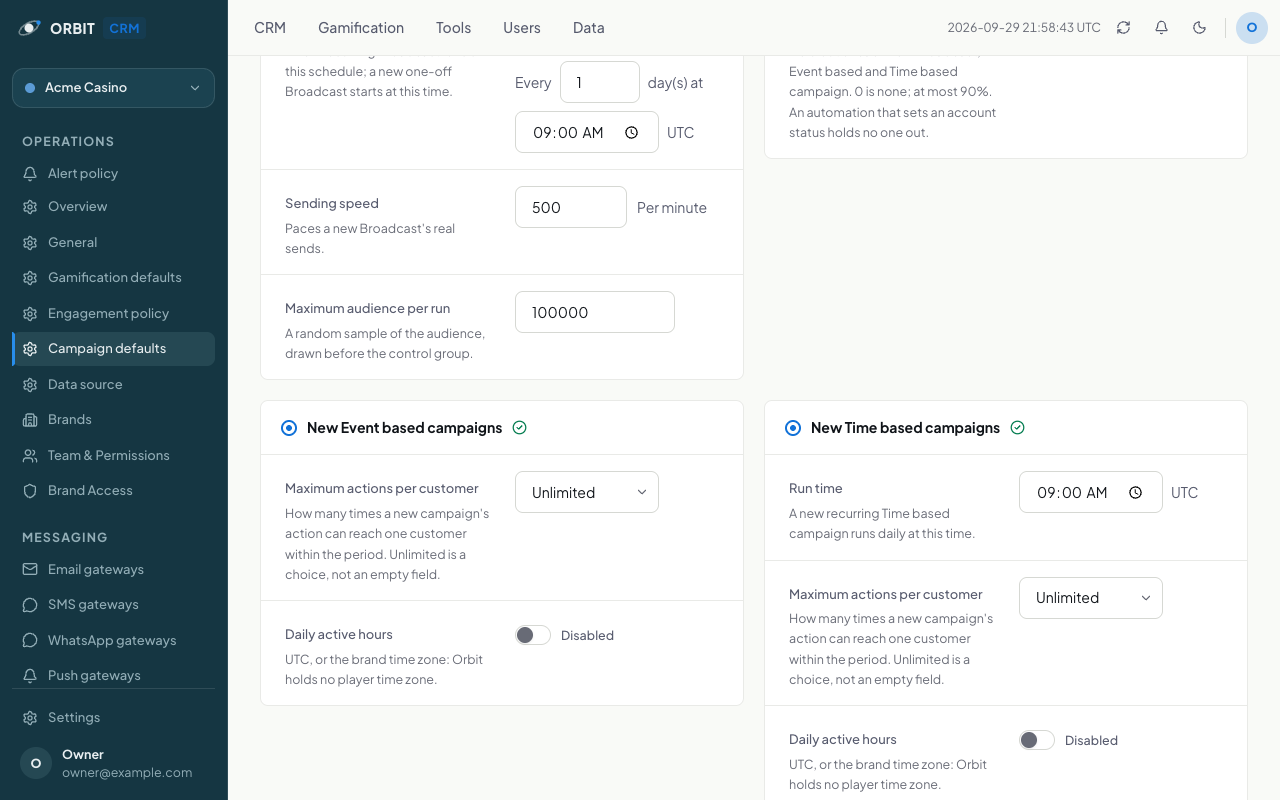
New Time based campaigns on Campaign defaults is copied into a Time based campaign at the moment it is created. A campaign that already exists keeps the time, limit and hours it was saved with.
Before you start
Owner and Manager save. Read When they apply on Effective defaults if you need the one-line reminder.
- Open Settings, then Campaign defaults.
- Under New Time based campaigns, set Run time. The hint says a new recurring Time based campaign runs daily at this time. The clock on the row is UTC.
- Set Maximum actions per customer the same way as on the Event based card: Unlimited, or Limited with a count and Ever, Per day, Per week or Per month.
- Set Daily active hours. Disabled means any hour. Enabled asks for System time (UTC) or Brand time zone (no player time zone yet), then a start and an end. The two times cannot be equal.
- Click Save defaults. The confirmation is Saved. New campaigns start from these values.
Orbit defaults includes a Time based line: daily at a UTC time, the limit text, and either any hour or the active window. That line is what a new campaign gets while Source still says Orbit defaults.
Save names this card when the hours are wrong: Time based: active hours need a start and an end time. or Time based: active hours cannot start and end at the same time.
Warning
An automation that sets an account status does not use the control group. The limit and the hours on this card are still the values a new Time based campaign starts from, including one that later sets an account status, until you change them on that campaign.
Tip
Discard changes is next to Save defaults and is available only while the page has unsaved edits.