Appearance
Create saves a currency on Points & Currencies. Customers keep one points balance, and the page says the currencies, rates and decimals defined here are not used yet.
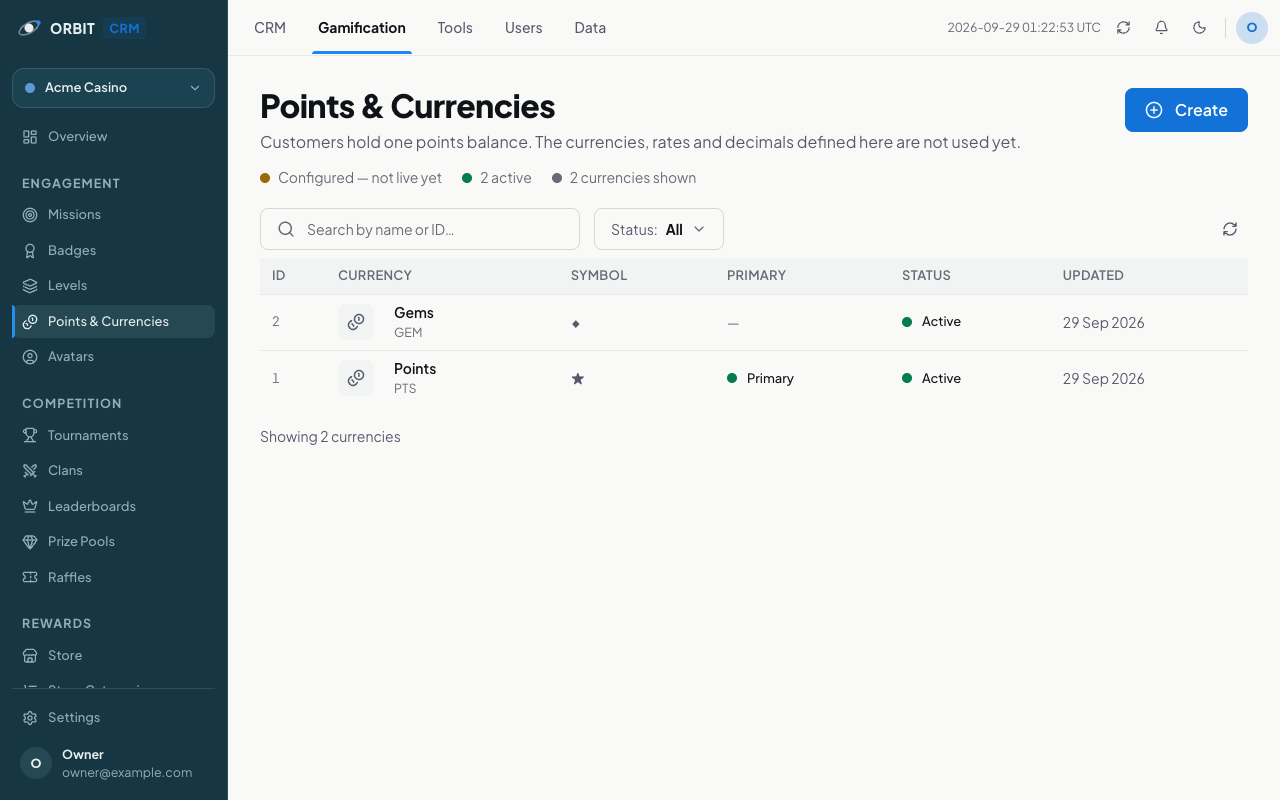
- Open Gamification, then Engagement, then Points & Currencies.
- The subtitle reads “Customers hold one points balance. The currencies, rates and decimals defined here are not used yet.” The header shows Configured — not live yet. That is the state of the whole screen: the row is stored, and nothing spends or converts it.
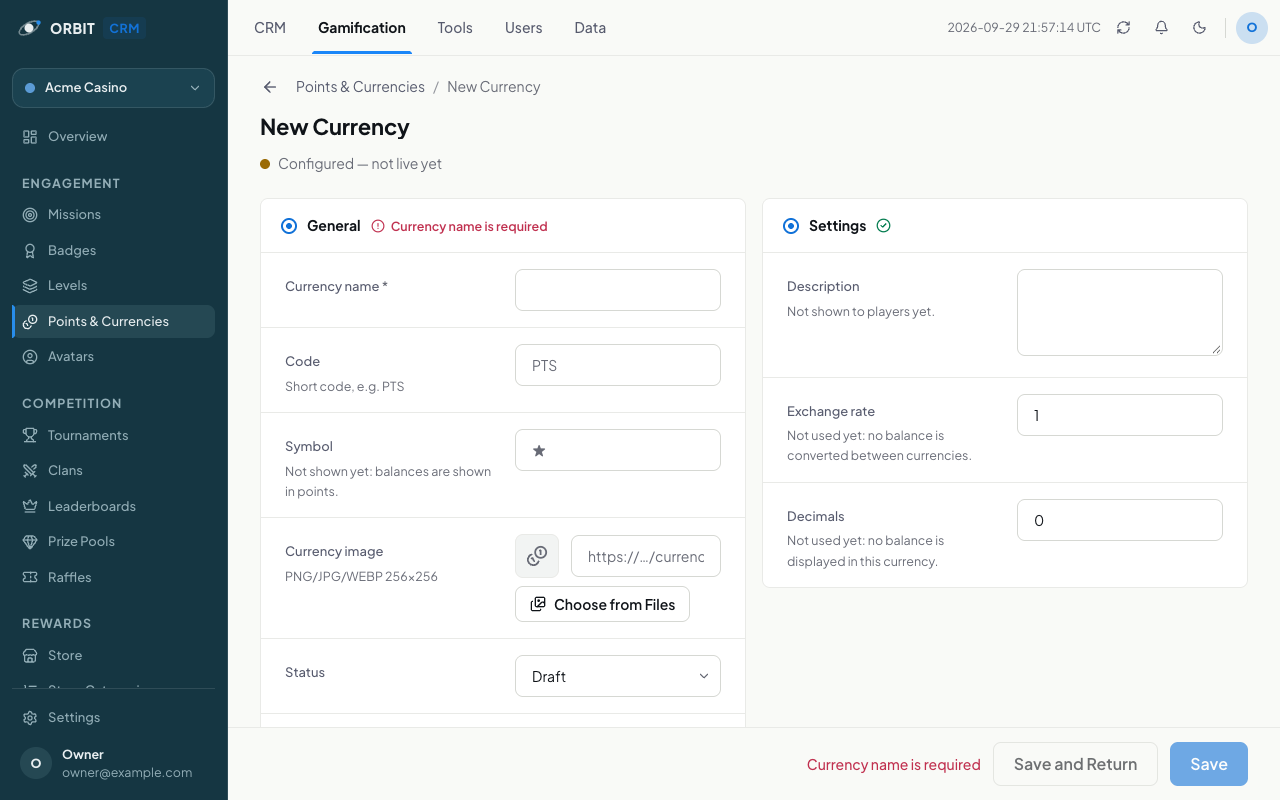
- Click Create. The page is titled New Currency, and it carries the same Configured — not live yet line.
- Currency name is required. Empty, Save shows “Currency name is required”.
- Code is a short code. The hint gives PTS as the example. Symbol says it is not shown yet, because balances are shown in points. Currency image takes a PNG, JPG or WEBP address at 256×256.
- Status is Active, Draft or Inactive.
- Set as primary currency reads Yes or No. The hint says only one currency can be primary, and that it is not used yet because customers hold one points balance.
- On Settings, Exchange rate is the rate you want stored. The hint says it is not used yet: no balance is converted between currencies. Decimals accepts 0 to 4. The hint says it is not used yet: no balance is displayed in this currency. Description says it is not shown to players yet.
- Save shows Saved. Save and Return goes back to the list.
The overview card Currencies counts these rows. Exactly one currency reads Single-currency economy. Any other count, including none, reads Loyalty economy.
Warning
Filling Exchange rate and Decimals does not change the points a mission grants or the price a store item shows. The hints on those fields say the values are stored and not used yet.