Appearance
See the tags on customers of the active brand, split by who set them.
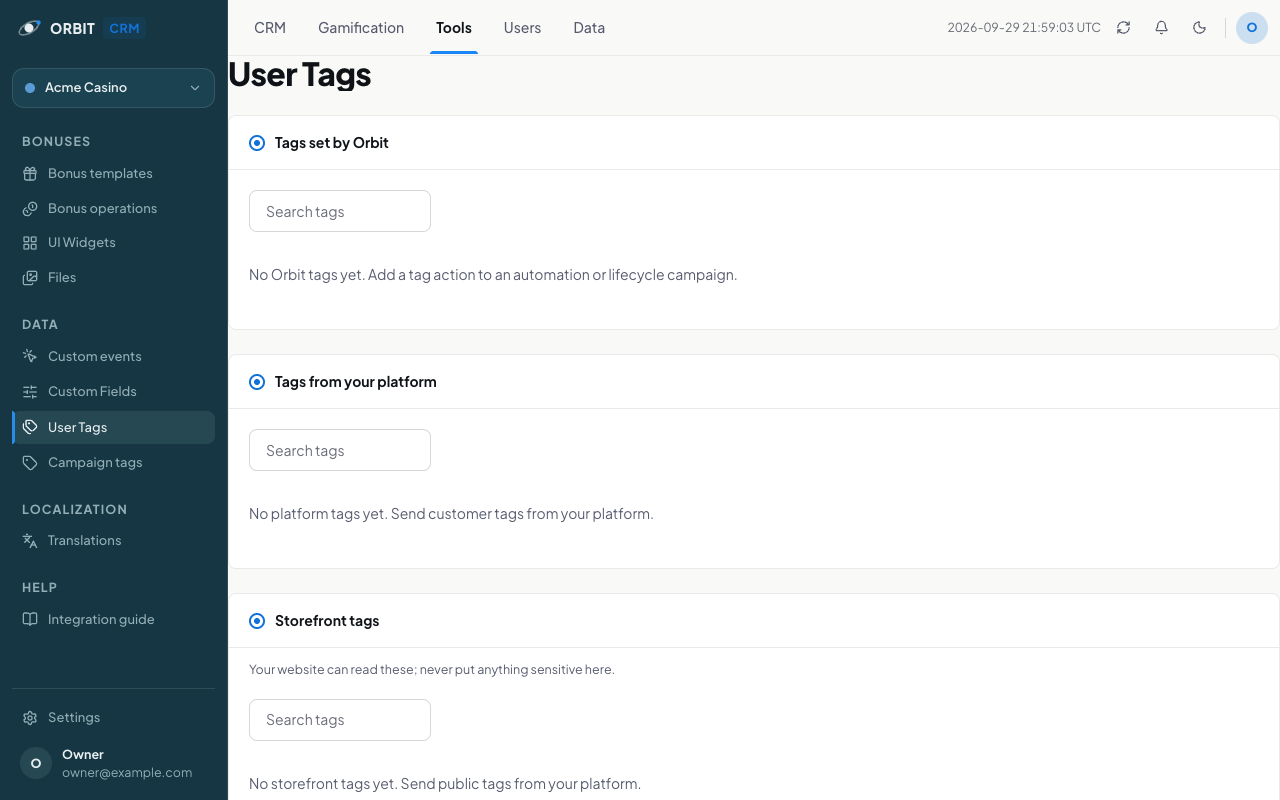
- Open Tools, then Data, then User Tags. The title is User Tags. With no brand, the page says Select a brand to view user tags.
- Three cards follow. Each has Search tags, and columns Tag and Customers. A long card adds Showing the top 500 tags.
- Tags set by Orbit also has Set by. Each link is the automation or the Lifecycle campaign that adds or removes that tag. The link text is the name, then add or remove. No saved tag action means the tag is on customers and no saved action still sets it. The empty line says to add a tag action to an automation or lifecycle campaign.
- Tags from your platform lists tags that arrived with the customer. The empty line says to send customer tags from your platform. Your Orbit admin can find the integration guide under Tools.
- Storefront tags carries the hint “Your website can read these; never put anything sensitive here.” The empty line says to send public tags from your platform.
No matching tags. Try another search means the search on that card missed. This page does not add or remove a tag. A tag Orbit sets is changed on the automation or the Lifecycle that the Set by link opens.