Appearance
Results shows only what Orbit recorded for one Quiz: attempts, scores and prizes. It does not reuse the counters on the Quiz itself.
Before you start
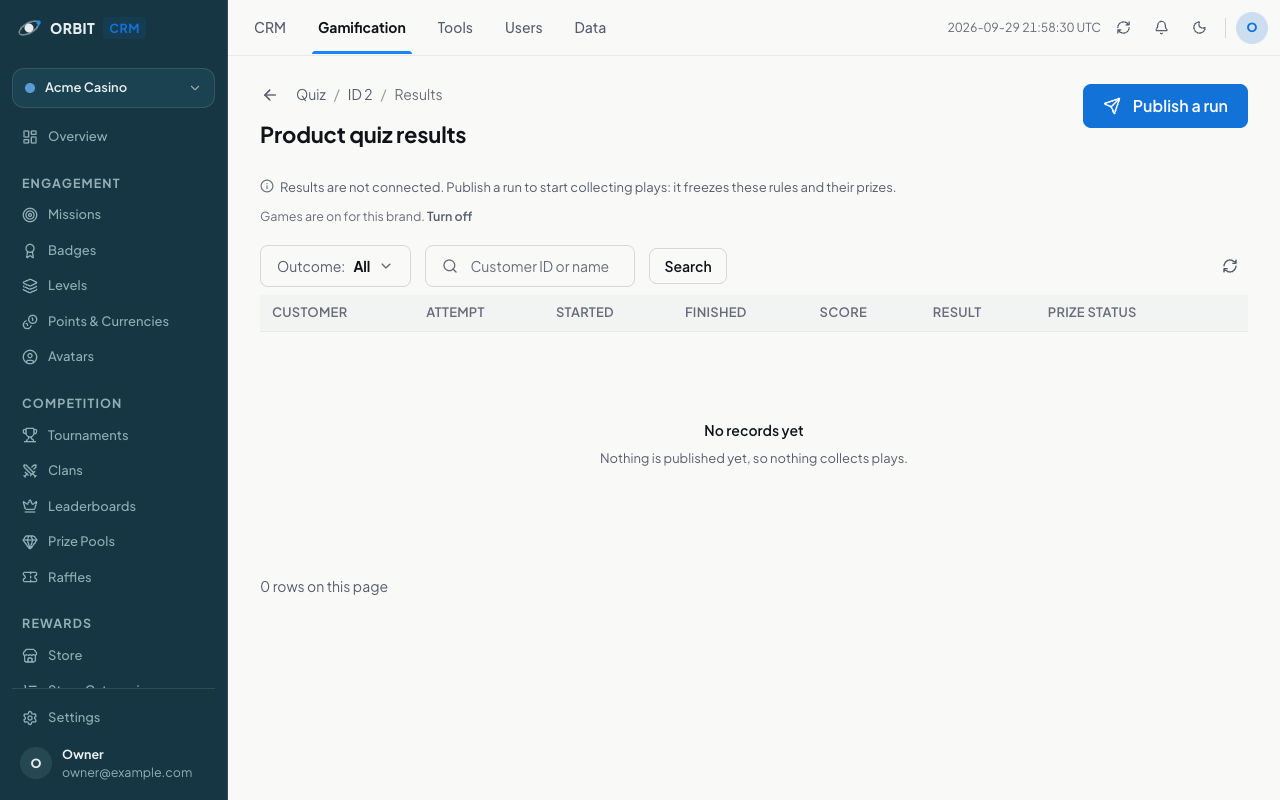
Save the Quiz first. Open Gamification, then Mini Games, then Quiz, open the Quiz, and click Results. The title is the Quiz name plus results.
- If the line says Results are not connected, nothing is published yet, so nothing collects plays. An Owner or a Manager clicks Publish a run. Publishing freezes the rules and the prizes.
- Use Run to pick a revision, or leave it on Latest. A run shows Open or Ended, Run by Orbit or Operator supplied, and the zone.
- Use Outcome to keep Won a prize, No prize, Timed out or In progress.
- Type a Customer ID or name and click Search.
- Read the counters: Participants, Attempts started, Completed, Expired, Completion rate and Winners. A rate with nothing to divide by is unavailable, shown as —, not as zero.
- In the table, read Customer, Attempt, Started, Finished, Score, Result and Prize status.
- Click a row. Prize names the prize and its status. Evidence shows the rules version and whether the replay matches the stored result. Each answer is marked correct or wrong.
Result reads In progress, Timed out, Won or No prize. Prize status uses Allocated, Awaiting approval, Ready to claim, Queued, Received, Blocked, Expired, Refused or Not confirmed. Received means the prize was confirmed. Queued means it was handed on and is not confirmed yet.
An Owner or a Manager can click Approve waiting prizes for the open run, or Approve this prize on one row that is Awaiting approval. Stop run ends an open run that Orbit is playing. Refresh reloads the page. Previous and Next move through the rows.
Warning
Filters hide rows. If the table says there are no results, clear Outcome and the search before you treat the run as empty. The empty line is No results in this run when nothing was recorded.
Tip
The list page can still say Configured — not live yet while this Results page has an Open run. Trust Results, and the Live dot on the Quiz, for whether plays are coming in.