Appearance
Read how far this brand keeps raw events. The card is on the Settings home, and every row is read-only.
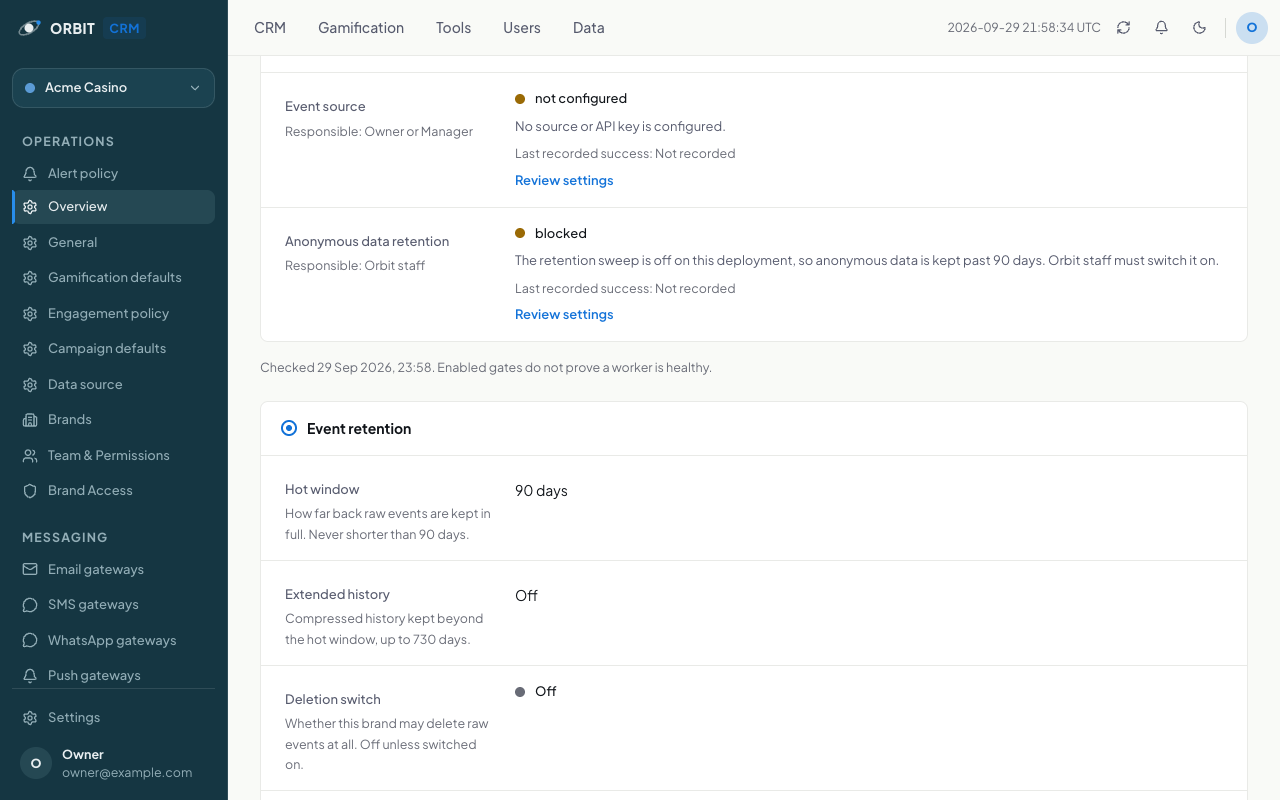
- Open Settings. Overview is the first item. Event retention sits under Brand readiness.
- Hot window is how far back raw events are kept. The hint ends “Never shorter than” 100 days. The value is that count of days.
- Extended history is compressed history kept beyond the hot window. The hint says it is kept up to 730 days. The value is a count of days, or Off when that count is 0.
- Deletion switch says whether this brand may delete raw events at all. The hint says it is off unless switched on. The value is On or Off.
- Raw event deletion says what happens on this deployment. When deletion is allowed, the row reads “Allowed by configuration. Every run still checks the brand’s data first and stops if anything would be lost.” Otherwise it shows Off, then “Raw events are never deleted for this brand on this deployment, because:” and a list of reasons written as the deployment returns them.
Raw event deletion stays Off. The list includes “The retention engine is off in this deployment (ORBIT_RETENTION_ENGINE).” A brand with a bet or a round older than the cutoff also lists “A bet or round older than the cutoff exists, and a settlement reads its real and bonus split from its placement or original up to 180 days before the settlement itself, which no hot window covers.” That line stays until those facts exist apart from the raw events. The card names no day when deletion starts.
The footer reads “Read-only. The hot-window floor, who may switch deletion on, extended history and how long duplicate transactions are remembered are still being decided, so none of these can be changed here yet.”
If the answer cannot be read, the card says “The retention settings answer could not be read. No values are shown rather than guessed.” It does not fill in a number.
Warning
One reason can use the word journey: “The dispatcher has not read as far as the cut-off, so deleting would drop events no campaign, rule or journey has seen.” The card prints the reason as it stands.
The line “This brand keeps {n} days of raw event history.” is not on this card. Reports, boards, the Activity Feed, consent changes and a customer’s Events tab show it once a floor is recorded or deletion is on.