Appearance
Bonus operations is the report of grants issued in the dates you choose: what is still pending, what was recorded, what was rejected, and what is past expiry.
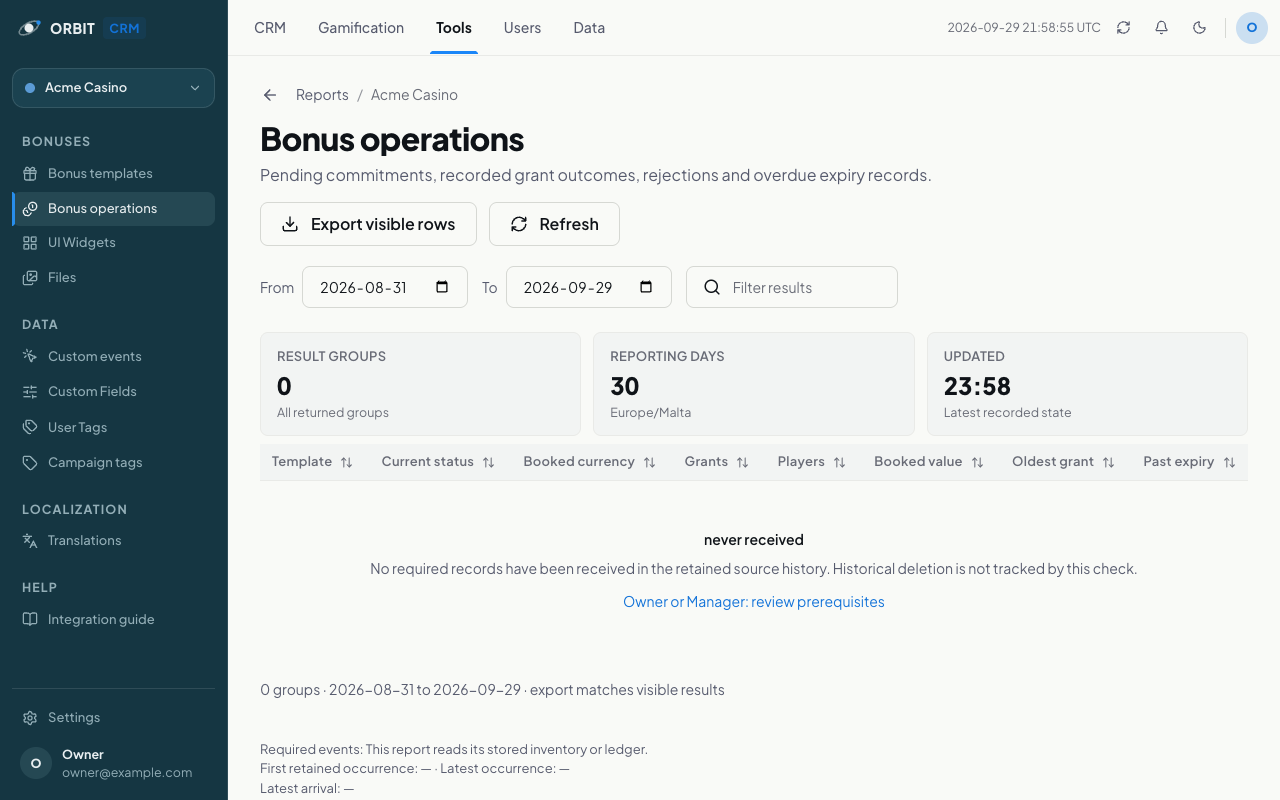
- Open Tools, then Bonuses, then Bonus operations. The title is Bonus operations. The line under it reads “Pending commitments, recorded grant outcomes, rejections and overdue expiry records.” The same report opens from Data, then CRM, then Bonus operations.
- Set From and To. The page loads when the span is from 1 to 93 days. Outside that, it says “Choose between 1 and 93 days.” and Refresh stays disabled.
- Refresh loads the report again. Export visible rows downloads the rows on screen, after Filter results has narrowed them. The footer says the export matches the visible results, unless the report is limited to 200 groups.
- The three tiles are Result groups, Reporting days (with the brand time zone under the number) and Updated (“Latest recorded state”).
- The columns are Template, Current status, Booked currency, Grants, Players, Booked value, Oldest grant and Past expiry. Click a column title to sort.
- Under How to read this report the page explains the rows:
- Grants are the ones issued in the selected period, grouped by current status. The counts are not a tally of every status change.
- Booked value uses the rate frozen on each grant, grouped by its booked base currency. Pending value is a commitment, not realised bonus cost.
- Past expiry highlights pending and accepted records whose deadline has passed. A passed deadline is not treated as a settled state on its own.
- The ledger records local requests and manually recorded outcomes. Creating a template or a pending grant does not credit a gaming wallet.
- The current calendar day is incomplete. An empty historical period may reflect missing or expired source data. With a horizon, a paragraph above says how many days of raw event history the brand keeps. Why does a report say it reached the history limit? reads that line.
When Filter results hides rows that were loaded, the table says No matching records and Change or clear the filters to see other records. Clear filters resets that search. When the period itself has no rows, the table shows the readiness state, the reason under it, and a link to review prerequisites.
Tip
Filter results searches the text of the rows already loaded. It does not change From and To. Change the dates, then Refresh, when you want a different grant window.