Appearance
An Email gateway is the account Orbit sends email through. You name it, pick the provider, set Mode, mark a default, order Priority, and turn Enable fallback on or off.
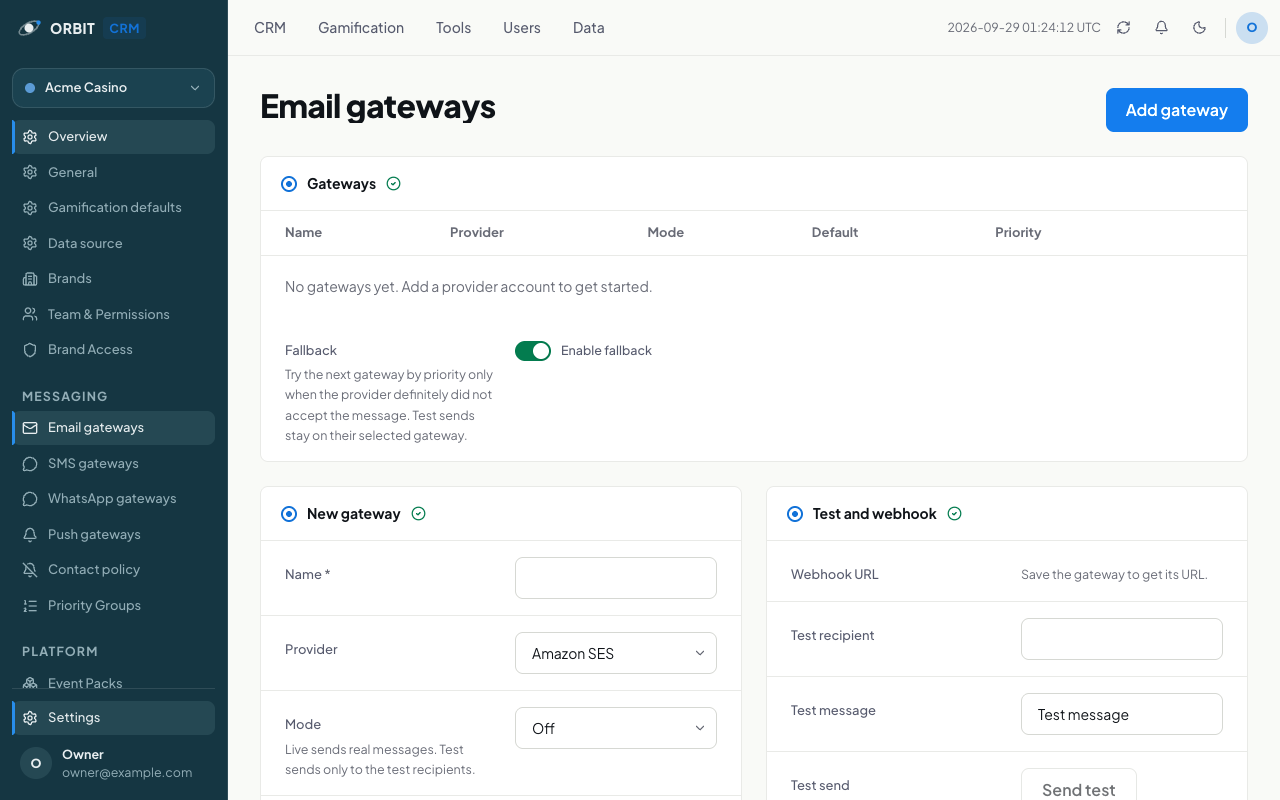
Before you start: only an Owner or a Manager sees Add gateway and can save. Anyone else can open Email gateways and read the list. The page title is Email gateways.
- Open Settings, then Messaging, then Email gateways.
- Press Add gateway. The card title is New gateway.
- Fill Name. Set Provider to the account this gateway sends through. The names in that menu are the ones printed on the form. Provider is fixed once the gateway is saved. The hint says that for another provider, you add a gateway.
- Set Mode. The choices are Off, Test and Live. The hint says Live sends real messages. Test sends only to the test recipients.
- Under Default, turn on Use as channel default if this gateway should be the one email uses when a send does not name another. The first gateway starts with that on.
- Set Test recipients to e-mail addresses, one per line. Set Daily cap if you need a ceiling. The field opens at 1000.
- If the form shows Region, that is where the provider account, or its sending domain, lives.
- Press Save. The page says Saved. The table columns are Name, Provider, Mode, Default and Priority. Default shows Default, or a dash. Move up and Move down change Priority.
- Open the saved gateway. The card has Test recipient, Test message and Test send. The hint says “Save changes first. The recipient must be on this gateway’s test list.” Press Send test. The button stays off until the gateway is saved, and while Mode is Off. The address has to be one of the lines in Test recipients.
Enable fallback sits under the table. Its hint says: try the next gateway by priority only when the provider definitely did not accept the message. Test sends stay on their selected gateway. The switch is labelled Enable fallback.
An empty list says No gateways yet. Add a provider account to get started. A gateway the provider has stopped shows Stopped in Mode, in red.
Warning
Live sends real messages. Leave Mode on Test until the addresses in Test recipients are the only people who should receive a send.