Appearance
Read the Lifecycle list as a tree, so a campaign that starts another sits above it.
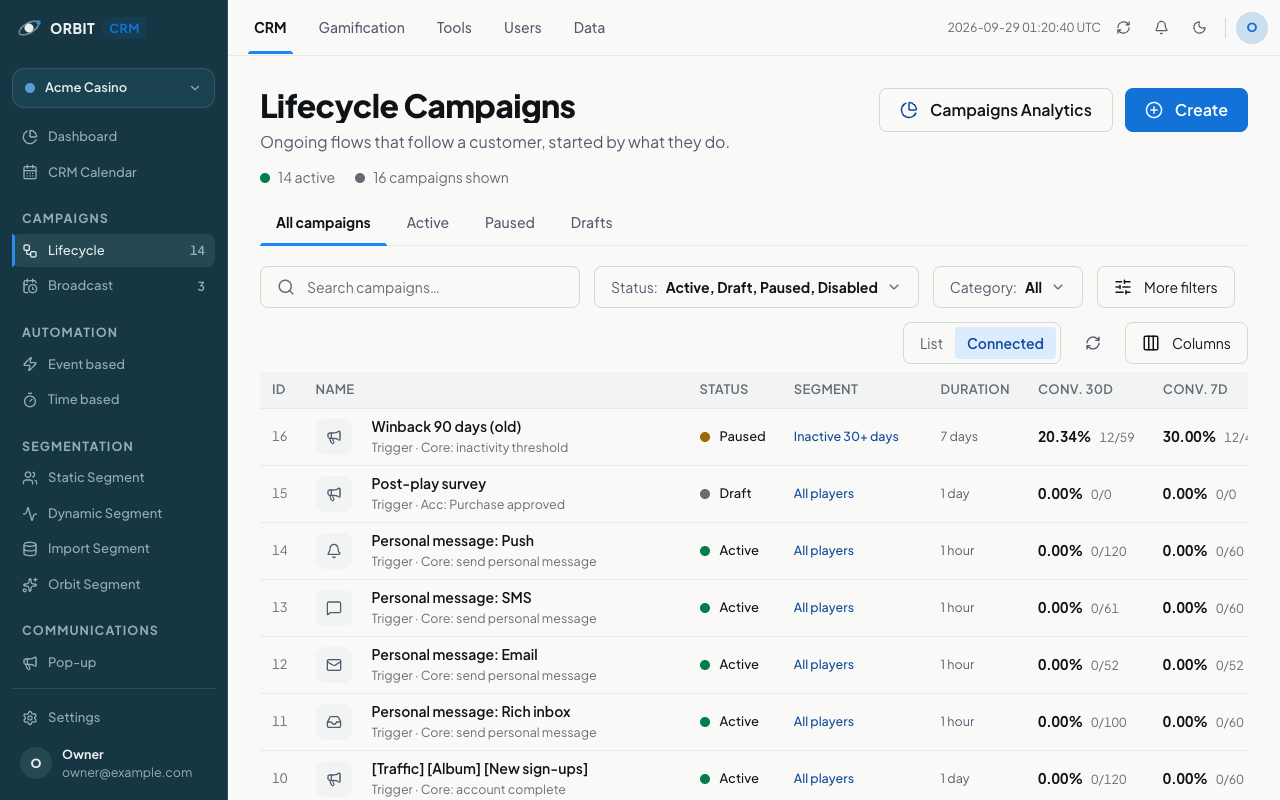
- Open CRM, then Campaigns, then Lifecycle. The page title is Lifecycle Campaigns.
- Beside the filters, the switch offers List and Connected. List is the flat table: every campaign once. Connected indents each campaign under the one whose flow starts it. The choice is remembered in this browser.
- On Connected, a top row is a campaign that nothing else on this list starts. Each campaign it starts is indented under it. A campaign started by two parents appears under each of them. The same tabs still apply: All campaigns, Active, Paused, and Drafts. A campaign hidden by the tab is hidden here too, and its children move up a level.
- A row can add a short line under the name. Loop · already above in this branch means this campaign is already higher in the same branch, so it is not opened again. The hover title says it already appears above in this branch. Continues separately means it starts more connected campaigns than this view shows this deep. Those are shown on their own.
- Press the name to open that campaign. Broadcast has no Campaign view. A broadcast has no flow step that starts another campaign.
The tree reads the saved flow. It does not wait for a customer to reach the step. A step marked Archived, or Step over, is left out. A step marked Paused or Off still counts.
Tip
Start connected campaign is on the Flow bar, under Flow. Connected reads that saved step. It does not wait for a customer to reach it.