Appearance
Ladders and ceilings round each player's recommended casino stake, sportsbook stake and deposit onto a step, and stop them at a ceiling. They are edited on General, inside Recommended amounts.
Before you start
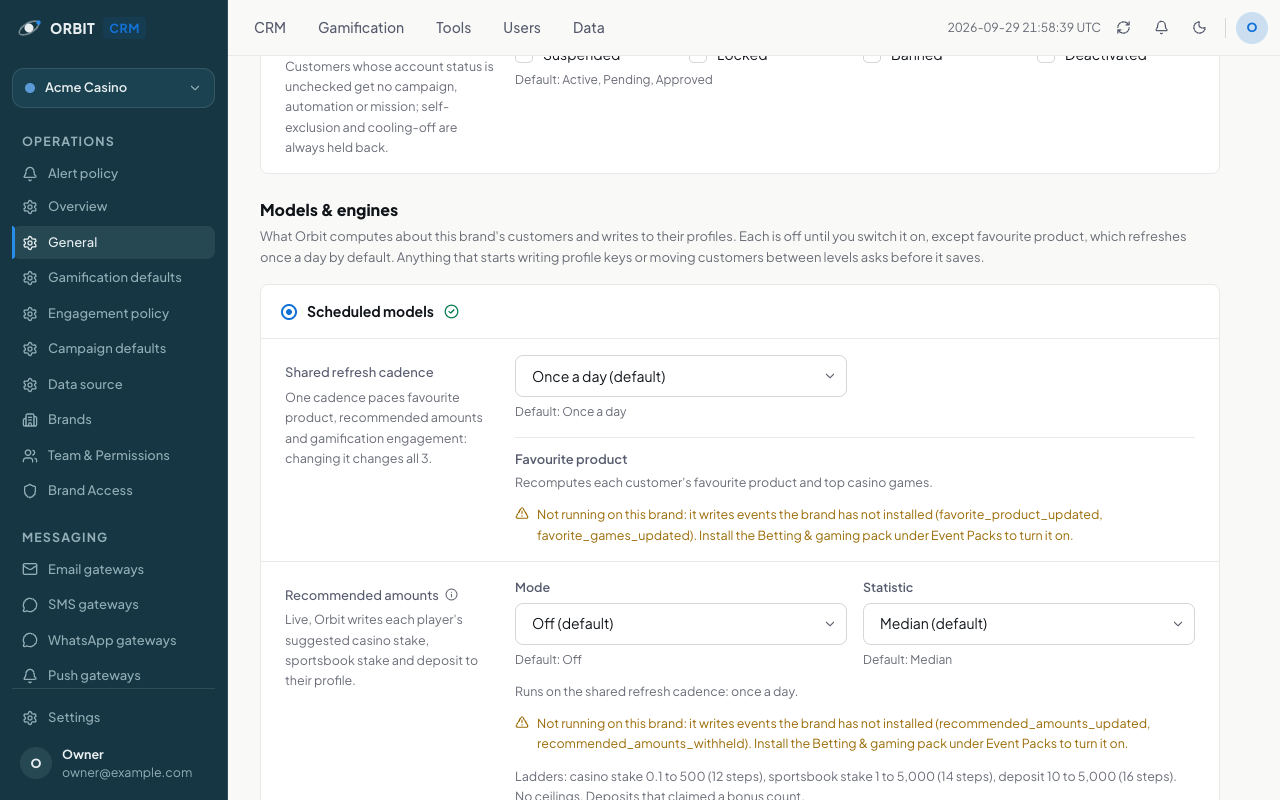
An Owner or a Manager can edit. Mode on the same row decides whether a run writes anything. Off reads and writes nothing. Shadow — compute, write nothing to profiles counts and writes nothing. Live — write to profiles writes the amounts. Going live asks Publish recommended amounts? and Go live. The run uses Statistic, Median or Average, and the shared refresh cadence named under the fields.
- Open Settings, then General. Find Recommended amounts under Scheduled models.
- Read the summary. It lists each ladder, then Ceilings or No ceilings., then either Deposits that claimed a bonus count. or Deposits that claimed a bonus are left out.
- Under Ladders and ceilings, edit Casino stake ladder, Sportsbook stake ladder and Deposit ladder. Each step is an amount with up to 2 decimals. Click Add step for another amount. The remove control on a step is Remove plus the ladder name and the step number. You can save 2 to 40 different amounts. Duplicates are merged, and the steps are stored in order.
- Set Casino stake ceiling, Sportsbook stake ceiling and Deposit ceiling. Empty means No ceiling. The placeholder is No ceiling. A ceiling is a positive amount. A player's amount is rounded to a step and is never above its ceiling.
- Turn Count deposits that claimed a bonus on when those deposits should feed the deposit ladder. Off, they are left out. The default note says left out or counted.
- Click Save ladders and ceilings. Discard changes drops the unsaved steps.
Amounts are in the brand's base currency, shown in parentheses on Ladders and ceilings when the brand has one.
Warning
Save ladders and ceilings stays off while a step is empty, while a ladder has fewer than 2 or more than 40 different amounts, or while nothing has changed. Steps typed out of order are fine: they are saved in order. The line Correct the amounts marked above. means a box still has a problem.
Tip
Changing Statistic while Mode is Live — write to profiles asks before the next run rewrites every player's step on the ladder.