Appearance
Bonus operations, under Data, opens the bonus operations report: pending commitments, recorded grant outcomes, rejections and overdue expiry. It is the same report as Bonus operations under Tools. It sits in the CRM group of the Data menu, next to Bonus cost.
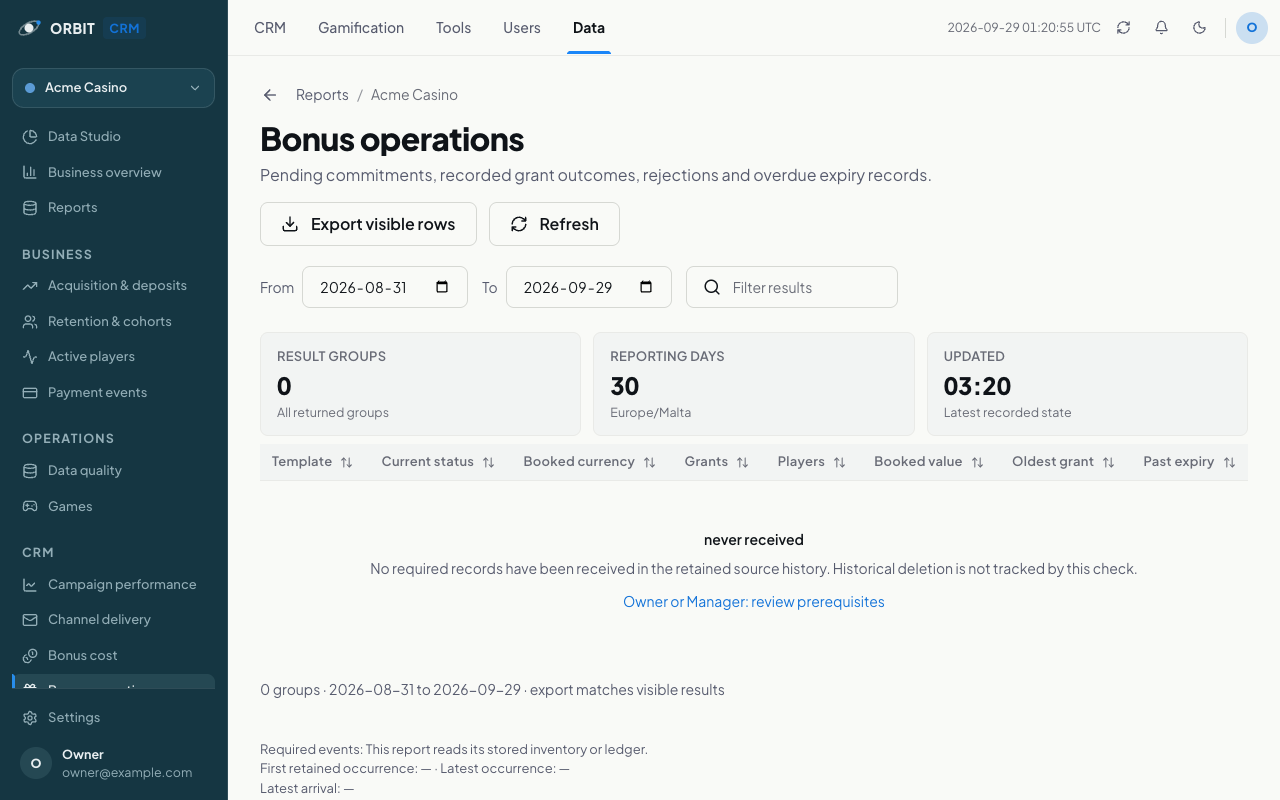
- Open Data, then CRM, then Bonus operations. The title is Bonus operations. The subtitle says pending commitments, recorded grant outcomes, rejections and overdue expiry records. The crumb Reports goes back to the list.
- Set From and To. The opening range is the last 30 days through today. Stay between 1 and 93 days, or the page says Choose between 1 and 93 days.
- Press Refresh. Use Filter results and the column headings to narrow and sort what you see.
- Press Export visible rows to download those rows.
The columns are Template, Current status, Booked currency, Grants, Players, Booked value, Oldest grant and Past expiry. Rows are grants issued in the selected period, grouped by the status they are in now. How to read this report says the counts are not status-transition counts.
Booked value uses the rate frozen on each grant, grouped by its booked base currency. The page says pending value is a commitment, not realised bonus cost. Past expiry highlights pending and accepted records whose deadline has passed. Expiry is not treated as a settled state on its own.
Bonus cost, the menu item beside this one, is the cost total by template or by campaign. This report is the grant ledger: how many grants, in which status, and which of them are past expiry. Creating a template, or a pending grant, does not credit a gaming wallet. The page says the ledger records local requests and manually recorded outcomes.
Result groups, Reporting days and Updated work as on the other dated reports. When Filter results hides every returned row, the table says No matching records, then Change or clear the filters to see other records. When the report itself has no rows, it shows the readiness state and its reason.
Tip
On Reports, this row’s Area is Bonuses, while the side menu places it under CRM. Both open the same page. Tools, then Bonuses, then Bonus operations opens it too.