Appearance
The Activity Feed is the list of events the active brand has received. Activity Log, under Gamification then Setup, is this same list limited to gamification events.
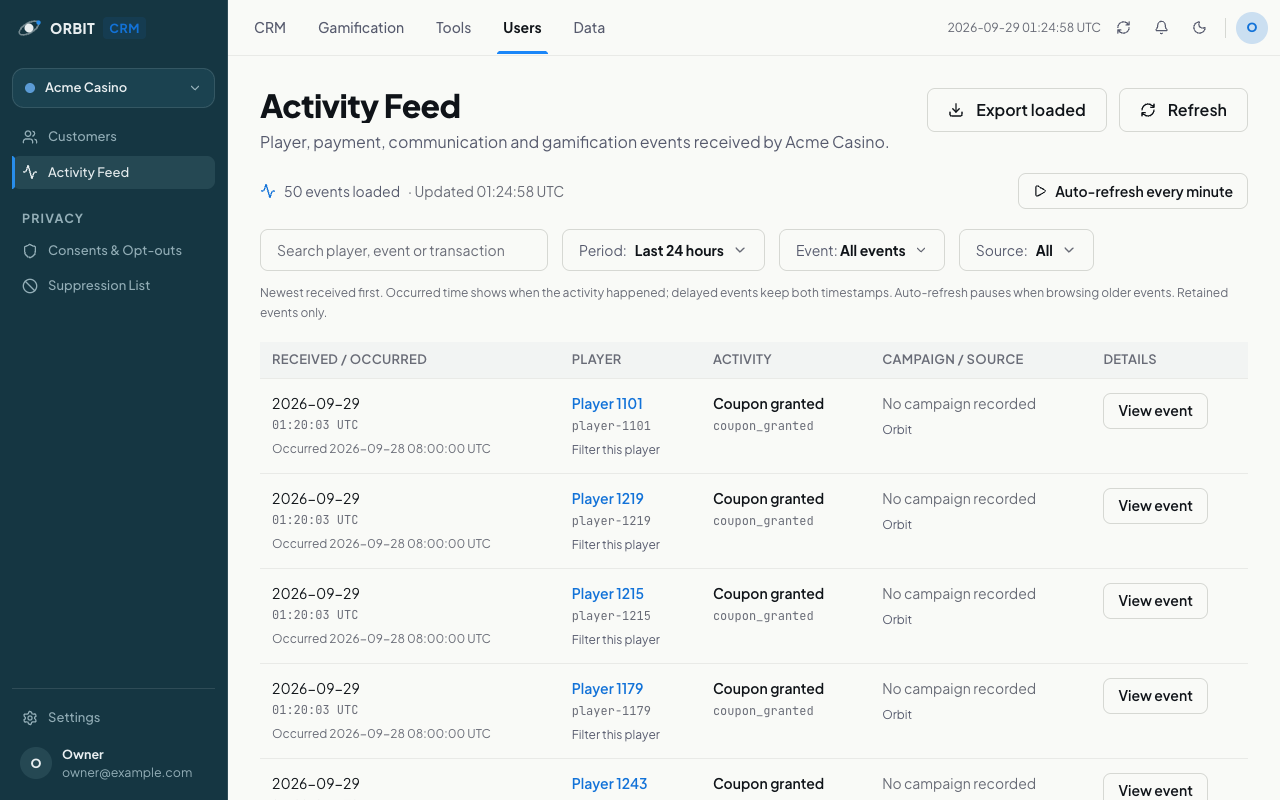
- Open Users, then Activity Feed. The subtitle reads “Player, payment, communication and gamification events received by” the brand name. With no brand selected, the page says “Select a brand to see its player activity.”
- The line under the title counts events loaded, and the UTC time they were updated. Under the filters, a note says newest received first, that occurred time is when the activity happened, and that auto-refresh pauses when you browse older events. With a retention floor or deletion on, a line reads “This brand keeps {n} days of raw event history.” Why the Activity Feed mentions retained events.
- Search player, event or transaction matches the player’s name, email or external ID, the event name, or the transaction.
- Period offers Reset to last 24 hours, Last 24 hours, Last 7 days, Last 30 days and Custom dates. Custom dates show From and To, labelled “Received dates · UTC · up to 31 days”. A bad range says “Choose From and To, in order, with a maximum of 31 calendar days.” and “Choose a valid date range”.
- Event starts at All events and lists the brand’s event names, plus any loaded event the catalogue does not name. Source is Integration, Orbit, Automation or Not recorded.
- Auto-refresh every minute reloads once a minute. It then reads Pause auto-refresh. Refresh loads immediately. Export loaded downloads the events already loaded.
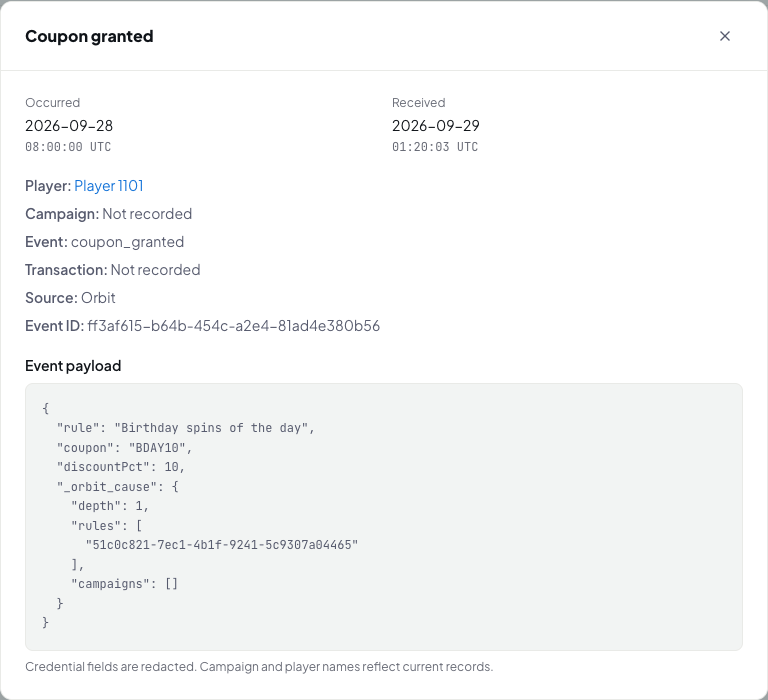
- On a row, Filter this player keeps only that person. A line reads “Filtered to one player”, and All players clears it. The player’s name opens their profile. With no name, the link is the external ID, or View player. View event opens the dialog: Occurred, Received, Player, Campaign, Event, Transaction, Source, Event ID, and Event payload.
- The columns are Received / occurred, Player, Activity, Campaign / source and Details. Load older fetches the next page, up to 500 loaded events. Past that, the footer says to refine the filters.
An empty table says No activity in this view and tells you to try a different period or clear the filters. Clear filters appears once any filter is set, and it also turns auto-refresh off.
Tip
Activity Log, under Gamification then Setup, is this same list limited to gamification events. Filtering Event and Filter this player works there too.