Appearance
Retention & cohorts shows who is active, who paid again the next month, and how each monthly cohort paid later. Recent cohorts are marked so you do not read an unfinished month as a finished one.
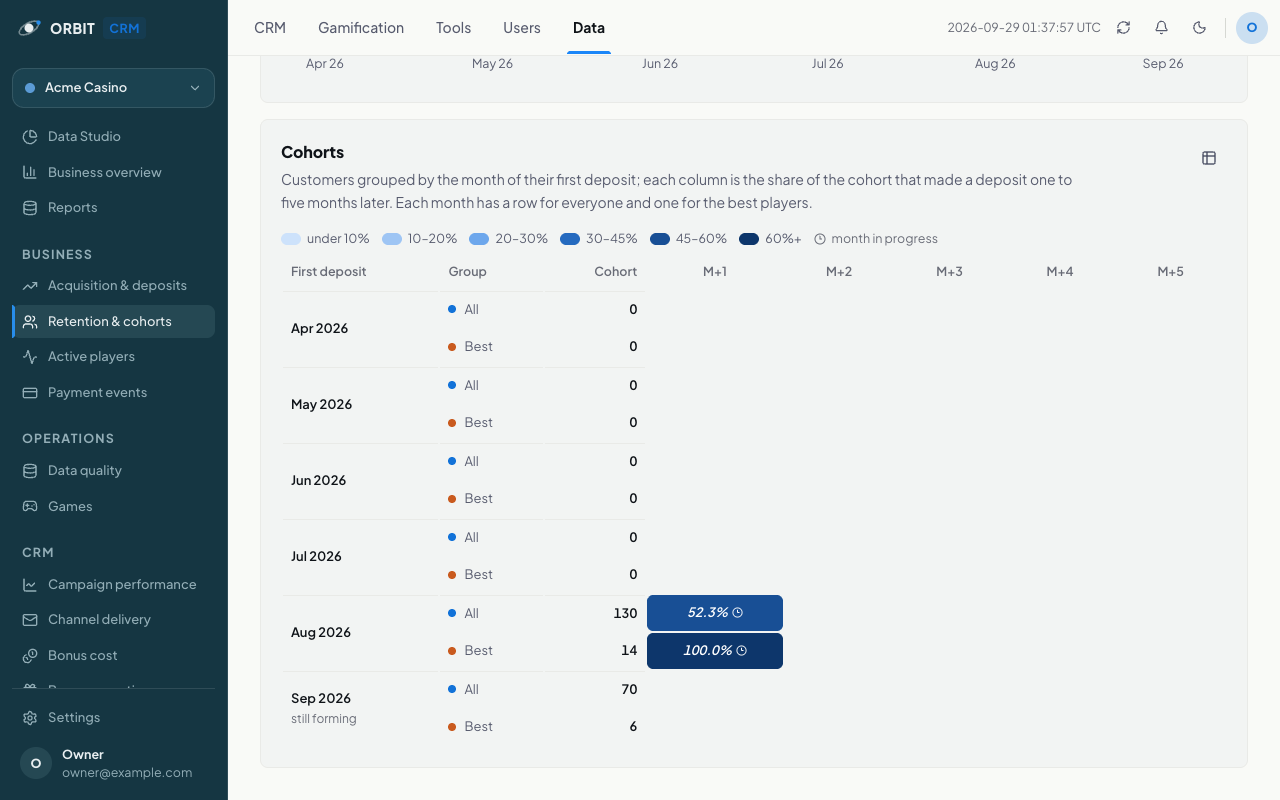
- Open Data, then Business, then Retention & cohorts. The title is Retention & cohorts. The subtitle says player activity, retention and cohorts on the brand, each against the period before.
- Set Period. Last 7 days, Last 30 days, Last 90 days, Month to date and Custom range are the same choices as on Business overview. The active-player block on this page follows that Period. It does not show its own Last 7 days, Last 30 days and Last 90 days buttons.
- Read Active players first: distinct players with an approved deposit or a bet on a day in the range, then Casino active and Sports active.
- Read Back the next month. Of each month’s depositors, it is the share who made a deposit again the month after. A hollow point is a month whose next month is still under way.
- Read Cohorts. Customers are grouped by the month of their first deposit. Each column is the share of that cohort who deposited again one to five months later (M+1 through M+5). Each month has a row for All and a row for Best.
A month that is not finished prints still forming under the month name. On Reports, the line under Retention & cohorts says recent cohorts are marked as incomplete. On this page the mark you see is still forming.
If the brand has no gaming or commerce event pack, the retention block says retention and cohorts need that pack, and points you to Settings, then Event packs. An empty chart says No deposits in these months, or No first deposits in these months. On a brand that is not a gaming brand, those lines say purchases instead of deposits.
The table icon on each block switches between the chart and the data table. The hint is Show data table or Show chart.
Tip
Active players on its own menu item uses Last 7 days, Last 30 days and Last 90 days, because that page owns its period. Here, Period at the top is the one that counts.