Appearance
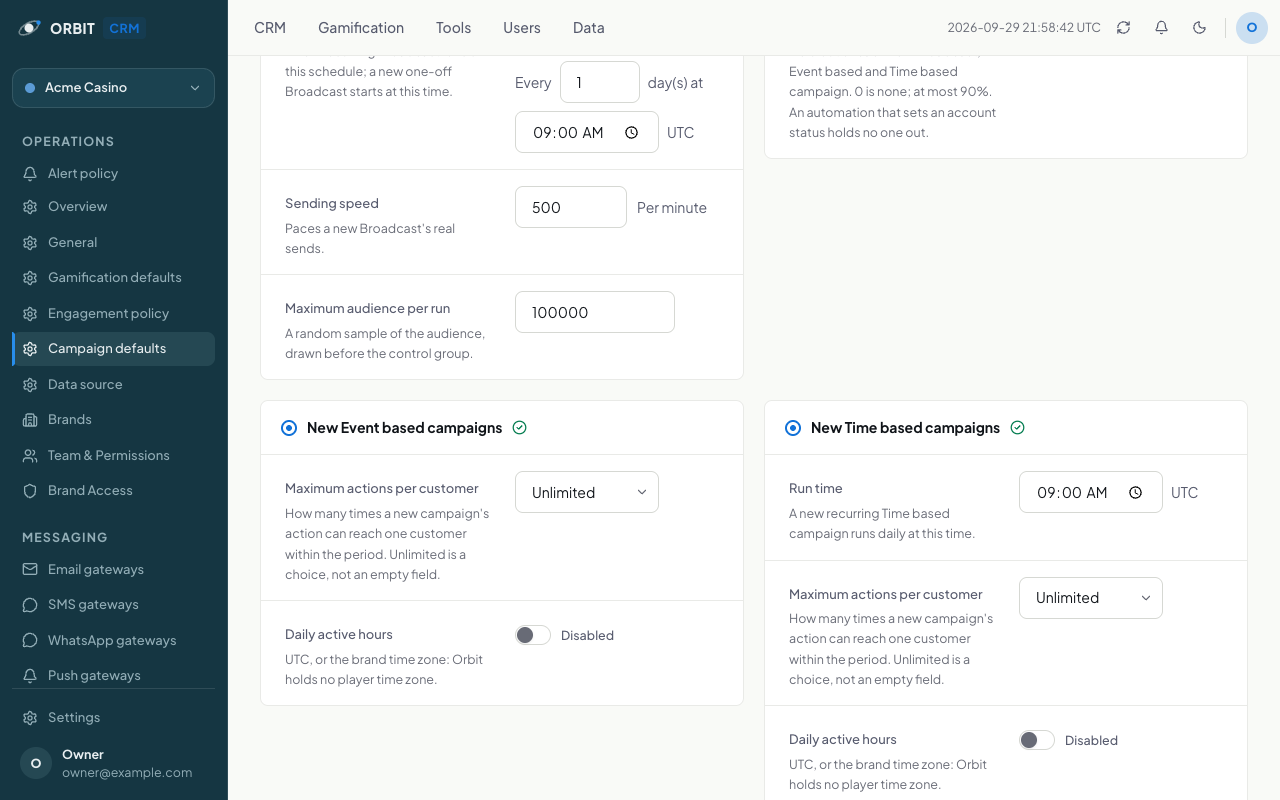
New Event based campaigns on Campaign defaults is what a new Event based campaign copies in: a limit per customer, and daily active hours. Saved campaigns keep their own values.
Before you start
Owner and Manager can save. When they apply on Effective defaults says the copy happens at create, once.
- Open Settings, then Campaign defaults.
- On New Event based campaigns, set Maximum actions per customer. Choose Unlimited or Limited. Unlimited is a choice, not an empty field. The hint says this is how many times a new campaign's action can reach one customer within the period.
- With Limited, type the count and choose Ever, Per day, Per week or Per month. The count accepts 1 to 1000000.
- Set Daily active hours. The switch reads Disabled or Enabled. Disabled means any hour. The hint says the clock is UTC, or the brand time zone, and that Orbit holds no player time zone.
- When the switch is Enabled, choose System time (UTC) or Brand time zone (no player time zone yet), then a start and an end. Turning the switch on fills 09:00 and 21:00 if the times were empty.
- Click Save defaults.
Save refuses the card when the start and the end are missing, or when they are the same time: Event based: active hours need a start and an end time. or Event based: active hours cannot start and end at the same time.
Orbit defaults on Effective defaults spells the current built-in line, including no limit per customer or a count, and any hour or an active window.
Warning
These hours are the starting values of a new campaign. They do not rewrite an Event based campaign you have already saved.
Tip
Discard changes puts the boxes back to the last saved policy, including a switch you had turned on and not saved.