Appearance
Create stores a widget section. The header says the page is not live yet, and the player modal does not read sections.
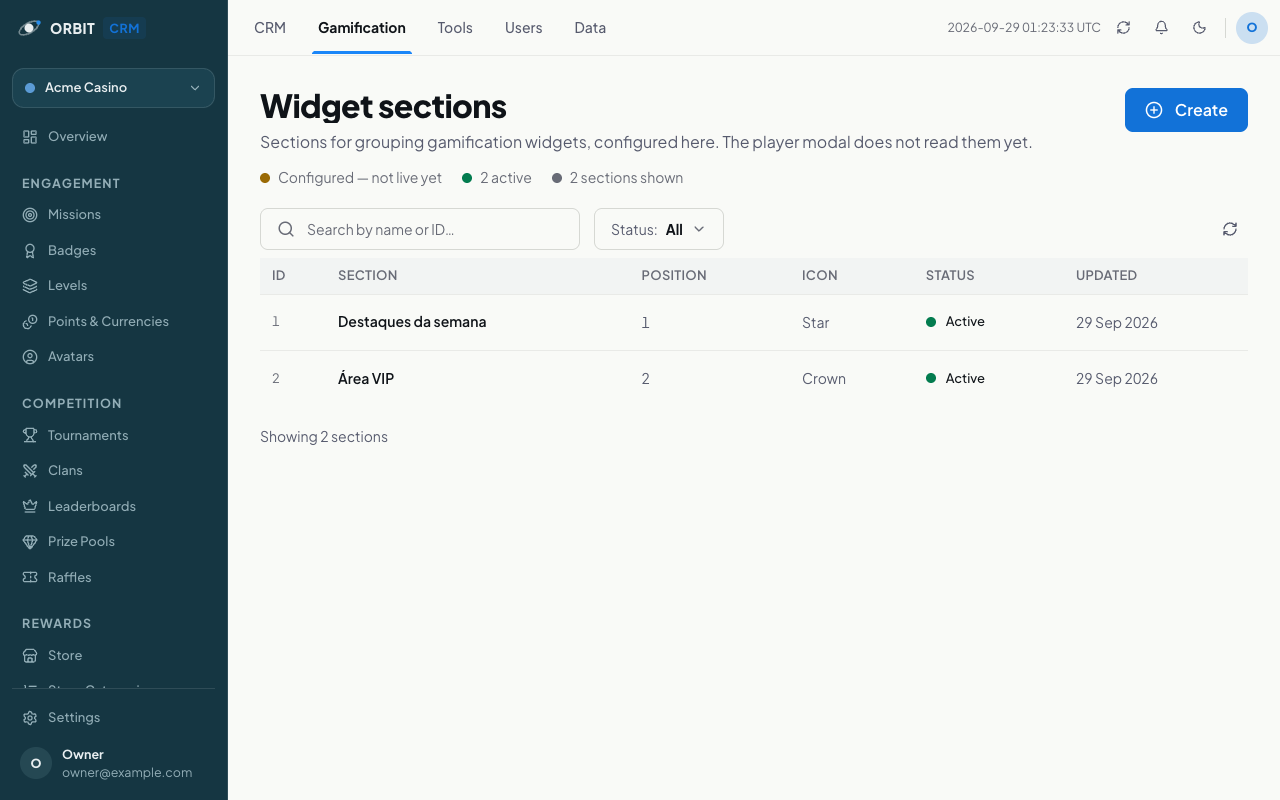
- Open Gamification, then Setup, then Widget sections.
- The subtitle reads “Sections for grouping gamification widgets, configured here. The player modal does not read them yet.” The header shows Configured — not live yet, how many are active, and how many sections are shown.
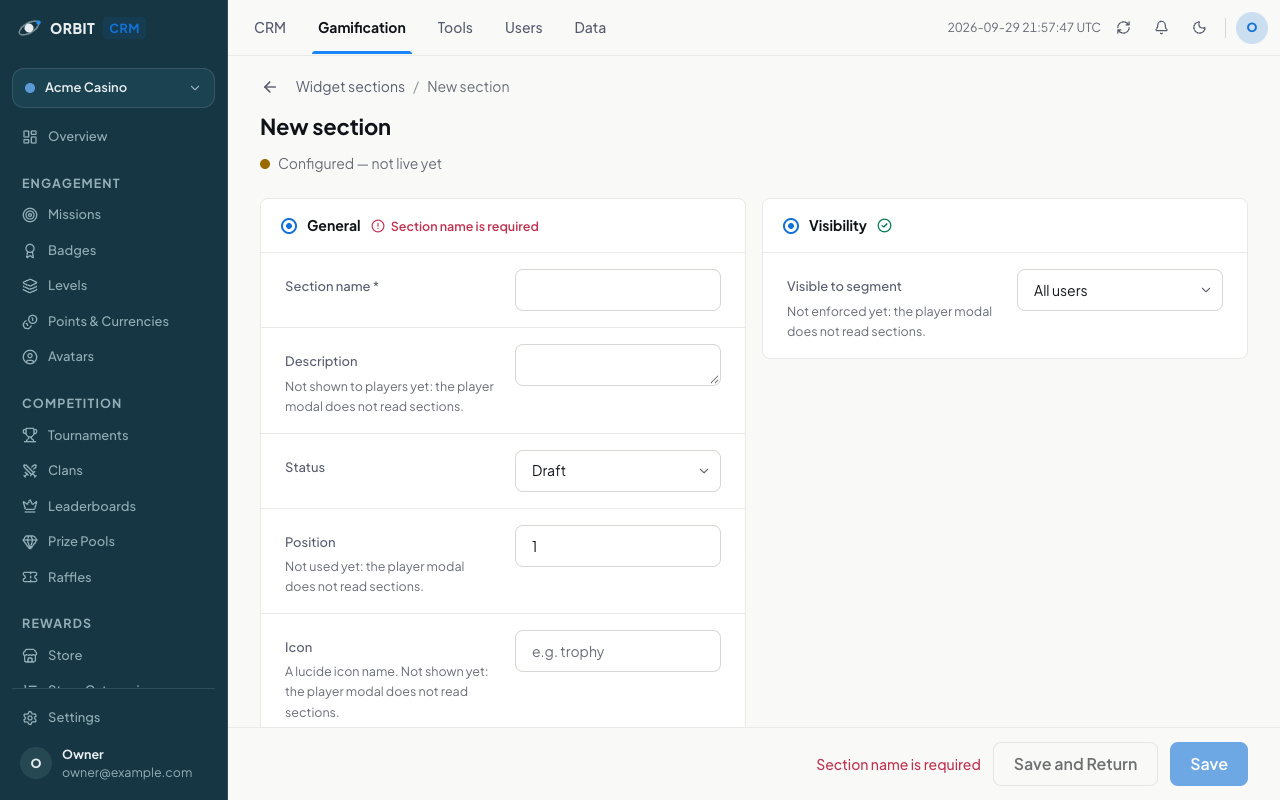
- Click Create. The page is titled New section and keeps Configured — not live yet.
- Section name is required. Empty, Save shows “Section name is required”.
- Description is stored. The hint says it is not shown to players yet, because the player modal does not read sections.
- Status is Active, Draft or Inactive.
- Position is a number. The hint says it is not used yet, for the same reason: the player modal does not read sections.
- Icon takes a short name. The placeholder is “e.g. trophy”. The hint says the name is not shown yet.
- On Visibility, Visible to segment is All users or one of your segments. The hint says it is not enforced yet, because the player modal does not read sections.
- Save shows Saved. Save and Return goes back to the list. Clone copies a section you have saved.
On a mission, Widget section appears under Additional only when one is already saved. The hint says “Not used by the player modal yet: it does not read widget sections.” A new mission does not show the field.
Tip
Active updates the count on this list. The subtitle still says the player modal does not read the sections, so the name and the order are the setup you are saving.