Appearance
Read the gamification events for the active brand. This is the Activity Feed limited to that pack.
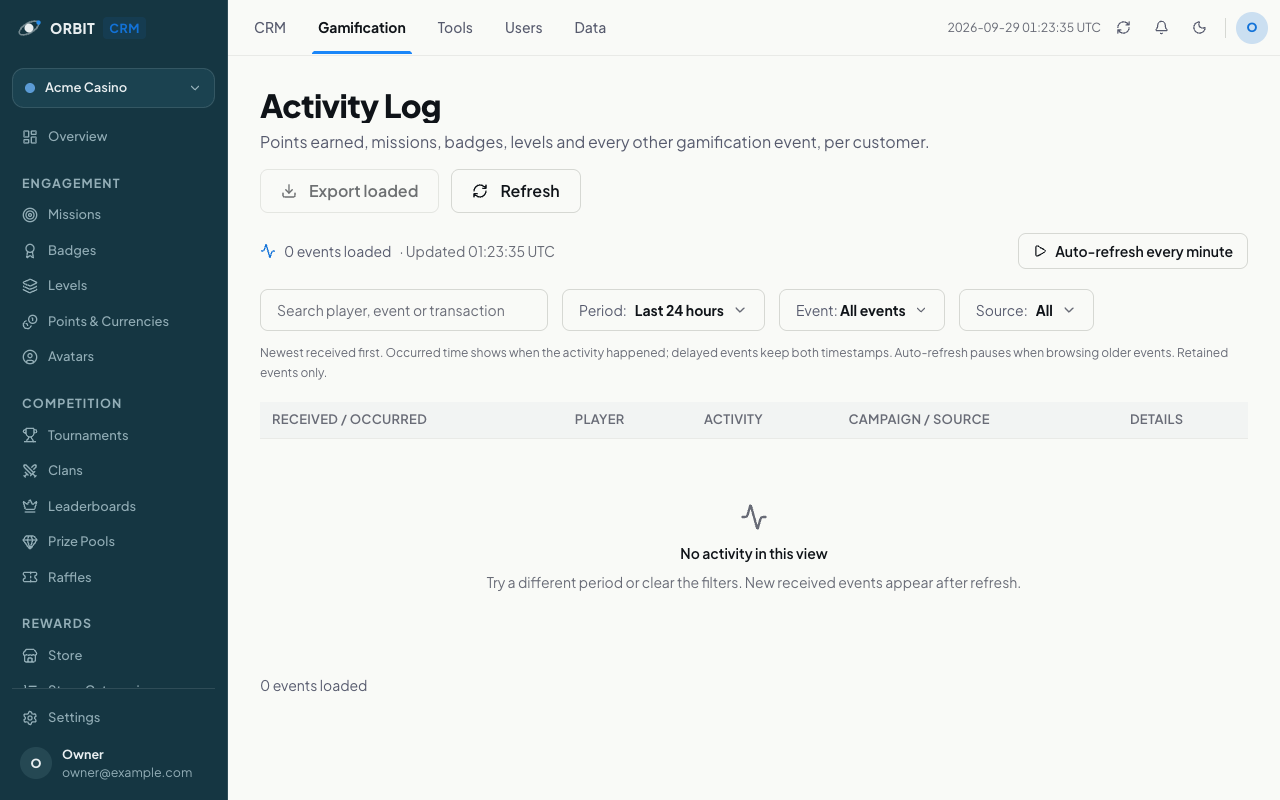
- Open Gamification, then Setup, then Activity Log. The title is Activity Log. The subtitle says points earned, missions, badges, levels and every other gamification event, per customer. With no brand, the page still uses that title.
- The filters match Activity Feed. Search player, event or transaction matches the player’s name, email or external ID, the event name, or the transaction. Period offers Reset to last 24 hours, Last 24 hours, Last 7 days, Last 30 days and Custom dates. Custom dates show From and To, labelled “Received dates · UTC · up to 31 days”.
- Event starts at All events and lists the event names in this gamification result. Source includes Integration, Orbit and Not recorded. The line under the title counts events loaded, and the UTC time they were updated. A note under the filters says “Newest received first.”
- Auto-refresh every minute keeps the newest page current. It pauses when you browse older events. Filter this player, on a row, narrows the list to that person.
- View event opens one row. Export loaded downloads the events already loaded.
Player, payment and communication events stay on Users, then Activity Feed. They are not in this log. A row here is a gamification event for a customer of the active brand.