Appearance
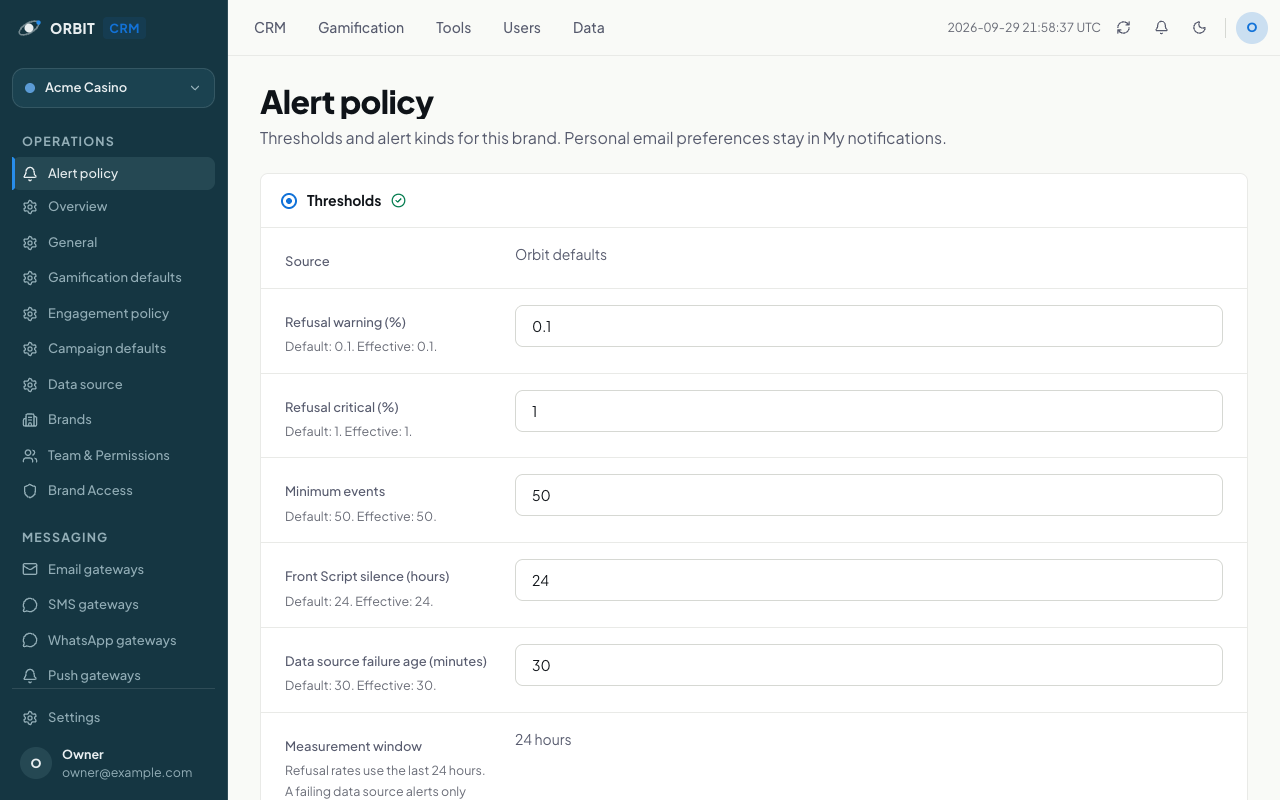
Two alert kinds are new on Alert kinds: Webhook endpoint paused and Data source failing. Each is On or Off. Turning one off resolves open alerts of that kind on the next detection pass.
Before you start
An Owner or a Manager changes the switches. The alerts themselves are read on Alerts, which opens from the bell. The bell's title is Alerts when none are open.
- Open Settings, then Operations, then Alert policy.
- Under Alert kinds, set Webhook endpoint paused to On. Orbit opens it only after an automatic pause: the endpoint's Status is Paused because failures reached Auto-pause threshold. A pause made with Pause does not open this alert. On Alerts the area reads Webhook paused, and the problem line is A webhook endpoint was automatically paused. The status is Warning.
- Set Data source failing to On. It opens only while the data source status is running, there has been at least one failure, and Last successful cycle is older than Data source failure age (minutes) or has never succeeded. On Alerts the area reads Data source, and the problem line is The data source is failing to refresh.
- Click Save alert policy.
- Open Alerts. Click Check now if you want a pass immediately. Acknowledge marks a row Acknowledged. Resolve marks it Resolved. When the cause is gone, the status can read Closed itself.
Show resolved lists rows that have already closed. With it off, an empty list says Nothing needs attention.
Warning
A viewer sees Your role is read-only. Someone with a member, admin or owner role checks, acknowledges and resolves alerts. The words on that line are the stored role names.
Tip
Email for these kinds is chosen on My notifications, not on Alert policy. The policy only decides whether the alert is allowed to open.