Appearance
Decide when marketing messages may reach this brand’s customers, for every campaign, automation and reward.
Before you start: only the Owner and Managers can change it. Anyone else sees Only the Owner and Managers can change the contact policy. The choices stay visible.
- Open Settings, then Messaging, then Contact policy. With no brand, the page says Select a brand to see its contact policy. Nothing saved yet reads Running on defaults, beside Changed by the Owner and Managers. A save reads Last changed, the time, and the person.
- Ignore platform opt-out (respect only Orbit's) sits above Missing consent. It starts off. When it is on, a “no” proven to have come from the platform counts as no answer, and the missing-consent rule decides whether to send. The hint says unsubscribes and opt-outs recorded by Orbit are always respected, refusals without a proven origin still block sending, and self-exclusion and account status are always respected. Turning it on asks Confirm consent change. The text is “I confirm that I have a lawful basis to contact these players and understand that the rule below will decide cases with no answer.” Press Confirm activation.
- Missing consent. A customer who opted out never gets a marketing message on that channel. Test sends are outside the policy. Email, SMS, Push, WhatsApp and Inbox each have a row named with the channel and no answer. The choices are Send (treat as opted in) and Don't send (treat as opted out). The hint counts never answered, opted in and opted out. Don't send (treat as opted out) says how many customers stop from the next send on.
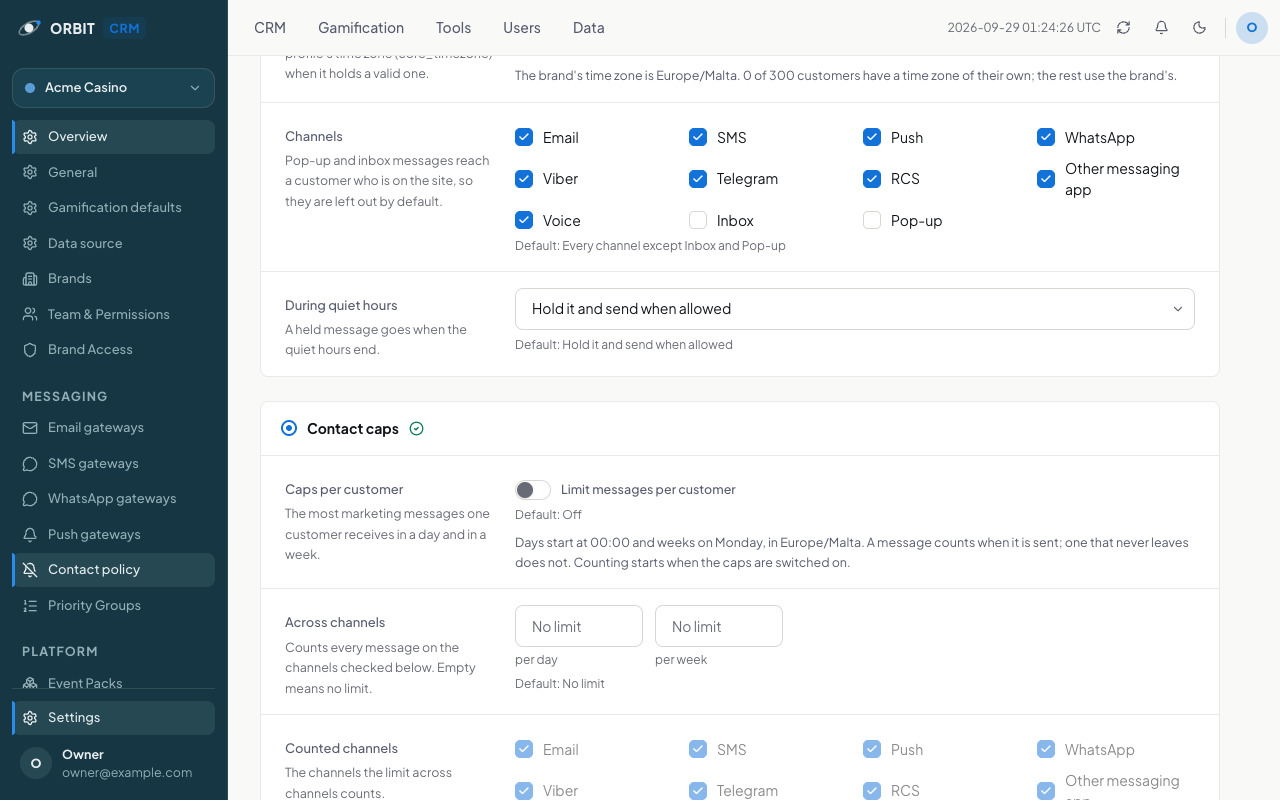
- Quiet hours. Hold marketing messages during quiet hours turns them on. Days are the days the hours start on. From and until are local times, and a start after the end crosses midnight. Time zone is The brand's time zone, or The customer's time zone, else the brand's. Channels default to every channel except Inbox and Pop-up. During quiet hours is Hold it and send when allowed, or Don't send it. A held message goes when the quiet hours end.
- Contact caps. Limit messages per customer turns them on. Days start at 00:00 and weeks on Monday, in the brand’s time zone. Across channels is per day and per week. An empty box, placeholder No limit, means no limit. Counted channels use the same default as quiet hours. Per channel is a further limit on one channel. Over a cap uses the same two choices. A held message goes when the day or the week resets. The line under that row counts customers already over these caps.
- A held message waits at most is hours, from 1 to 168. Longer than that, it is not sent. With each campaign's settings says a message goes only when both this policy and the campaign allow it. The stricter one wins. Where holds are recorded names the customer’s activity as “Send held back”.
- Press Save contact policy. Changes apply from the next send.
Default under a field is the starting value. Changed on this brand means it is not.