Appearance
Message defaults is where you decide what a message prints when a customer has nothing for a property. You can also record that this one should print nothing. A property nobody has decided renders as nothing at all.
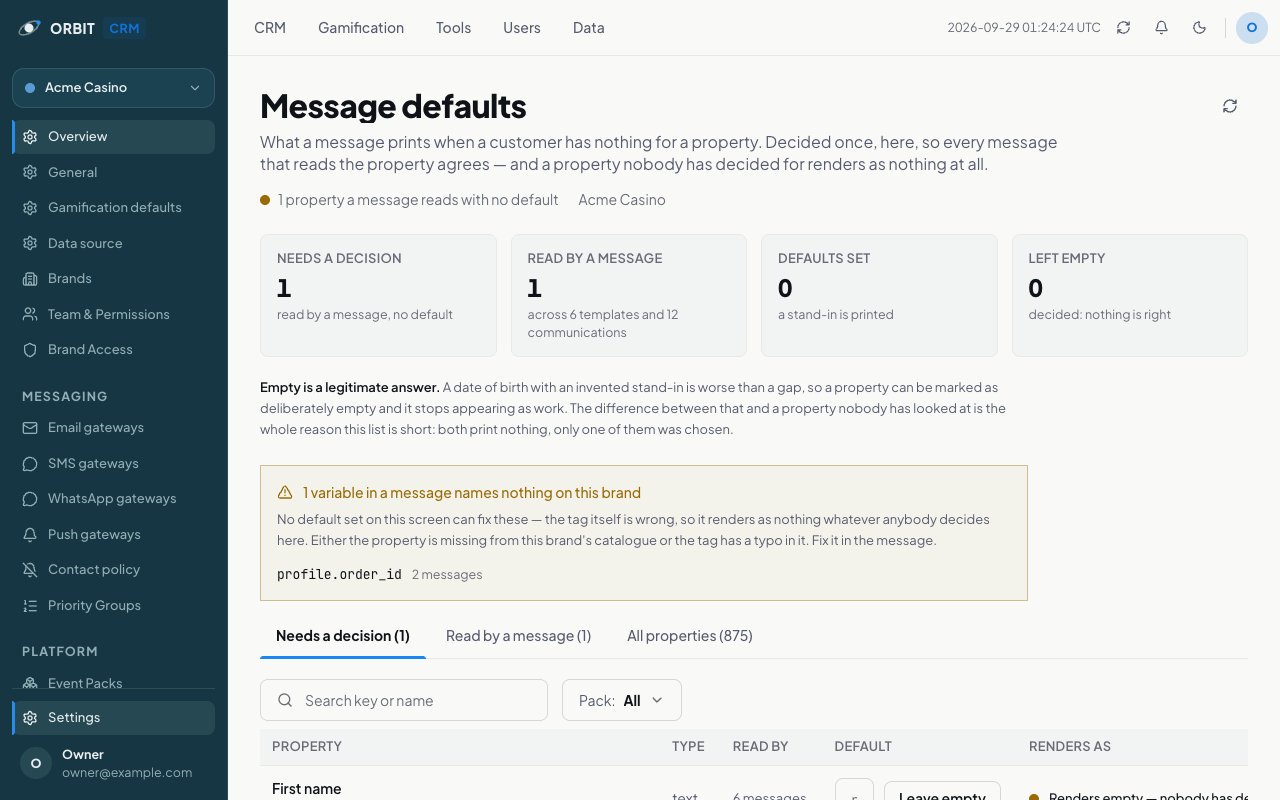
- Open Settings, then Platform, then Message Defaults. The title is Message defaults. The subtitle says the decision is made once, here, so every message that reads the property agrees.
- Read the four counts: Needs a decision, Read by a message, Defaults set (a stand-in is printed) and Left empty (decided: nothing is right). The header turns green when every property a message reads has been decided.
- Stay on Needs a decision, or open Read by a message or All properties. Search key or name, and set Pack if you want one group.
- In Default, type the stand-in and leave the field. It saves when the field closes. Press Enter to do the same. The placeholder on a property nobody has decided is nothing yet.
- To record that the message should print nothing, press Leave empty. The hint is Record that this one should print nothing — it stops appearing as work. The placeholder becomes empty, on purpose, and Renders as shows Empty, on purpose. Leave empty is only there while the property is still undecided, and only when you have not started typing.
- The undo control’s hint is Undo this decision — back to undecided. That returns the property to the list of work.
First name is the property a greeting uses. When nobody has saved a default, the tag prints Player in English, Jogador in Portuguese and Jugador in Spanish, in the player's language. The line reads “Default: “{en}”, “{pt}” or “{es}”, in the player's language”. Save the field empty to print nothing on purpose. Go back to the default word and Undo this decision — back to the default word put the language word back.
The page says empty is a legitimate answer. A marked property and one nobody has looked at both print nothing. Only the one you marked was chosen.
If a message names something this brand does not have, a yellow block says no default on this screen can fix it. Fix it in the message. A row that says Reinstall the core pack to set a default has no field yet.
Nothing to decide. Every property a message reads either has a default or was marked empty on purpose. is the empty state of Needs a decision.
Tip
Typing a blank does not mean “print nothing”. An untouched row already looks blank. Leave empty is the decision. A typed stand-in is what the message prints.