Appearance
Business overview shows acquisition, deposits, retention, campaigns and bonus cost for the active brand. Each figure is set against the period before. The page is the same set of figures as Dashboard, with the title Business overview.
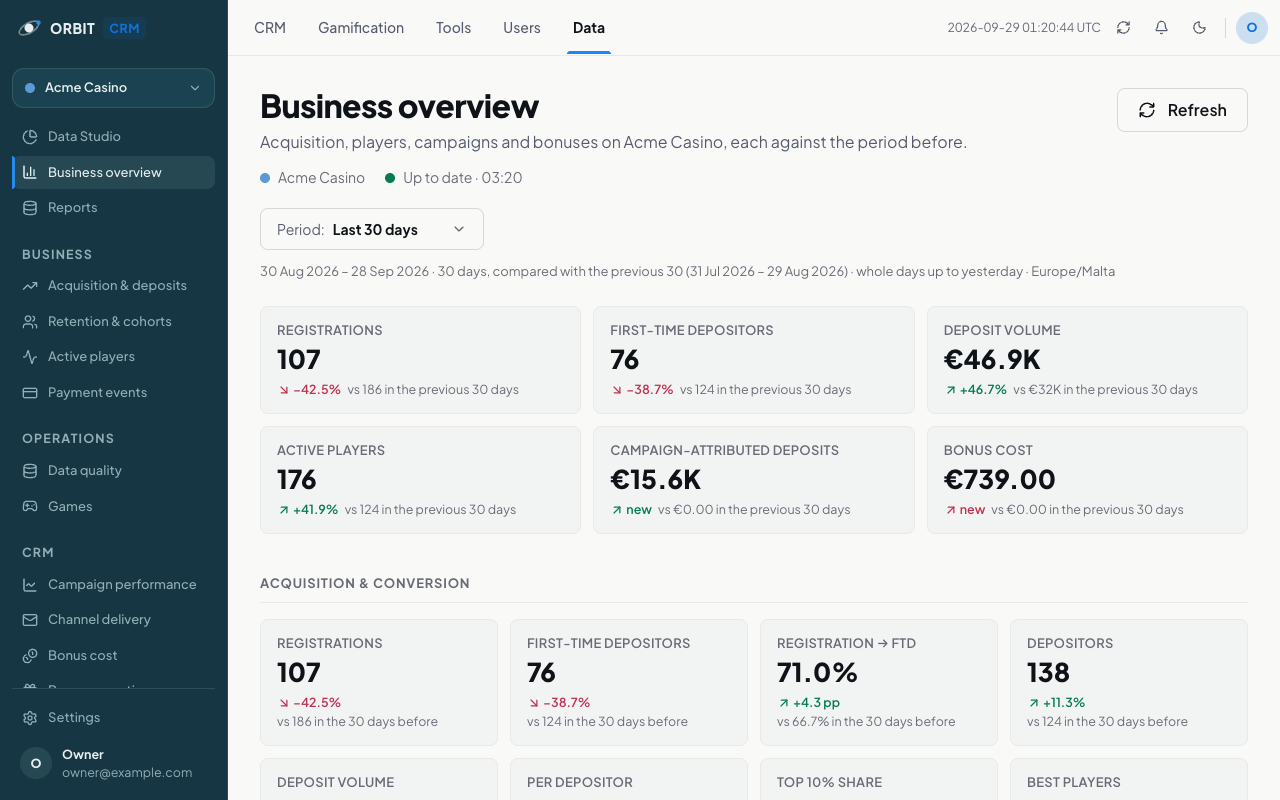
- Open Data, then Business overview. The subtitle names the brand and says acquisition, players, campaigns and bonuses, each against the period before.
- Set Period. The choices are Last 7 days, Last 30 days, Last 90 days, Month to date and Custom range. The page opens on Last 30 days.
- For Custom range, set Start and End, then press Apply. Both days can be today at the latest. Apply stays off until both days are complete and End is not before Start. See Set the dashboard period.
- Press Refresh to apply the newest events and recompute. The hint on the button is Apply the newest events and recompute.
The line under Period names the days, how many days that is, and the previous stretch of the same length. Unless you chose Custom range, it also says whole days up to yesterday. Last 7 days, Last 30 days, Last 90 days and Month to date end yesterday, because today is not over. On the first day of the month, Month to date is that day alone.
Money on this page is in the brand currency, the same way Dashboard shows it.
The top row is Registrations, First-time depositors, Deposit volume, Active players, Campaign-attributed deposits and Bonus cost. On a brand that is not a gaming brand, the money words switch: First-time buyers, Purchase volume, Active customers and Campaign-attributed purchases. A brand colour and the brand name sit in the header. Up to date shows the time the figures were computed, or the page says it is still preparing them.
Below that, the page groups the detail: Acquisition & conversion, then Players & retention (active players, then who paid again and the cohorts), then Campaigns, then Bonuses. Bonuses has a switch between Realised cost and Granted value. Campaigns on this page follows the Period you set here.
If the brand has acquisition values, Acquisition channel appears beside Period, with All channels. The line under the dates says that filter narrows acquisition and Players & retention only.
Tip
Open CRM, then Dashboard, when you want the same figures from the CRM menu. Period and Refresh work the same way there.