Appearance
Close a sign-in that is not the browser you are using now. The list is read from the server, so a browser you closed yesterday can still be a row until it is ended here.
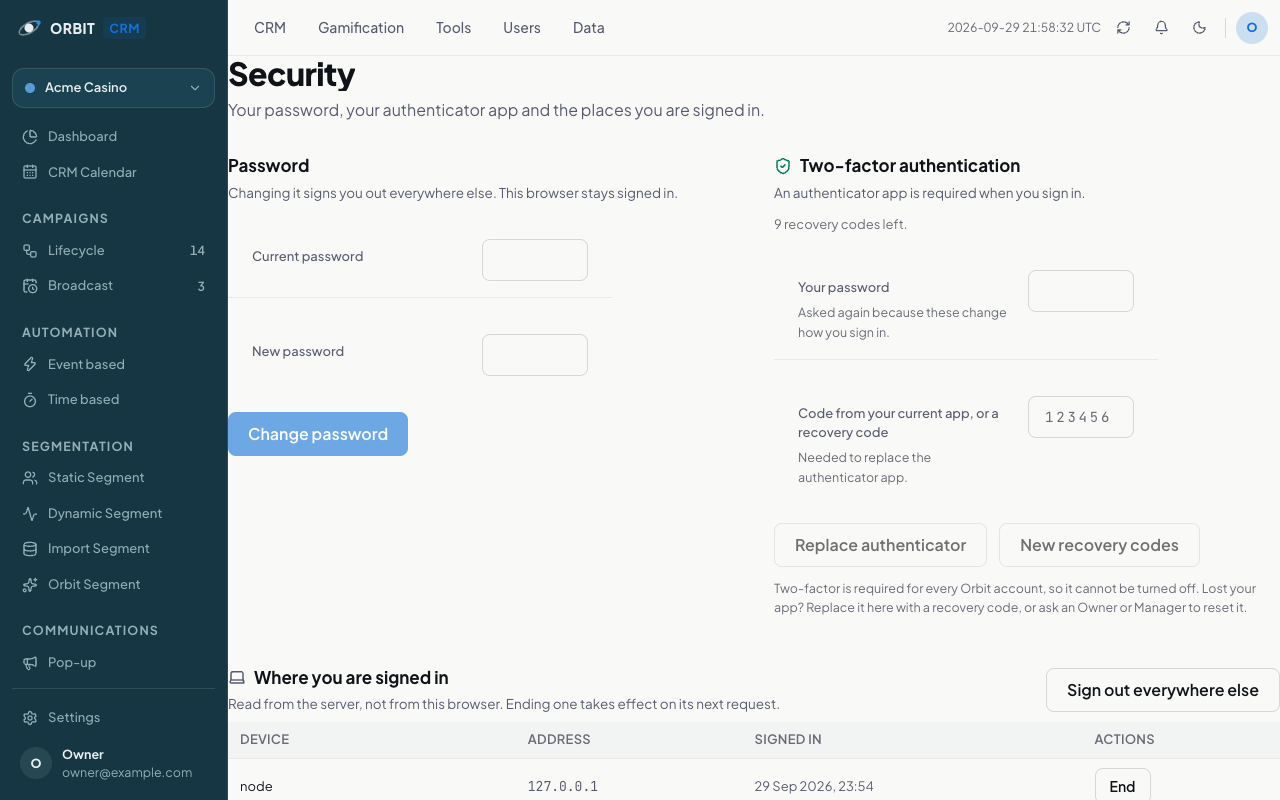
- Press the initials at the top, then Security.
- Scroll to Where you are signed in. The line under the heading reads “Read from the server, not from this browser. Ending one takes effect on its next request.”
- The columns are Device, Address, Signed in and Actions. The row for this browser is marked This browser. A row with no device name says Unknown device.
- On any other row, press End. That row leaves the list. The browser it belonged to is signed out the next time it asks Orbit for something.
- To close every row except this one, press Sign out everywhere else. The button is off when the list has only this browser.
An empty list says No open sessions. While the list is loading, the section says Loading….
Tip
Change password on the same page also signs out the other browsers, and it replaces the password. Use End when the password should stay as it is.
Warning
End and Sign out everywhere else do not turn off two-factor authentication, and they do not change Current password. The row marked This browser has no End button. To leave this browser, use Sign out on the initials menu.