Appearance
Bonus cost shows what bonuses cost this brand, split by template or by the campaign that handed them out. Every figure is in the brand currency. The page calls it the brand’s base currency, at the rate frozen on the day of the grant.
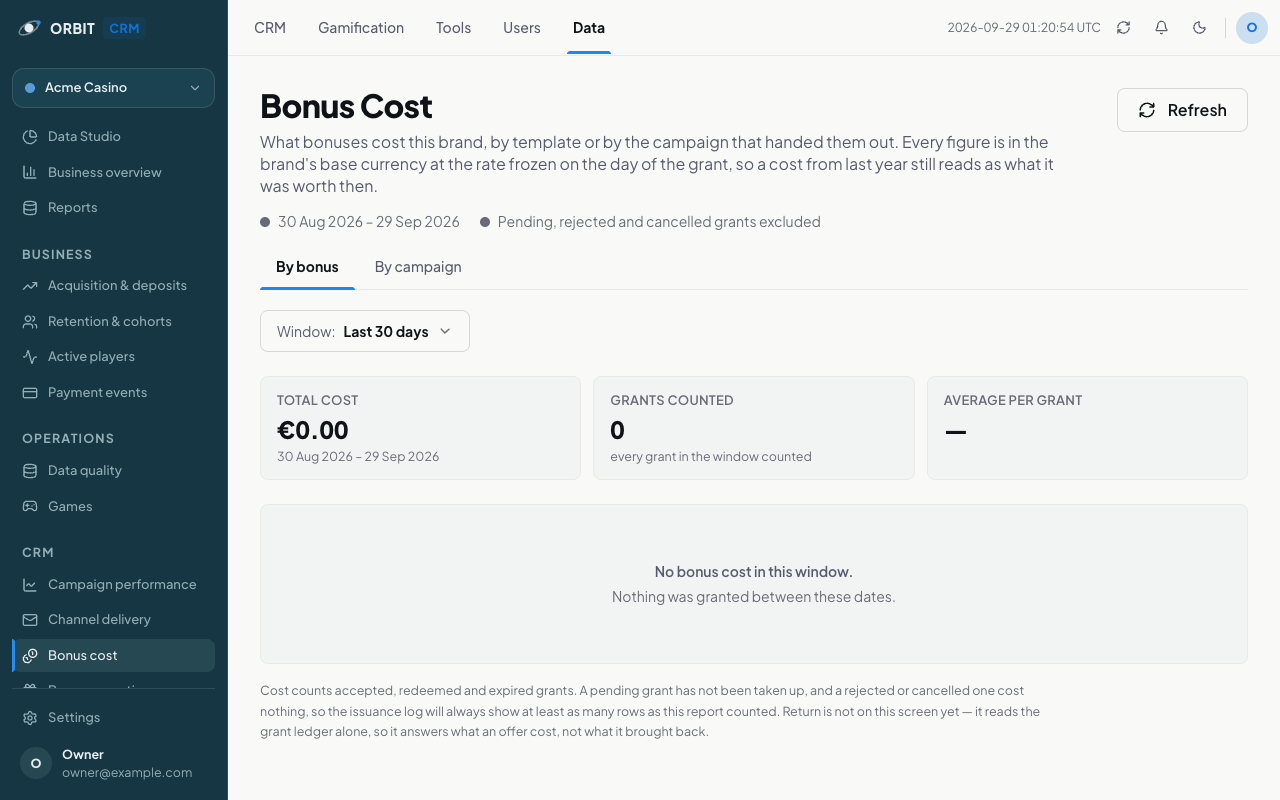
- Open Data, then CRM, then Bonus cost. The page title is Bonus Cost. The subtitle says the split is by template or by the campaign that handed them out, and that a cost from last year still reads as what it was worth then.
- Choose the tab. By bonus groups by the bonus. By campaign groups by the campaign that handed it out.
- Set Window. The choices are Last 7 days, Last 30 days, Last 90 days, Last 12 months and All time. The page opens on Last 30 days. The header prints the dates, or All time.
- Press Refresh. The hint is Re-read the grant ledger.
The tiles are Total cost, Grants counted and Average per grant. On By campaign a fourth tile, Not attributed, is the cost that is not tied to a campaign. The table columns are Bonus or Campaign, then Cost, Grants and Average per grant.
The header also says Pending, rejected and cancelled grants excluded. Grants counted can add a line that more were issued and none of that extra is cost, when the issuance log has rows this report left out. When every grant in the window was counted, that line says every grant in the window counted.
This page does not use From and To, and it does not say Choose between 1 and 93 days. Window is the control.
On Business overview, the Bonuses group is a different view of cost for the overview Period. That group has a switch labelled Realised cost and Granted value. This menu item is the ledger split, By bonus or By campaign.
Warning
Could not load bonus cost. means the ledger did not load. Press Try again. Nothing is substituted for the missing figures.