Appearance
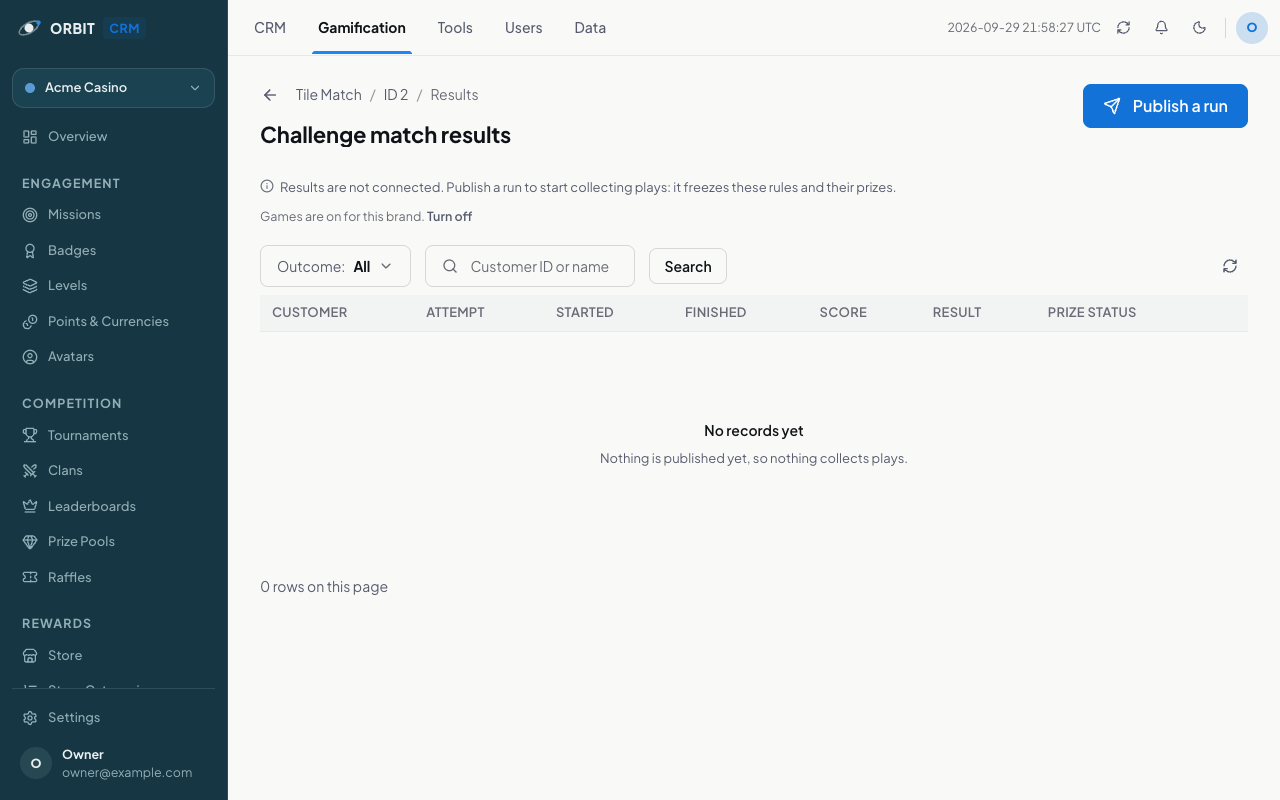
Open a saved Tile Match and click Results to see the plays Orbit recorded. The page title is the game name plus results.
Before you start
The path is Gamification, then Mini Games, then Tile Match. If Results are not connected, an Owner or a Manager publishes a run before any row can appear.
- Pick a Run, or leave Latest. Open means the run still accepts plays when games are on and the end time is ahead. Ended means it does not.
- Filter Outcome with Won a prize, No prize, Timed out or In progress. Search with Customer ID or name, then Search.
- Read Participants, Attempts, Targets reached and Completed.
- In the table, Attempt is the attempt number. Started and Finished are the times. Score is the server score, with the detail under it.
- Result is In progress, Timed out, Won, Target reached or Target missed. Prize status is No prize, or a status such as Awaiting approval or Received, plus the prize name.
- Click the row. Prize explains the status. If it is Awaiting approval, an Owner or a Manager can click Approve this prize. Evidence lists each swap and says whether the replay matches the stored result.
Approve waiting prizes releases every waiting prize on that run. Stop run closes an open run Orbit is playing. Refresh loads the latest rows. Previous and Next move page by page. The footer counts the rows on this page.
A prize is Received only once it was confirmed. Queued is not confirmed yet.
Warning
Targets reached counts the run. Outcome and Search only change the rows in the table. Clear both when the table looks smaller than the counters.
Tip
Games switched off do not delete rows. Turn games on again from this page to accept plays. Existing results stay.