Appearance
A Broadcast runs when it is Active and its schedule is due. Run history is where you see that a run did happen.
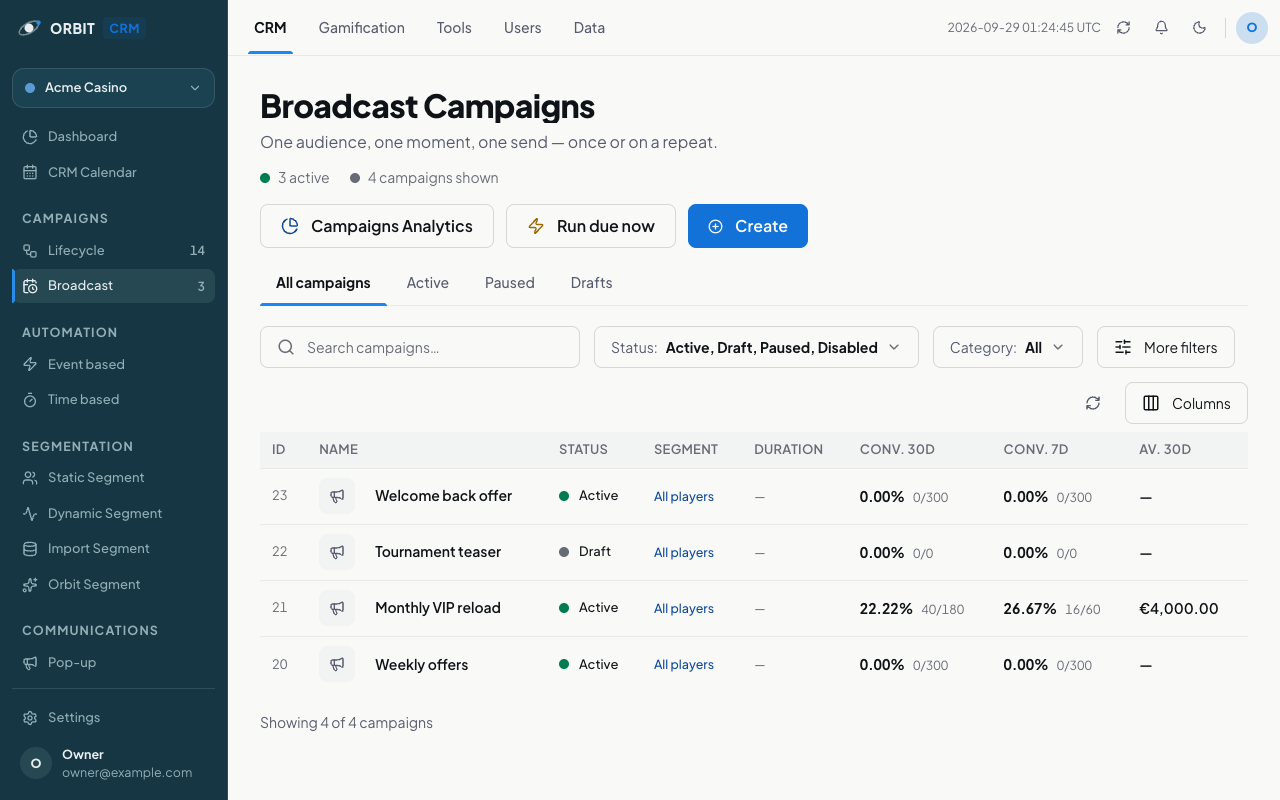
- Open CRM, then Campaigns, then Broadcast. The title is Broadcast Campaigns. Status on the row has to be Active. Draft, Paused, Disabled and Archived are not picked up by the clock or by Run due now. There is no separate sentence naming them. If nothing qualified, the line is No campaigns due right now.
- Open the campaign and read Scheduling on Main. Recurring is Daily or Weekly. Daily is Every N day(s) at a UTC time. Weekly is the day buttons you turn on, Mon, Tue, Wed, Thu, Fri, Sat and Sun, at a UTC time. None on means no run. Once, on a date is one date and time, UTC. Send now prints Sends as soon as it is activated. It is due once, when it is Active, and only if it has never run.
- Press Run due now on the Broadcast list. The hint is Process scheduled campaigns whose next run is due. If something Active was due, the line starts with Fired and names it. If nothing was due, it says No campaigns due right now. A Broadcast outside its Active dates and days, or past its stop date, is skipped with no extra line.
- Open CRM Calendar. The subtitle says every scheduled broadcast is laid out on the days its schedule would run, and that only an active one runs. Previous month and Next month move the month. The count still to come includes Active slots only. Send now sits under Runs on activation, not on a day.
- Open the Broadcast, then Data. Run history shows Run at, Channel, Audience, Sent, Delivered, Clicked, Converted and Revenue. No runs yet means Data has no row. Run now there runs this campaign. Run due now on the list runs whatever is due.
Segment on a Broadcast shows Required when it is empty. The placeholder is Choose a segment…. A lifecycle can say All customers (no segment). A broadcast can still be saved with none, and that run uses the whole brand.
Tip
See next runs on Scheduling lists the next slots for Recurring and Once, on a date. No upcoming runs with the current configuration. means nothing is ahead: no weekday is on, the Once date is missing or past, or Active dates and days or Stop date (UTC) drops the slots.