Appearance
Read the words stored on a Voice row. A new Voice communication cannot be saved.
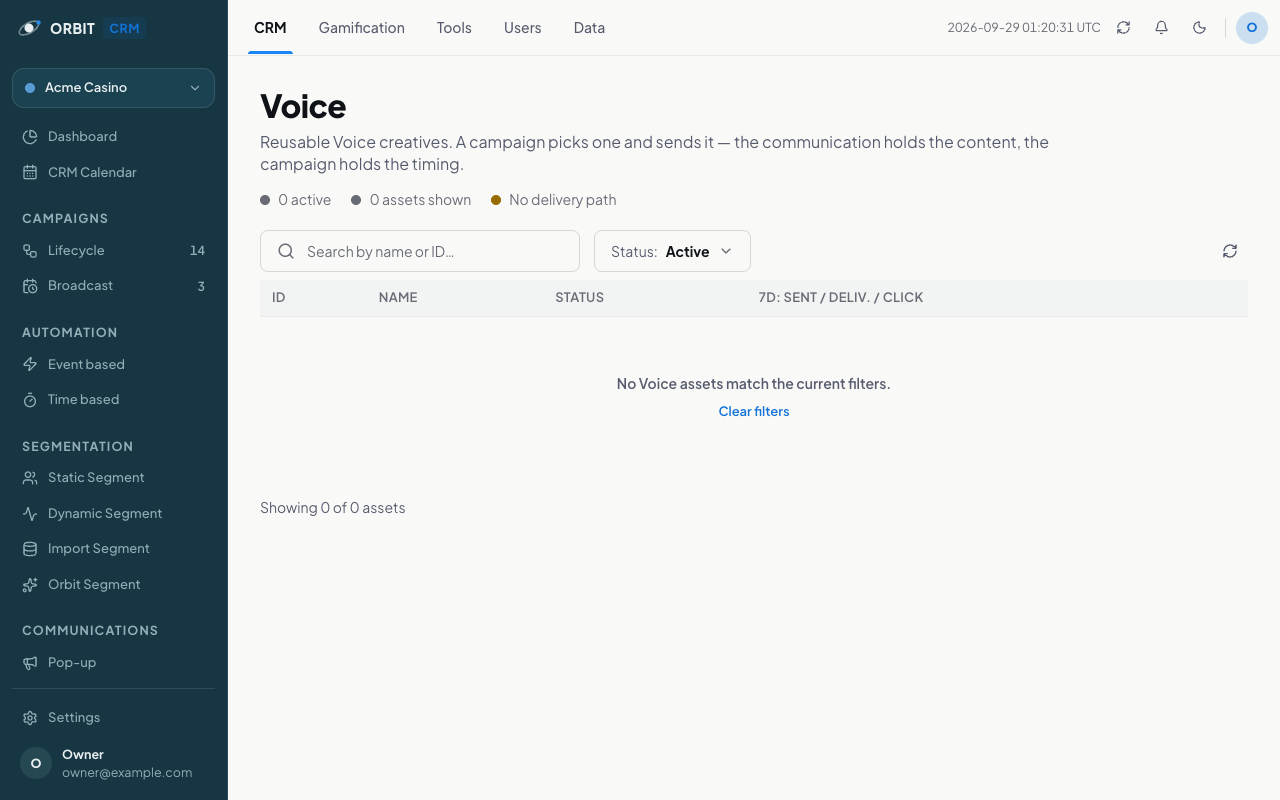
- Open CRM, then Communications, then Voice. The title is Voice. The header mark is No delivery path: Orbit has no Voice gateway, so this list does not offer Create. Search by name or ID… and Status sit above the table. The list opens with Status: All. With nothing saved, the table says “No Voice communications match the current filters.”
- A new Voice communication cannot be saved. The card shows “Orbit has no Voice gateway, so a Voice communication is never sent.” and Save stays off. The fields below are on a row that already exists.
- Name is required. Empty, the card says Give this communication a name. Status can be Draft, Active, or Inactive. The list opens with Status: All, so a Draft is on the list. See See every status on a communication list.
- Call script is the only content field. Type the words in the order they should be spoken. There is no character counter and no second page.
- The preview is a card headed Call script. It repeats what you typed. Before you type, it says “Your message appears here as you type.”
- On that existing row, press Save, or Save and Return. The bar shows Saved.
There is no Send through on Voice. Nothing on this form picks a gateway.
Warning
A Lifecycle step named Voice is not on the Flow bar of a new flow. When the canvas already holds one, it is marked No delivery path, and you cannot add another. The reason is “No delivery path: Orbit has no gateway for this channel, so nothing reaches the customer and the outcome on the trail is simulated.” Saving Call script stores the words. It does not place a call.