Appearance
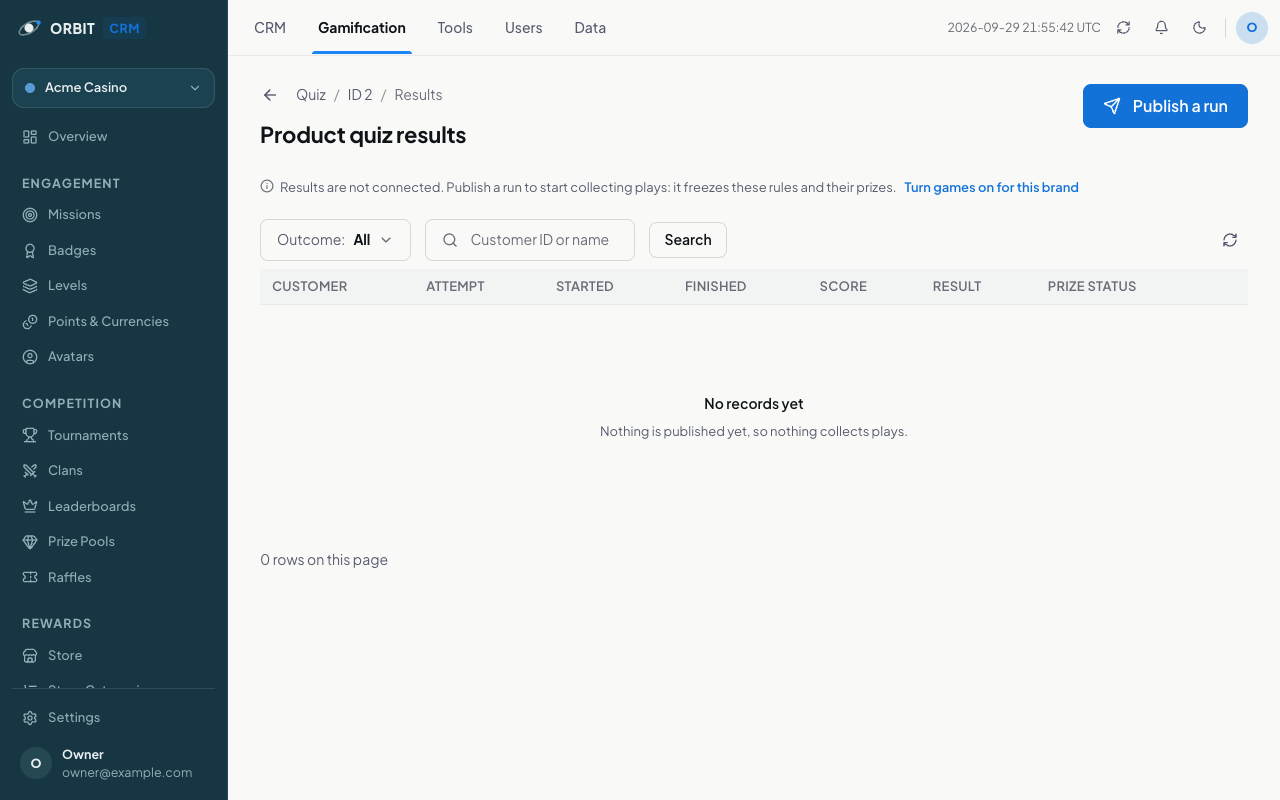
Games stay off for a brand until an Owner or a Manager turns them on. Until then, players on the site see no games to play, and Results does not collect new plays.
Before you start
You need the Owner or Manager role, and a saved Quiz, Tile Match, Mini Game, Safe or Surprise reward. Operators and Analysts do not see the switch.
- Open the saved game and click Results. You can start from Gamification:
- Mini Games, then Quiz, Tile Match, Mini Games or Surprise rewards
- Mini Games, then Safes
- Read the line under the title. When games are off, an Owner or a Manager sees Turn games on for this brand.
- Click Turn games on for this brand. The line changes to Games are on for this brand.
- To pause plays later, click Turn off on that same line. Existing results stay. The screen then says games are switched off for this brand, and tells you to turn games on to accept plays again.
Turning games on is for the whole brand, not for one game. Quiz, Tile Match and Surprise rewards still publish a run from Results. Those three lists keep Configured — not live yet on the page header. Use the editor’s Live dot, and Results, to see whether those plays are accepted.
Mini games and Safes are published from the game editor. Their lists do not keep Configured — not live yet. The list shows how many are live. When games are off, Mini games adds “Games are off for this brand: nobody can play”, and Safes adds “Games are off for this brand: nobody can open a safe”. A game that has never been published keeps “Configured — not live yet” on the editor. After publish, the header is the lifecycle word. A live game that nobody can play reads “Live, but games are off for this brand”.
Warning
If the line says games are on for this brand, but participation is switched off for this deployment, plays are still refused. That second switch is not the brand button on this page.
Tip
On Quiz, Tile Match and Surprise rewards, Publish a run freezes the rules and the prizes. Turning games on does not publish a run, and publishing a run does not turn games on. Do both. A mini game or a safe is published with Publish on the editor.