Appearance
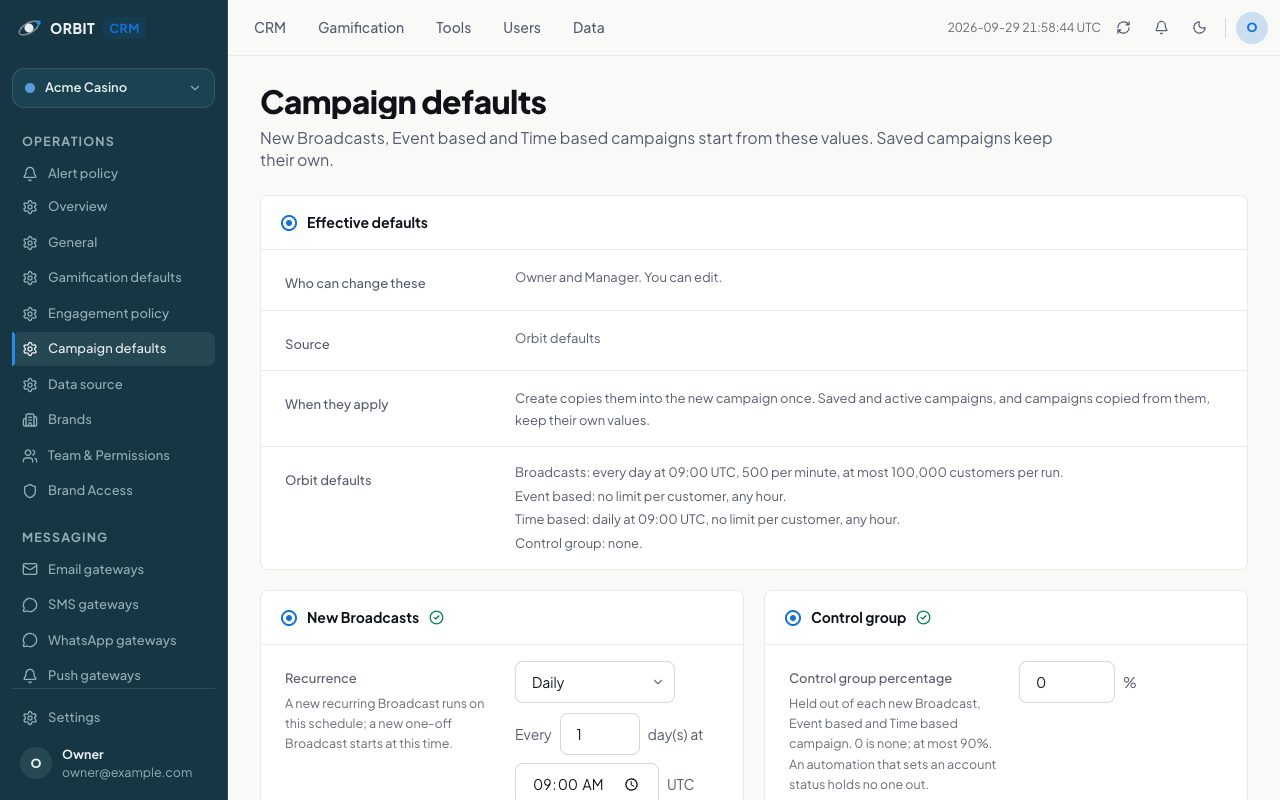
Control group percentage is one number, copied into each new Broadcast, Event based campaign and Time based campaign. It is the share held out of that campaign. Zero means none. The highest the field accepts is 90%.
Before you start
Owner and Manager can change it. It applies at create only. A campaign you have already saved, and a campaign copied from one, keeps the percentage it already has.
- Open Settings, then Campaign defaults.
- On Effective defaults, the last Orbit defaults line says Control group: followed by none or a percentage. That is the built-in value.
- Open the Control group card. The hint says the percentage is held out of each new Broadcast, Event based and Time based campaign, that 0 is none, and that the most is 90%. It also says an automation that sets an account status holds no one out.
- Type the percentage. Up to 2 decimals are accepted, from 0 to 90.
- Click Save defaults.
On a new Broadcast, this percentage is applied after Maximum audience per run has drawn its sample. The audience card says the sample is drawn before the control group.
Warning
Setting a percentage here does not hold anyone out of a campaign that sets an account status. That campaign holds no one out, whatever this card says, so the whole segment can receive the status.
Tip
Source on Effective defaults tells you whether the percentage you are looking at is still Orbit defaults or a Brand defaults version you saved.