Appearance
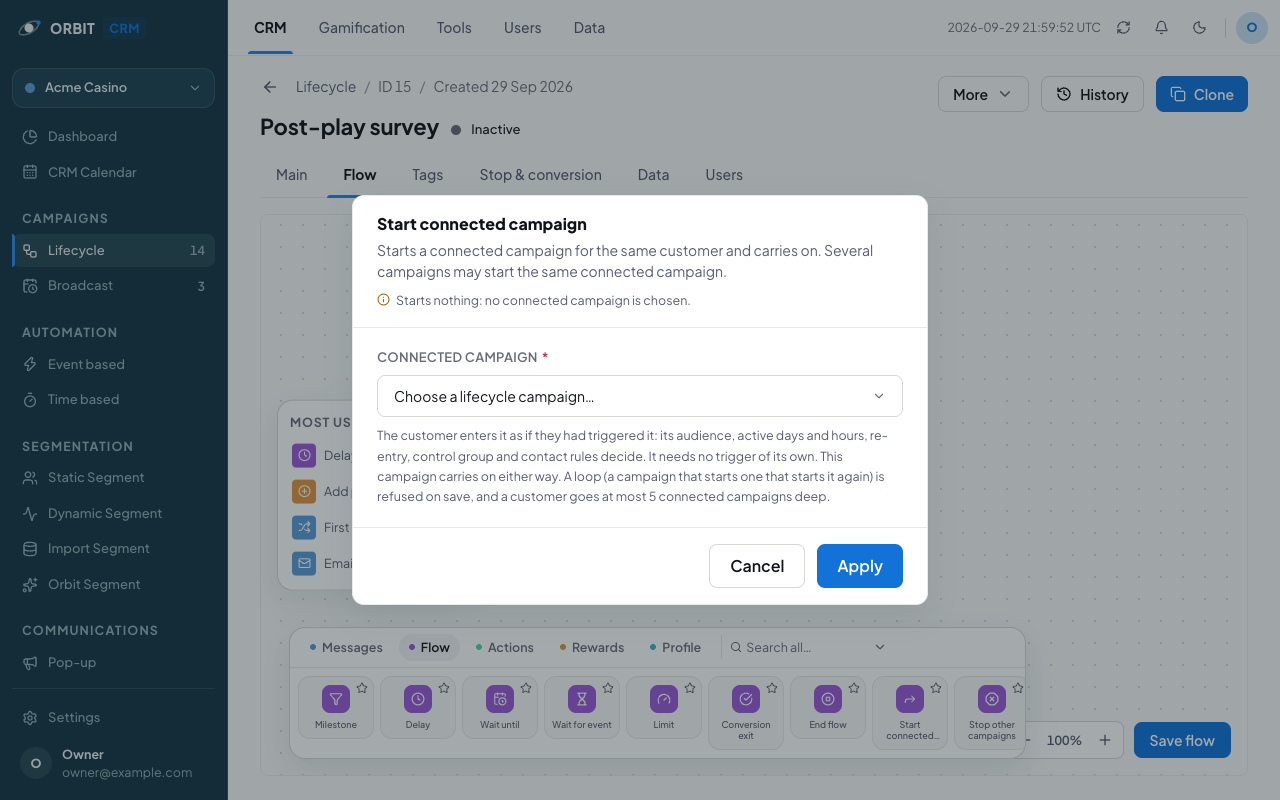
A Start connected campaign activity puts the same customer into another lifecycle campaign. This flow then carries on through Then.
Before you start
The campaign you name has to be a lifecycle campaign of this brand. It cannot be this campaign. A broadcast cannot be chosen: a broadcast runs on its schedule. Until the connected campaign is active, customers who reach the step start nothing.
- Open CRM, then Campaigns, then Lifecycle, and open the lifecycle campaign. Click Create if you are making a new one.
- Open the Flow tab. On a new campaign it stays disabled until you save once from Main.
- Under Flow, click Start connected campaign. The activity lands in the middle of the canvas.
- Click the activity. Under Connected campaign, choose the lifecycle campaign. The row shows the name, ID, and the status when it is not active.
- Click Apply.
- Drag from Then to the next activity in this flow. This campaign carries on either way.
- Click Save flow.
- When this lifecycle should run, open More and click Activate campaign.
The customer enters the connected campaign as if they had triggered it. Its audience, active days and hours, re-entry, control group and contact rules decide. It needs no trigger of its own.
A loop is refused on save: a campaign that starts one that starts it again will not save. A customer goes at most 5 connected campaigns deep. Past that, the step starts nobody and the campaign history says why. The same history line appears when the customer is outside the audience, outside the active hours, in the control group, or kept out by re-entry.
On the Lifecycle list, Connected shows which campaigns start which. List shows every campaign once.
Warning
If no campaign is chosen, the activity is marked Starts nothing. Choose one before you activate. An archived campaign, or one that is switched off, cannot be chosen until you restore it.
Tip
If the campaign list could not be loaded, click Try again. What is already saved stays, and Save flow checks the step.