Appearance
Set the event that starts it.
- Open Gamification, then Engagement, then Missions. Click Create, then Triggered mission. The row reads “Starts for a player when an event you choose in the mission happens”.
- On General, fill Private Name. Who can take part starts at All users.
- Open Start. Trigger is required. The box reads Choose the event…. If the brand has none, the line is “This brand’s catalogue has no event that may start anything yet. Add one under Data, then come back.”
- Conditions starts at “Conditions: all customers”. Press Condition, or Any-of group. The hint reads “Checked once, when the trigger happens, on the player’s profile as it was at that moment. All groups must match; inside a group one condition is enough. None: every player the trigger reaches.”
- If the player already had it is required. It opens on Keep progress (default):
- Keep progress — “A run in progress carries on untouched, and a completed mission stays completed. A new run starts only for a player who has none, or whose last run expired.”
- Restart — “Progress resets: the run in progress ends and a new run begins. Rewards already earned are kept.”
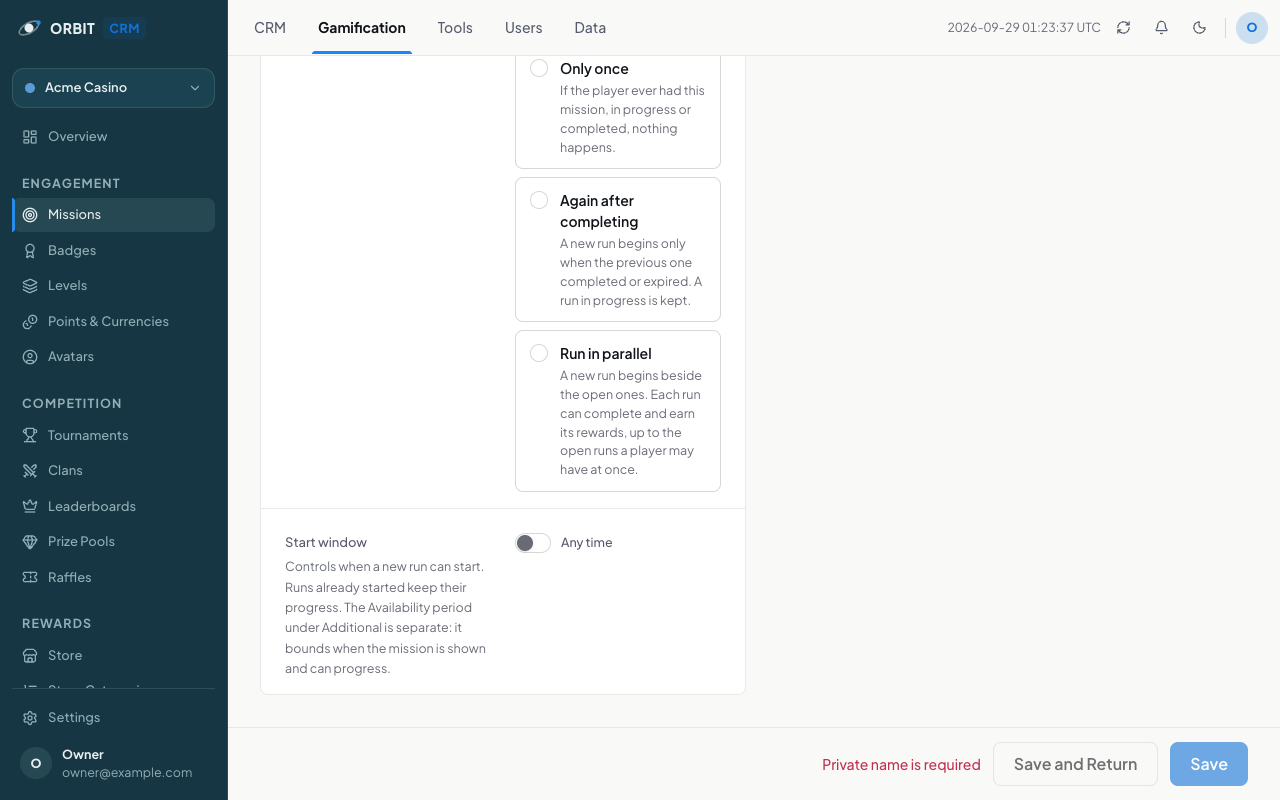
- Only once — “If the player ever had this mission, in progress or completed, nothing happens.”
- Again after completing — “A new run begins only when the previous one completed or expired. A run in progress is kept.”
- Run in parallel — “A new run begins beside the open ones. Each run can complete and earn its rewards, up to the open runs a player may have at once.”
- Run in parallel shows Open runs at once, a whole number from 2 to 100, starting at 5. A trigger past that cap starts nothing.
- Start window reads Any time, or Only at the times below. Then set Time zone (“The brand’s time zone (…)”), From (optional), Until, not included (optional), Days, and At any hour of those days or Only between these hours. Hours past midnight belong to the day they start on: Friday 22:00 to 02:00 includes early Saturday. Runs already started keep their progress.
- Press Save. A Draft can be saved with no trigger yet. Active with no trigger shows The Start section has a problem and “Trigger: Choose the event that starts this mission.” Active still needs at least one task.