Appearance
Set how the Front Script tracks pages, shows pop-ups, asks for push, and looks on the site.
Before you start: Save is for an Owner or a Manager. Anyone else sees Owners and Managers change these, and the fields stay off.
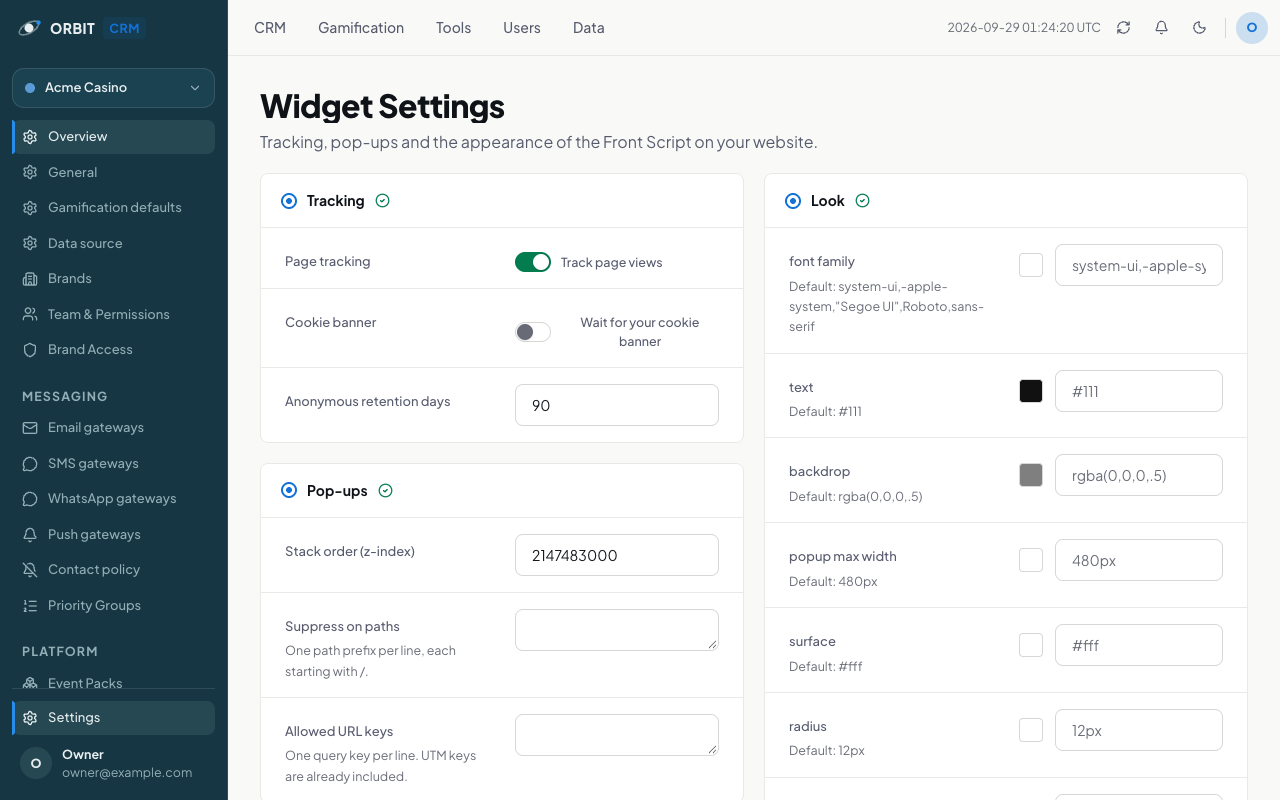
- Open Settings, then Platform, then Widget Settings. The title is Widget Settings. The subtitle says tracking, pop-ups and the appearance of the Front Script on your website. With no brand, the page says Select a brand to configure its widget.
- Tracking holds Track page views, Wait for your cookie banner, and Anonymous retention days.
- Pop-ups holds Stack order (z-index), Suppress on paths, and Allowed URL keys. Suppress on paths takes one path prefix per line, each starting with /. Allowed URL keys takes one query key per line. The hint says UTM keys are already included.
- Push soft prompt holds Minimum sessions, Minimum pages, Dismiss cooldown days, Title, Body, Accept button and Dismiss button.
- On the right, Player theme sits above Look. The title is Player theme. The hint says every section and the rewards window wear it, and that each section can still take its own in Tools › Snippets. The six themes are Jackpot, marked Default, then Luxury, Studio, Neon, Arena and Pearl. Window title has a box for English, Português (Brasil) and Español. The hint says “Leave empty to keep a previously saved title or use the theme’s default title.” With every box empty, and no title already saved, Jackpot says Rewards Club, Luxury and Pearl say Members’ Club, Arena says Matchday Club, and Studio and Neon say Rewards.
- Look lists one row per token. The row label drops the
--orbit-prefix and the dashes, so the accent row reads accent. The same list includes font family, text, backdrop, surface, radius, reward, success, link, and the rest. Each hint starts with Default. A blank row keeps that default. The swatch beside the field shows the colour when the value is a colour. Stylesheet path has the hint Changed by Orbit staff. The field is read-only. - Press Save. While it runs the button reads Saving…. Saved confirms it. A problem on a number field is named above the button. Save stays off while that problem is showing. Saving Player theme writes that theme onto every section. It does not switch Enabled on.
The same Save stores Player texts. A change there and a change here both write the Front Script settings for this brand.