Appearance
Create stores a bonus template for the active brand.
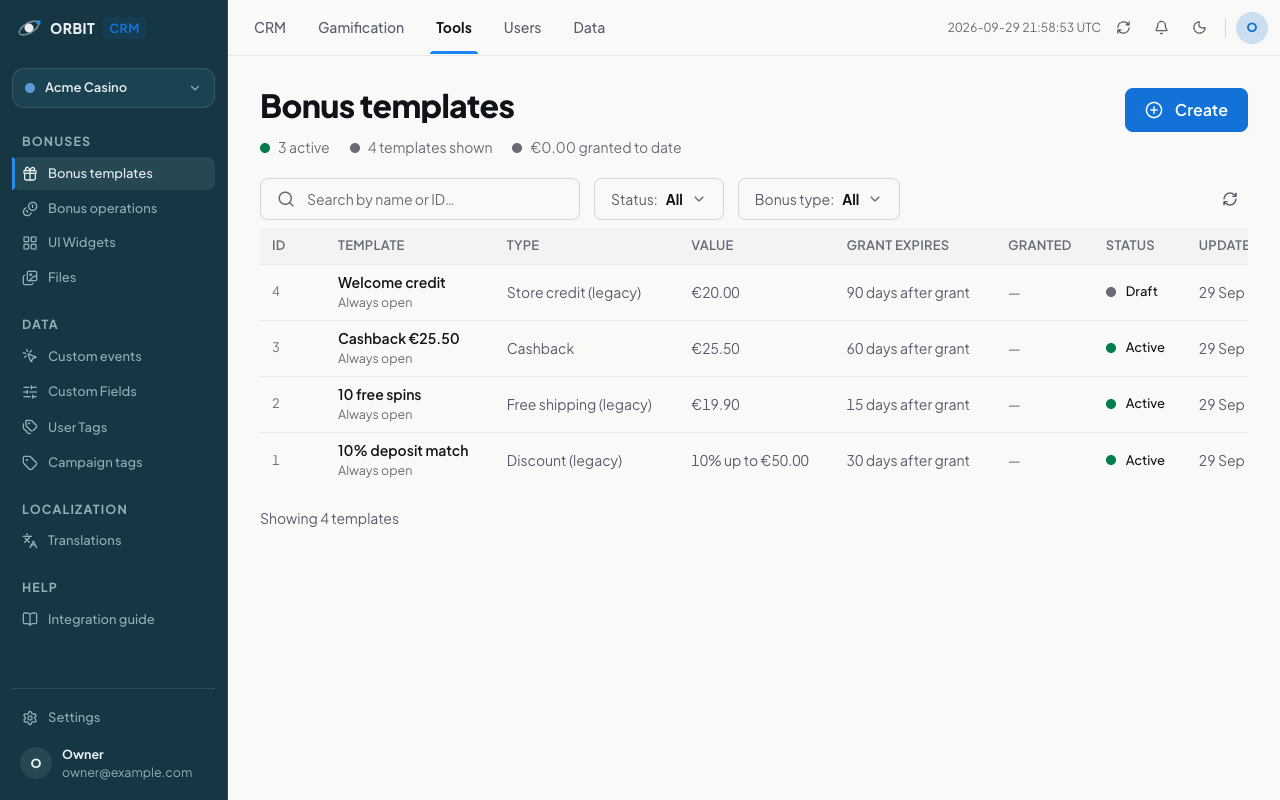
- Open Tools, then Bonuses, then Bonus templates.
- The header shows the active count, the templates shown, and granted to date. Status filters Active, Draft and Inactive. Bonus type filters the list.
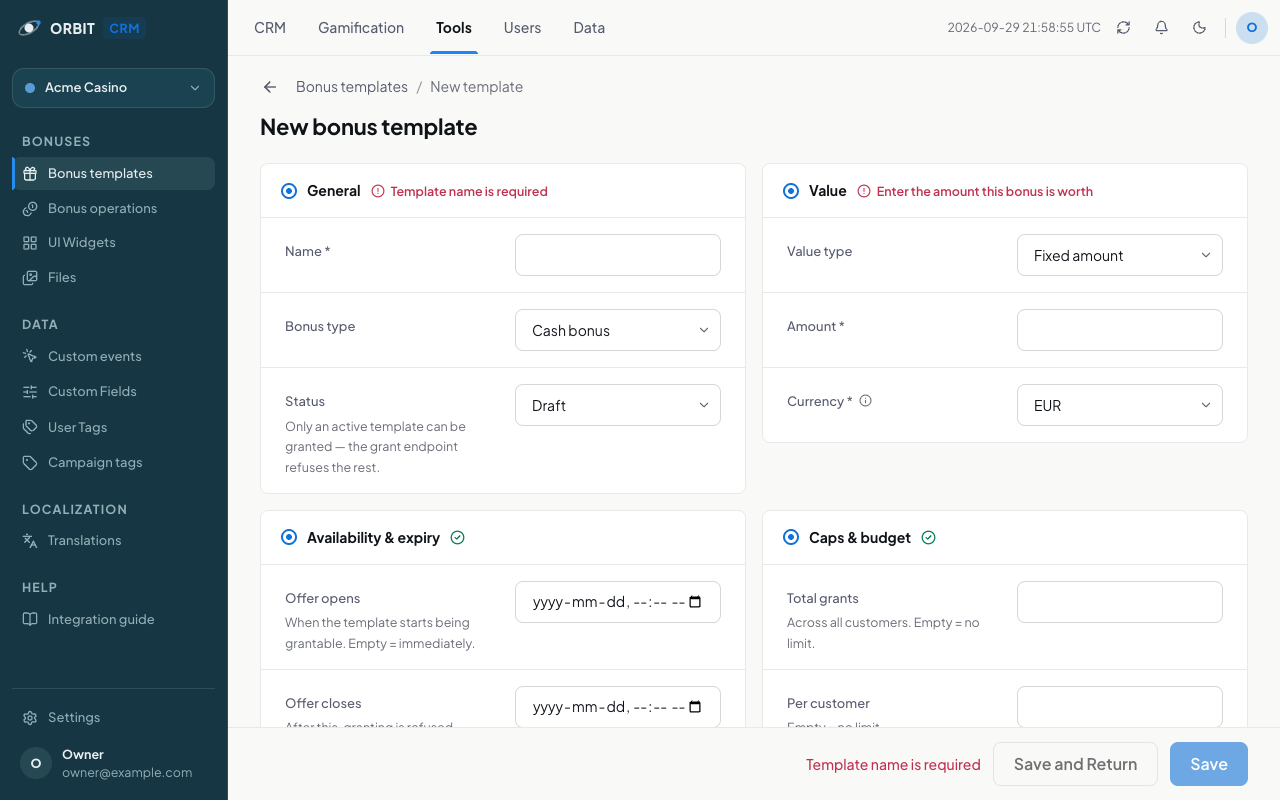
- Click Create. The page is titled New bonus template.
- Name is required. Empty, Save shows “Template name is required”.
- Bonus type starts at Cash bonus. The menu also offers Deposit match, Free spins, Free bet, Cashback, Discount (legacy), Free shipping (legacy), Gift (legacy) and Store credit (legacy).
- On Value (Grant valuation for free spins and free bets), Deposit match offers only Percentage. Free spins and Free bet offer only Fixed amount. Cash bonus starts on Fixed amount but is not locked. Cashback and the legacy types offer both. Percentage is required when shown. The hint says “Decimals are kept: 12.5 means 12.5%.” Amount (or Estimated grant value) is required for a fixed amount. Currency is required. A percentage can set Maximum value.
- On Availability & expiry, empty Offer opens means immediately and empty Offer closes means open ended. If the close is not after the open, Save shows “The window has to end after it starts”. Grant expires after counts days from each grant. 0 means never expires.
- On Caps & budget, Budget includes the brand currency code. Empty Total grants or Per customer means no limit.
- A gaming type’s Eligibility shows Minimum qualifying deposit and New players only (Any player or First-time only). Saving them does not enforce qualification. Audience appears only when a segment is already stored: Anyone, or that segment. The hint says the bonus ledger grants to anyone. A new template has no Audience.
- Gaming bonus has Public name (“The name the player should see.”) and Product: Casino & sportsbook, Casino or Sportsbook. Those spin and bet types also require Free spins or Free bets, or Save shows “Enter the number of spins or bets”. A legacy type has no Gaming bonus card and uses Platform reference, not Platform bonus ID.
- Status on General starts as Draft. Only an active template can be granted. An active gaming template needs Platform bonus ID on Terms & integration, or Save shows “An active gaming template needs a platform bonus ID”. Configure bonus fulfilment is on that card.
- Save shows Saved. Save and Return goes back to the list.
Tip
The Granted column counts grants and the amount booked on that template. granted to date adds those amounts for the rows on screen.