Appearance
Gamification defaults is what a new mission and a new level copy. Existing missions, levels and progress keep the policy they already stored.
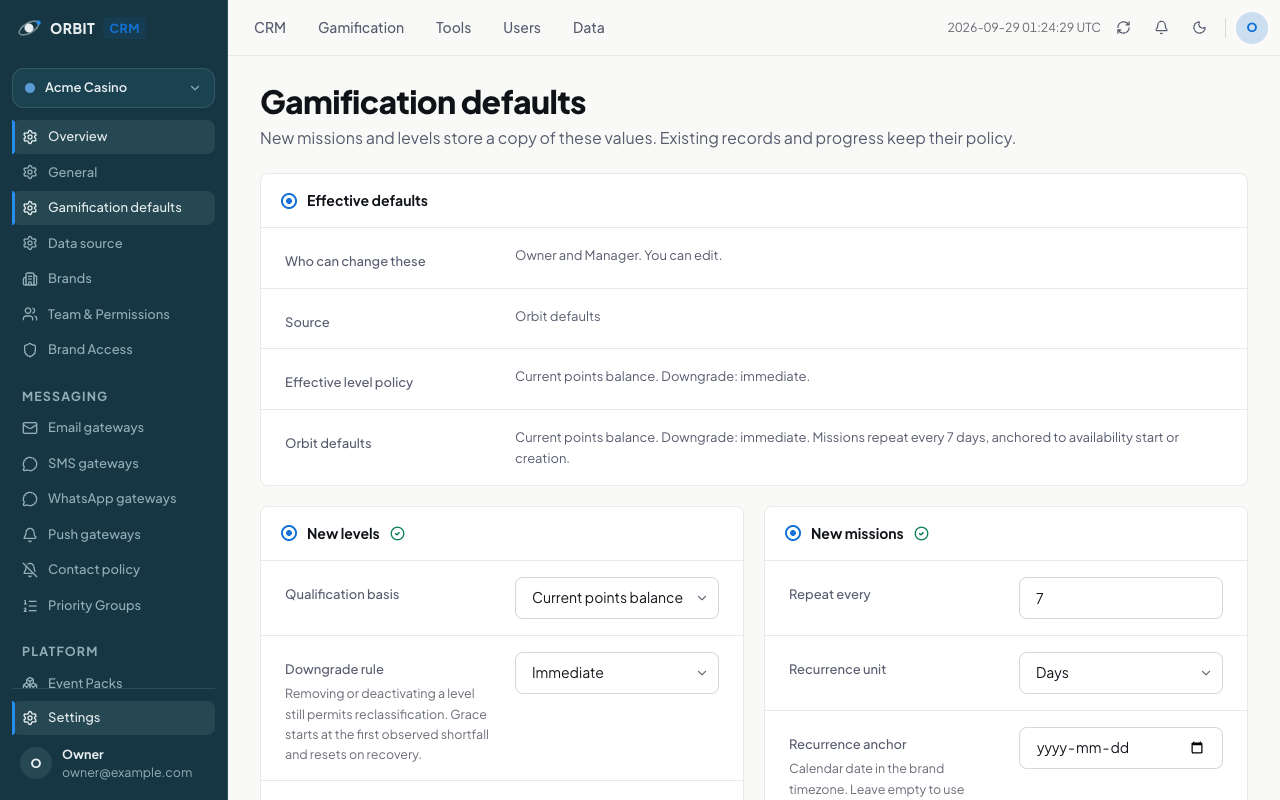
- Open Settings, then Gamification defaults. The title is Gamification defaults. The subtitle reads “New missions and levels store a copy of these values. Existing records and progress keep their policy.” With no brand, the page says “Select a brand.”
- Effective defaults names who may edit. It reads “Owner and Manager. You can edit.” or “Owner and Manager. Your access is read-only.” Source is “Brand policy, version N” once someone has saved, or “Orbit defaults” until then.
- Effective level policy is the policy new levels will copy. With the names left as they ship, Orbit defaults, before anyone saves, reads “XP, the lifetime progress counter. Downgrade: immediate.” and then “Missions repeat every 7 days, anchored to availability start or creation.”
- Under New levels, Qualification basis is text, not a menu. It reads “XP, the lifetime progress counter”. The hint says XP is a lifetime progress counter that is never spent, that levels always qualify on XP, and that spending Coins never moves one. There is no Qualification period on this screen.
- Downgrade rule is Immediate, Never or After a grace period. After a grace period shows Grace days, a whole number from 1 to 365. The hint reads “Removing or deactivating a level still permits reclassification. Grace starts at the first observed shortfall and resets on recovery.” When applied reads “When the levels engine is live, points events evaluate the saved policy. Rolling expiry and grace are also checked in batches each minute.”
- Under New missions, set Repeat every (1 to 365), Recurrence unit (Days, Weeks or Months) and Recurrence anchor. Leave the anchor empty to use availability start, otherwise creation. The hint reads “Calendar date in the brand timezone. Leave empty to use availability start, otherwise creation. Clones preserve the effective anchor.”
- Press Save defaults. The page says “Saved. New records will inherit these defaults.” Read-only access hides Save defaults. A refused save says “Requires the Manager role”. If someone else saved first, the page says “Defaults changed. Reload before saving.”