Appearance
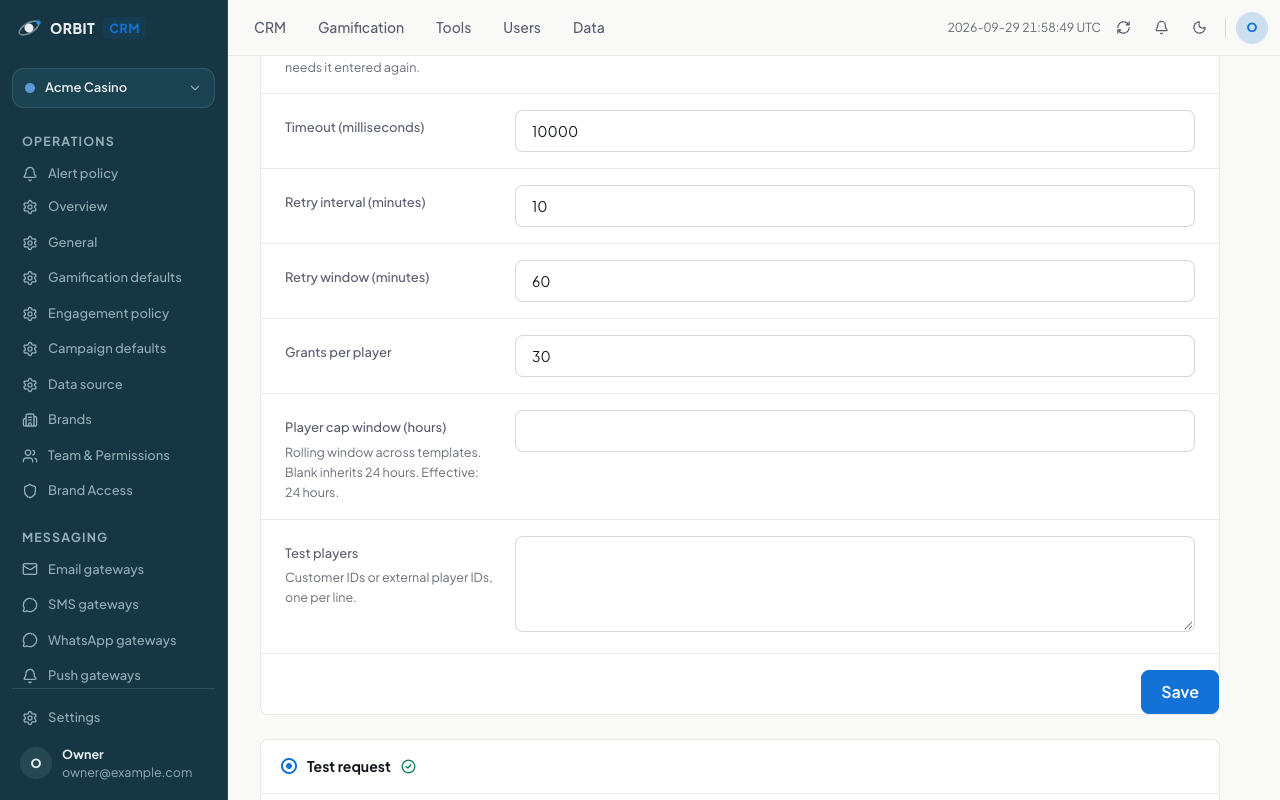
Player cap window (hours) is the rolling time in which Grants per player is counted. The count is across templates. A player who reaches it is not granted again until an older grant falls outside the window.
Before you start
An Owner or a Manager can edit Bonus fulfilment. Open Settings, then Platform, then Bonuses.
- On Operator connection, read Grants per player. That is the count. It accepts 1 to 10000. The stored starting value is 30 when the brand has no saved settings.
- Set Player cap window (hours). Blank inherits 24 hours. The field accepts 1 to 720. The hint shows Effective in hours. A viewer who cannot edit sees the same row with Default: 24 hours.
- Click Save on Operator connection. The corner says Saved.
- Open the bonus template's Operator mapping. Ignore player cap is a switch for that template only. Player cap enforced counts the template toward the window. Player cap ignored leaves this template out of the count. The hint says template limits and budget still apply.
The window is the one in Player cap window (hours), including a blank field that means 24. A player at the cap is told they have reached that many-hour bonus cap, and no grant is queued.
Warning
Ignore player cap does not lift the template's own limits or its budget. It only skips this rolling count.
Tip
A read-only visit shows Grants per player and Player cap window (hours) on Operator connection, with no Save.