Appearance
Channel delivery splits messages by channel for the dates you set: processed, confirmed, clicked, failed, unknown and queued. The columns use the words on the table, which are a little longer than that list.
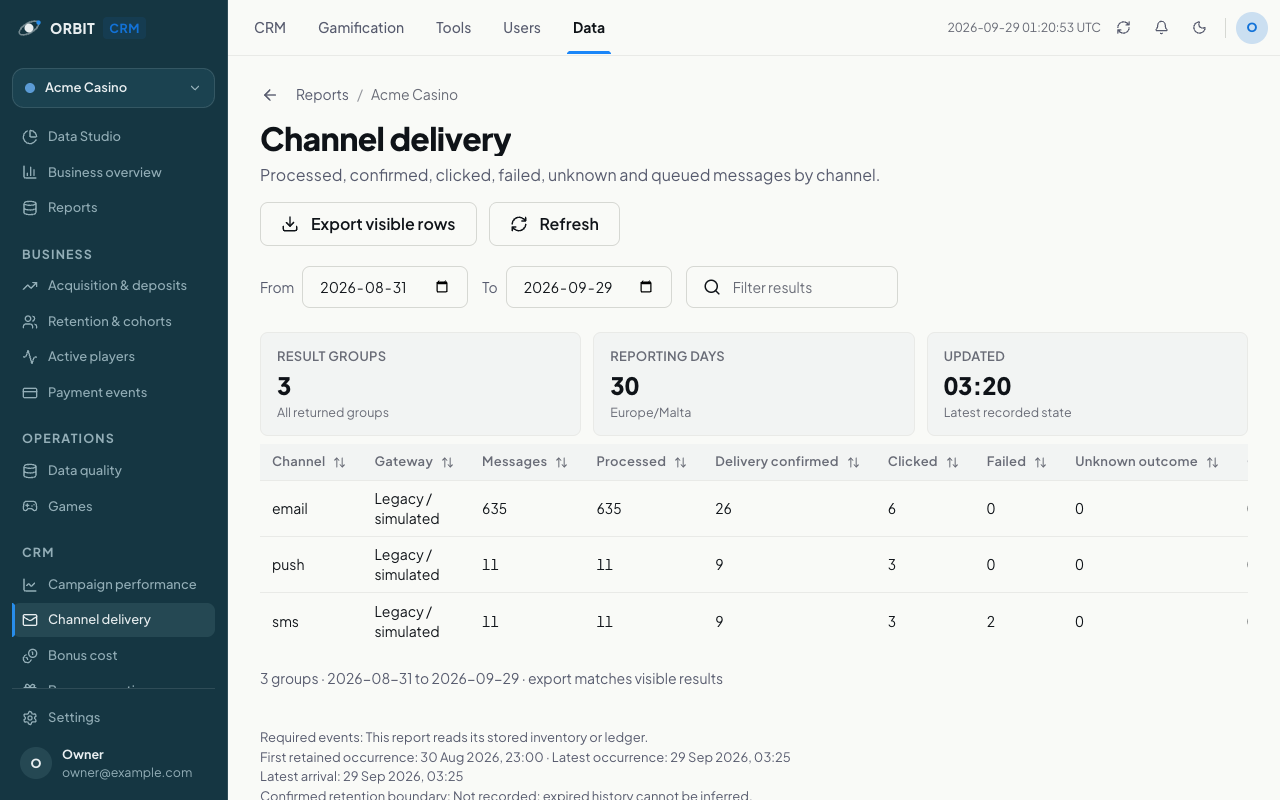
- Open Data, then CRM, then Channel delivery. The title is Channel delivery. The subtitle says processed, confirmed, clicked, failed, unknown and queued messages by channel.
- Set From and To. The opening range is the last 30 days through today, in the brand time zone. Keep the span between 1 and 93 days. The warning is Choose between 1 and 93 days.
- Press Refresh. Filter results searches the cells on screen. Press a column heading to sort.
- Press Export visible rows to download the rows you are looking at.
The columns are Channel, Gateway, Messages, Processed, Delivery confirmed, Clicked, Failed, Unknown outcome, and Queued / held. Gateway can read Legacy / simulated when a message has no gateway name stored.
How to read this report says messages are grouped by creation date, in the brand timezone, and that delivery and clicks show their latest known state. Processed includes sent, delivered, clicked, failed and unknown records. Failure can occur before dispatch, so the count does not prove a provider accepted a message. On-site confirmation uses browser receipts. Provider channels use delivery timestamps. The page says these are operational counts, not a billing statement.
Result groups, Reporting days and Updated sit above the table. If more than 200 groups came back, Result groups says First 200 groups; narrow the period. The footer then says limited to 200 groups.
When Filter results hides every returned row, the table says No matching records, then Change or clear the filters to see other records. When the report itself has no rows, it shows the readiness state and its reason.
Tip
A send that is still waiting sits in Queued / held. Delivery confirmed is the column for a message whose delivery is known, not a second name for Processed.