Appearance
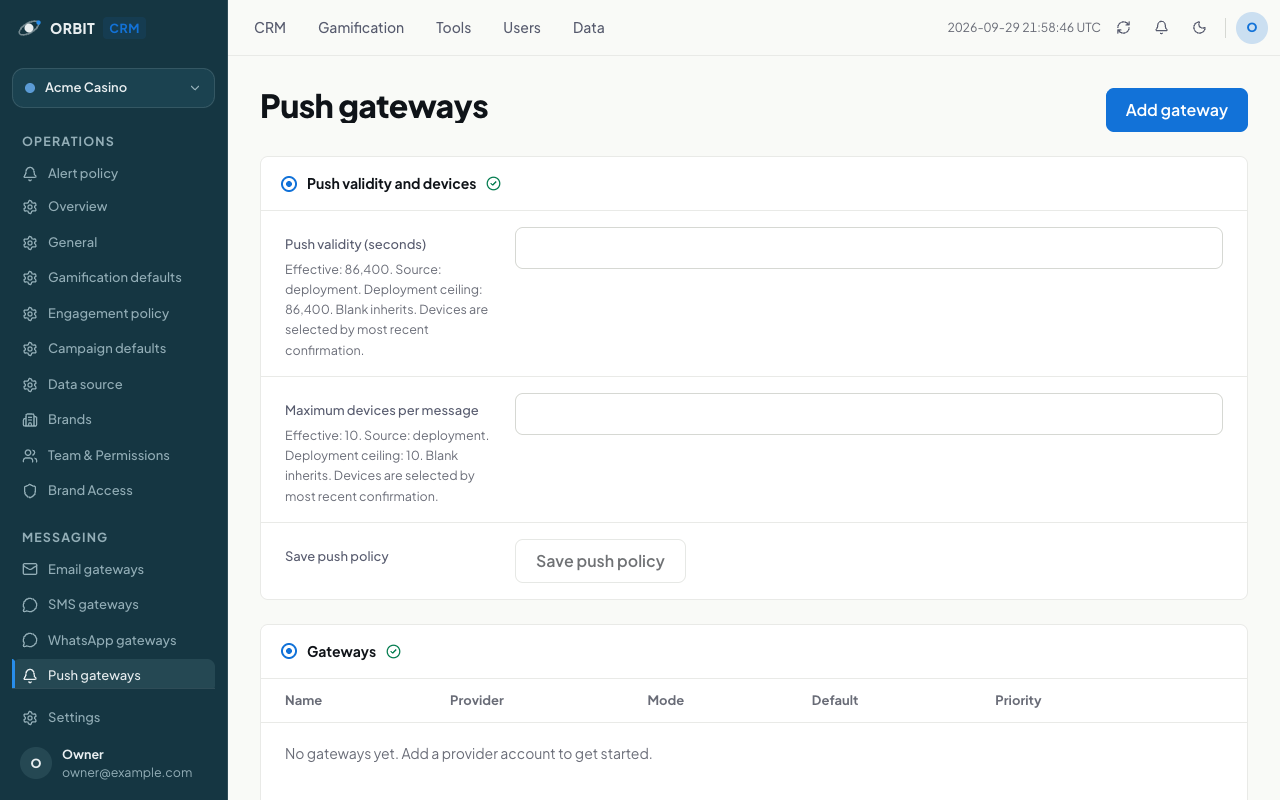
Push validity and devices decides two things for this brand: how long a push may be delivered after Orbit hands it over, and how many of the customer's devices that one push may reach.
Before you start
An Owner or a Manager can change the fields. Open Settings, then Messaging, then Push gateways. The card sits above Gateways.
- Read Effective, Source and Deployment ceiling on each row. Source says deployment when the field is blank. It says brand when this brand has saved a number at or under the ceiling. It says brand, clamped to deployment ceiling when the saved number was higher than the ceiling and Orbit is using the ceiling.
- Set Push validity (seconds). Blank inherits. The field accepts 0 to 2419200. This is the time the push stays available to the device after the handover.
- Set Maximum devices per message. Blank inherits. The field accepts 1 to 100. Devices are selected by most recent confirmation: the devices confirmed most recently are the ones that receive the push, up to this count.
- Click Save push policy. The row says Saved.
A push that names an Orbit link still uses these two limits for the notification itself. The link runs later, on the site, and is described in Open an Orbit link from a push.
Warning
A number outside the field's range does not save. Save push policy stays off until every field is valid, and until something has changed.
Tip
Leaving both fields blank keeps the deployment ceilings. You do not have to type the ceiling in to inherit it.