Appearance
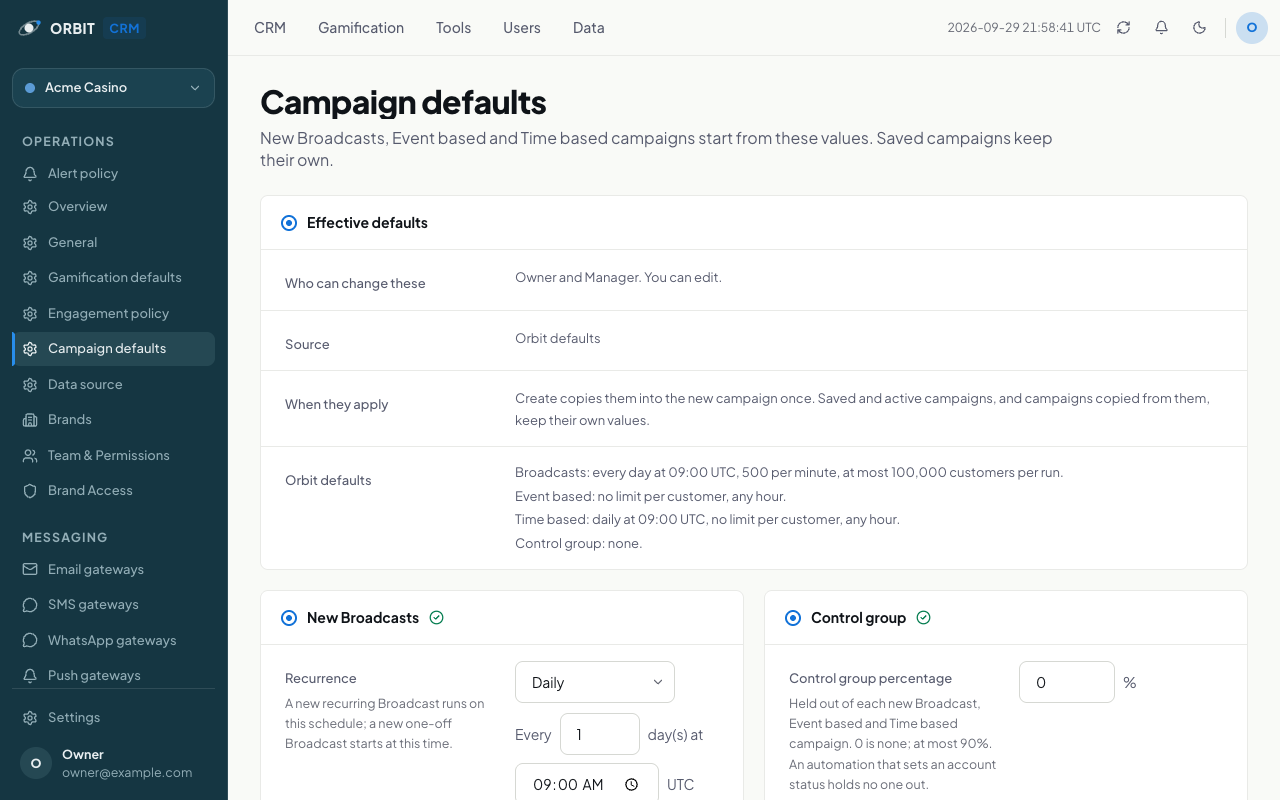
Campaign defaults are copied once, when someone creates a Broadcast, an Event based campaign or a Time based campaign. Saved campaigns, active campaigns, and campaigns copied from them keep their own values. This article is the New Broadcasts card.
Before you start
Who can change these names Owner and Manager. Anyone else sees Your access is read-only. When they apply says create copies them into the new campaign once. Source says Orbit defaults or Brand defaults with a version.
- Open Settings, then Campaign defaults.
- On Effective defaults, read Orbit defaults. The Broadcast line is the schedule, the per-minute pace, and the customers per run that a new Broadcast gets when you have saved nothing.
- Under New Broadcasts, set Recurrence. Broadcast frequency is daily or weekly. A daily row is Every, a number of day(s), at a time, UTC. The day count accepts 1 to 365. A weekly row uses the weekday picker and at a time, UTC. A weekly schedule needs at least one weekday, or save says Broadcasts: a weekly schedule needs at least one weekday.
- The hint says a new recurring Broadcast runs on this schedule, and a new one-off Broadcast starts at this time.
- Set Sending speed. The unit on the row is Per minute. This paces a new Broadcast's real sends.
- Set Maximum audience per run. The hint says this is a random sample of the audience, drawn before the control group.
- Click Save defaults. The page says Saved. New campaigns start from these values. Discard changes restores the last saved numbers.
Warning
Save defaults stays off while a box is empty or a weekly recurrence has no weekday.
Tip
The control group percentage is the next card, and it is copied into the new Broadcast as well. It is set in Set the control group on new campaigns.