Appearance
Send the broadcasts whose time has come, and read what that run did.
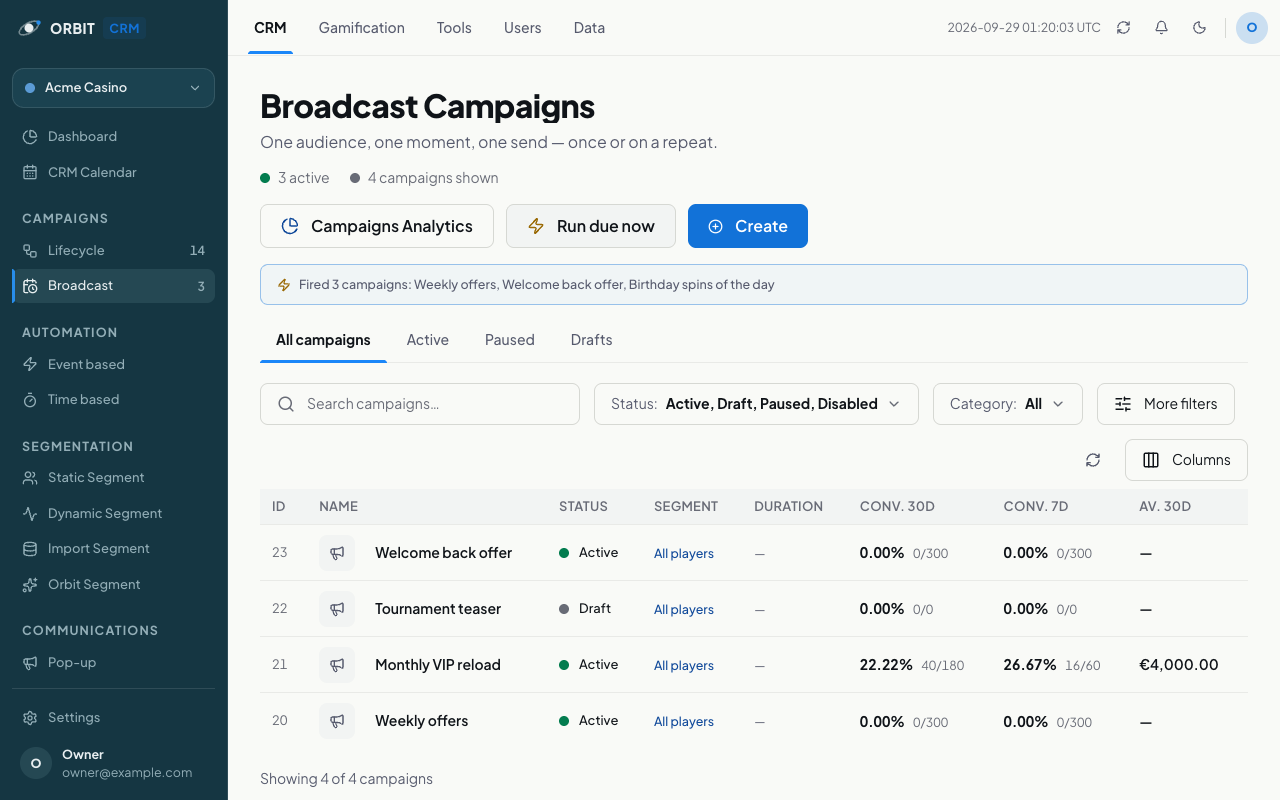
Before you start, each broadcast you expect to send has Status Active, a schedule, and a segment. A draft or a paused broadcast is skipped. A Send now broadcast is due once, the first time it is Active and has never run. A dated or repeating broadcast is due when a slot has passed since its last run. A broadcast that has never run looks back 14 days and sends once, not once for every missed slot.
- Open CRM, then Campaigns, then Broadcast.
- Press Run due now. The button’s tooltip is “Process scheduled campaigns whose next run is due”. While it works the label is Running….
- If nothing qualifies, the line says “No campaigns due right now.” If one or more ran, the line names the count and the campaign names. It starts with Fired, and it stays up for a few seconds.
- Open one of those broadcasts. Open the Data tab. Under the conversion tiles, Run history lists each run. The columns are Run at, Channel, Audience, Sent, Delivered, Clicked, Converted, and Revenue.
- The line above the table says each run resolves the audience, holds out the control group, and delivers messages. An empty table says “No runs yet — click Run now to execute this campaign.”
- Run now, on that same Data tab, runs this one broadcast without waiting for the clock. It is refused when the campaign is Disabled or Archived, and the tooltip says nobody new enters it.
Audience shows how many people were in the run, and how many were held out. Revenue stays as a dash when the run recorded none.
Tip
The same pass runs on its own when Settings, General says Background scheduler running. Run due now is the way to start that pass for this brand while you are watching. The CRM Calendar’s Upcoming runs list is the slots still ahead, not the runs already in Run history.